Page | 133
Apply Presenter Settings
To apply Presenter Settings to a story/selection of stories:
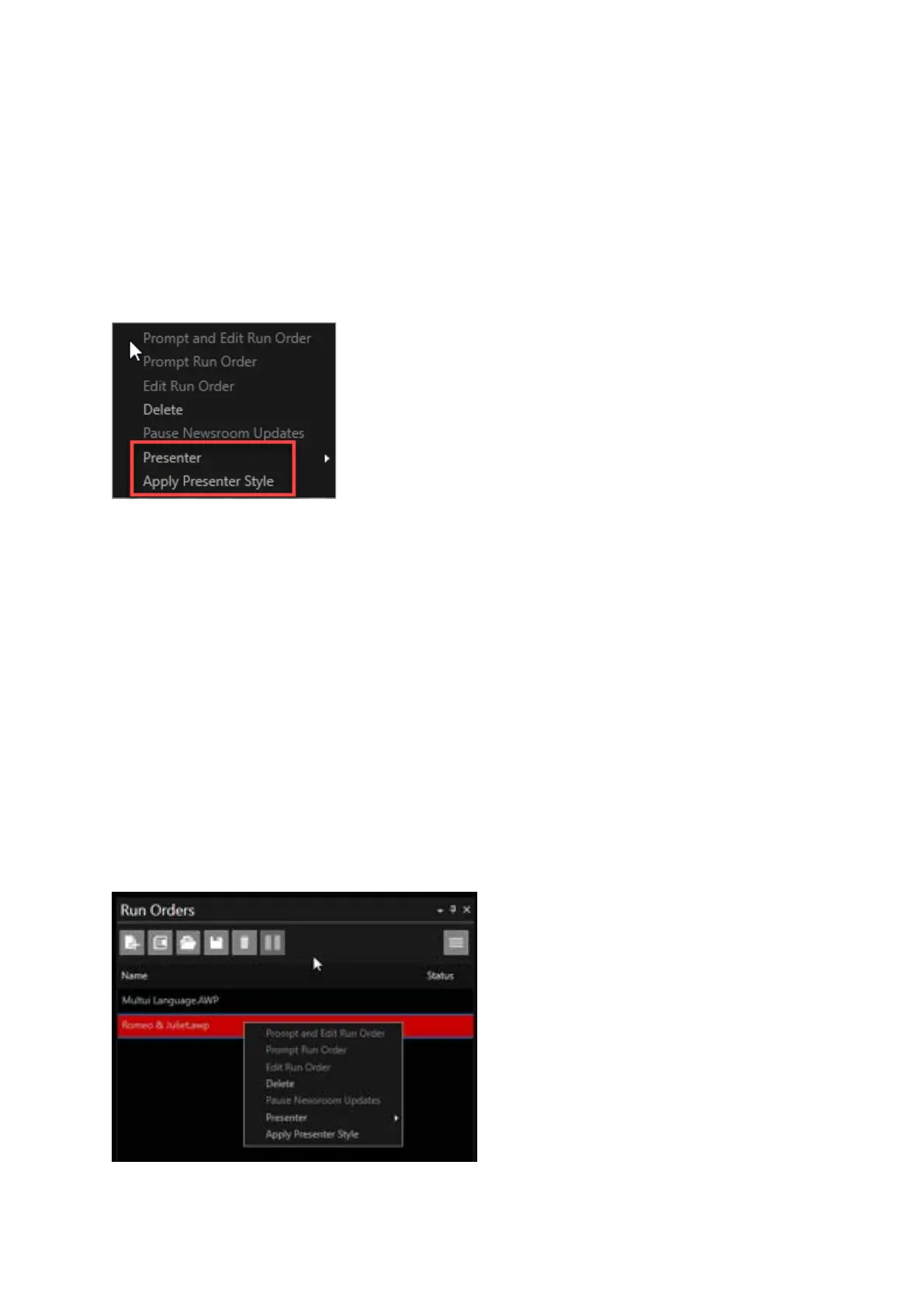
Right click on the selected story in the Active Run Order window. There are two options for applying
a Presenter.
• Presenter
• Apply Presenter Style
Presenter: If Presenter is selected you will see a drop-down list of the Presenters you have in your
Presenter list. You can then select a Presenter and their style will be applied.
Please Note: If the story has any text which is specifically formatted, for example in a different colour
or in italics this formatting will remain. The application of a Presenter will not overwrite these format
changes with the selected Presenters formatting.
Apply Presenter Style: If Apply Presenter Style is selected this will apply the formatting of the
Presenter assigned to that story. This will override any specifically formatted text with the
formatting for that stories Presenter. In the absence of a Presenter, WP-IP will apply the formatting
of the Default Presenter.
Please Note: These Presenter options can also be applied to an entire Run Order.
Right click on the Run Order in the Run Orders window and select Presenter or Apply Presenter Style.



 To Next Page