Page | 82
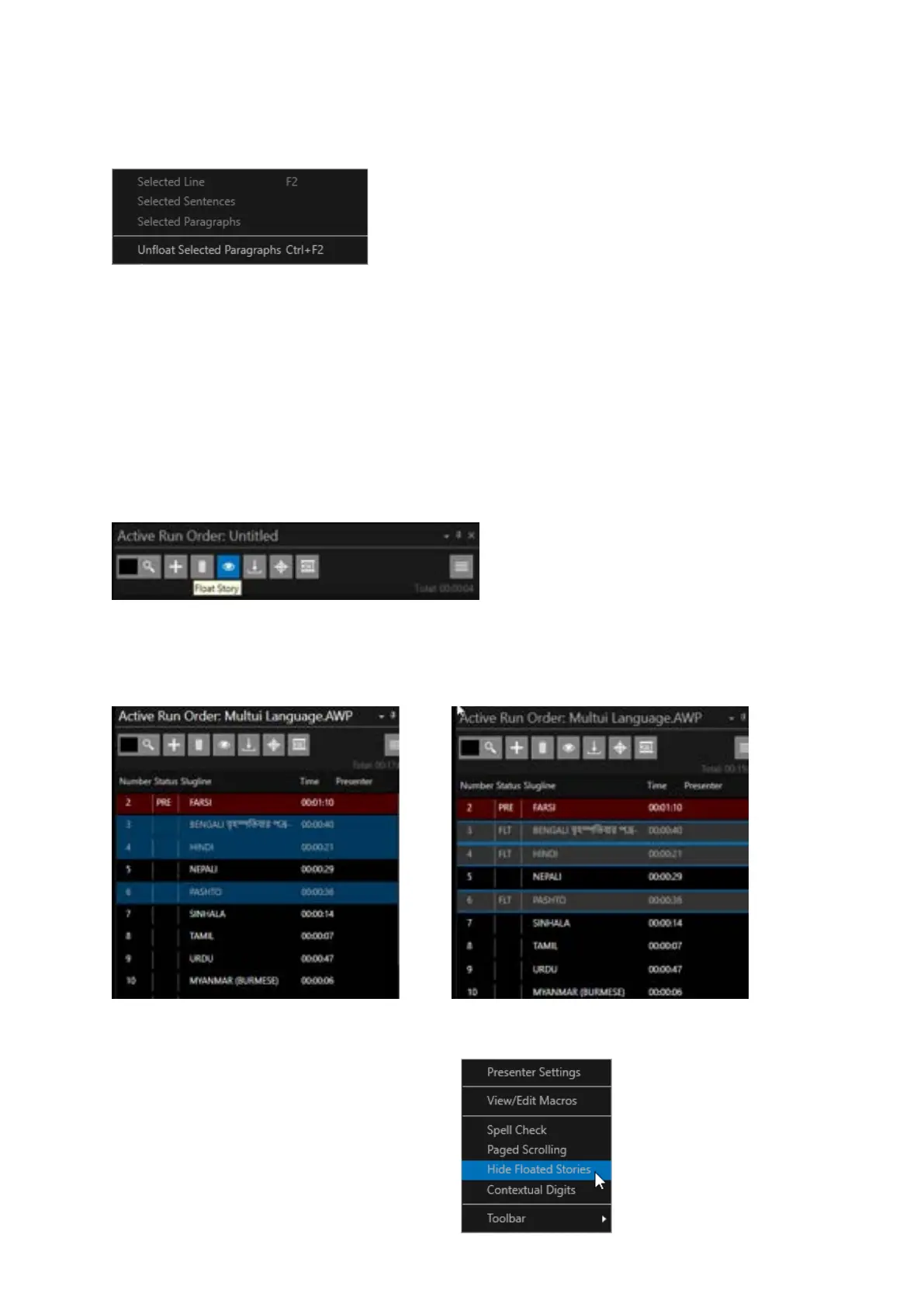
To remove the Floated status, select the Floated text, and click F2 or select the Floated Text then
right click Float and select Unfloat Selected Paragraphs.
Floating/Cloaking from the Run Order Window
Please Note: Float/Cloak have the same function, but the terms differ dependent on the system used.
For the purpose of this manual, we will use the term Float.
When not connected to a NRCS a story or a selection of stories can be Floated from within the Active
Run Order window by using the Float Story button, by right clicking and select Float or by clicking F2
In the below example stories 3, 4 & 6 are selected.
When the Float Story button (of F2) is clicked stories 3, 4 & 6 will show FLT (Floated) in the Status
Column and they will be removed from the prompt output.
Please Note: The stories and their contents
will still be visible in the Story Editor when
Cloaked.
To hide these in the Story Editor click the
burger then Hide Cloaked Stories.



 To Next Page