Page | 259
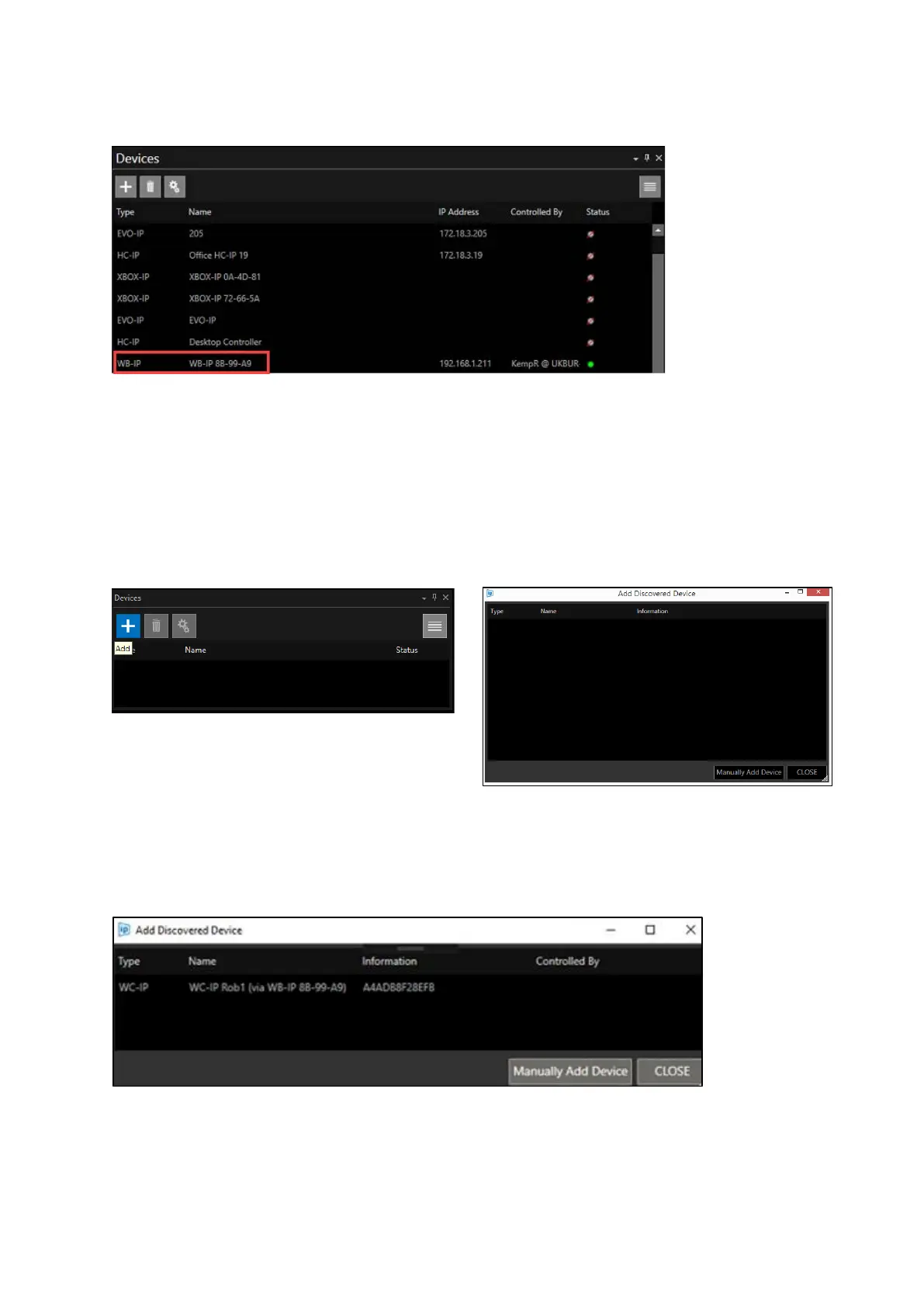
It will now appear in the Devices list:
When connected the Status light will show as Green.
Once the base station is connected switch on the Wireless Controller (WC-IP)
Adding The WC-IP
In the devices window click the + icon. This will launch the Add Discovered Device window:
When “Add Discovered Device” is clicked, a list of the available WC-IP connected to the network will
populate. The window shows the type of device available, its friendly name and its MAC address.
The WC-IP is displayed below:
Double click to add.
The WC-IP will now appear in the Devices pane.



 To Next Page