Page | 176
Newsroom Preferences
Controls on what text is shown and/or imported when working with any newsroom system as well
as automatically loading run orders can be set in the Preferences window.
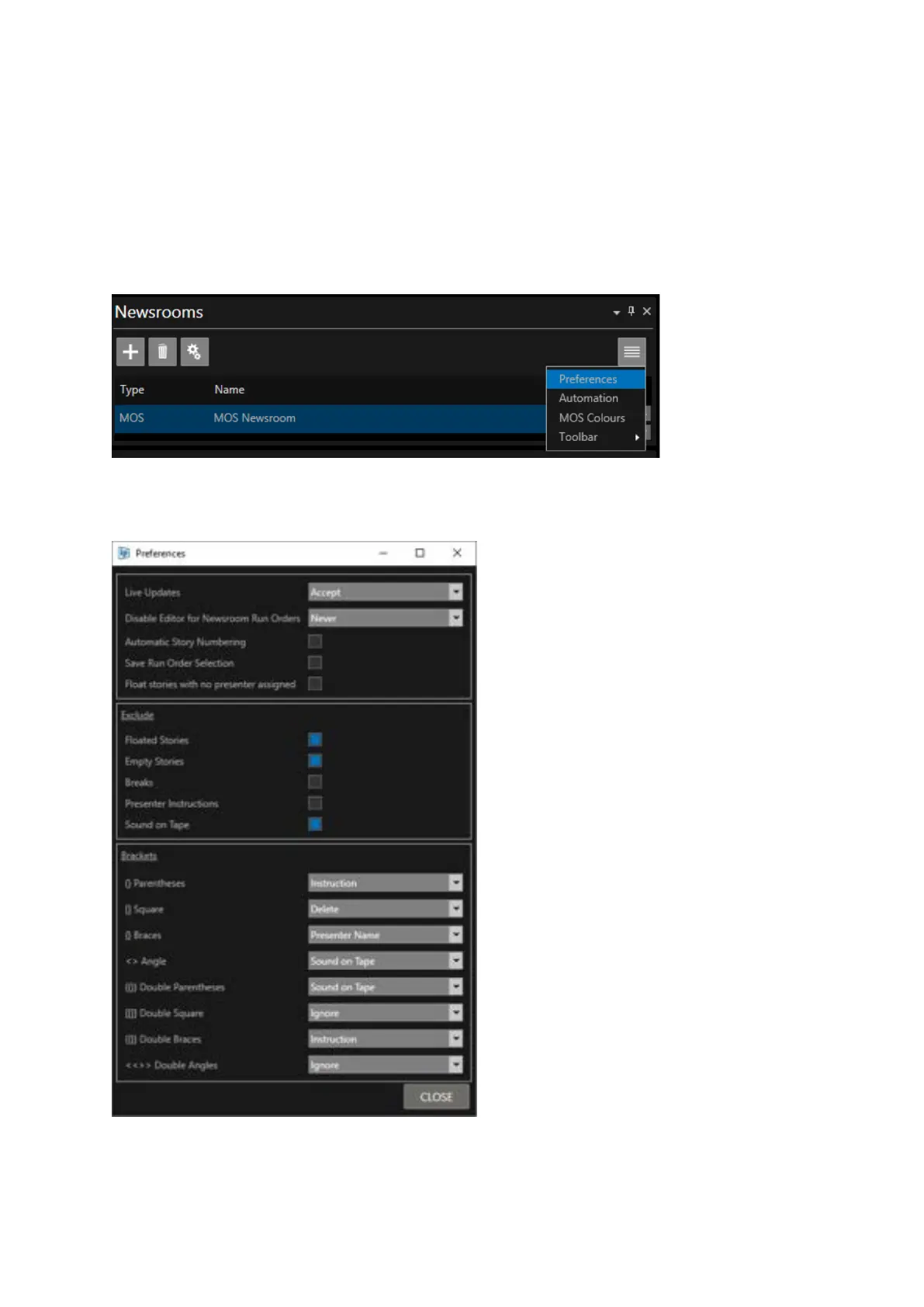
To launch this window, in the Newsrooms pane, click on the newsroom you want to configure then
click on the burger and select Preferences:
The Preferences window will then open:
Boxes which are checked on (Blue Square)
are set as ACTIVE
Boxes which are unchecked (Grey square)
are set as INACTIVE



 To Next Page