Page | 208
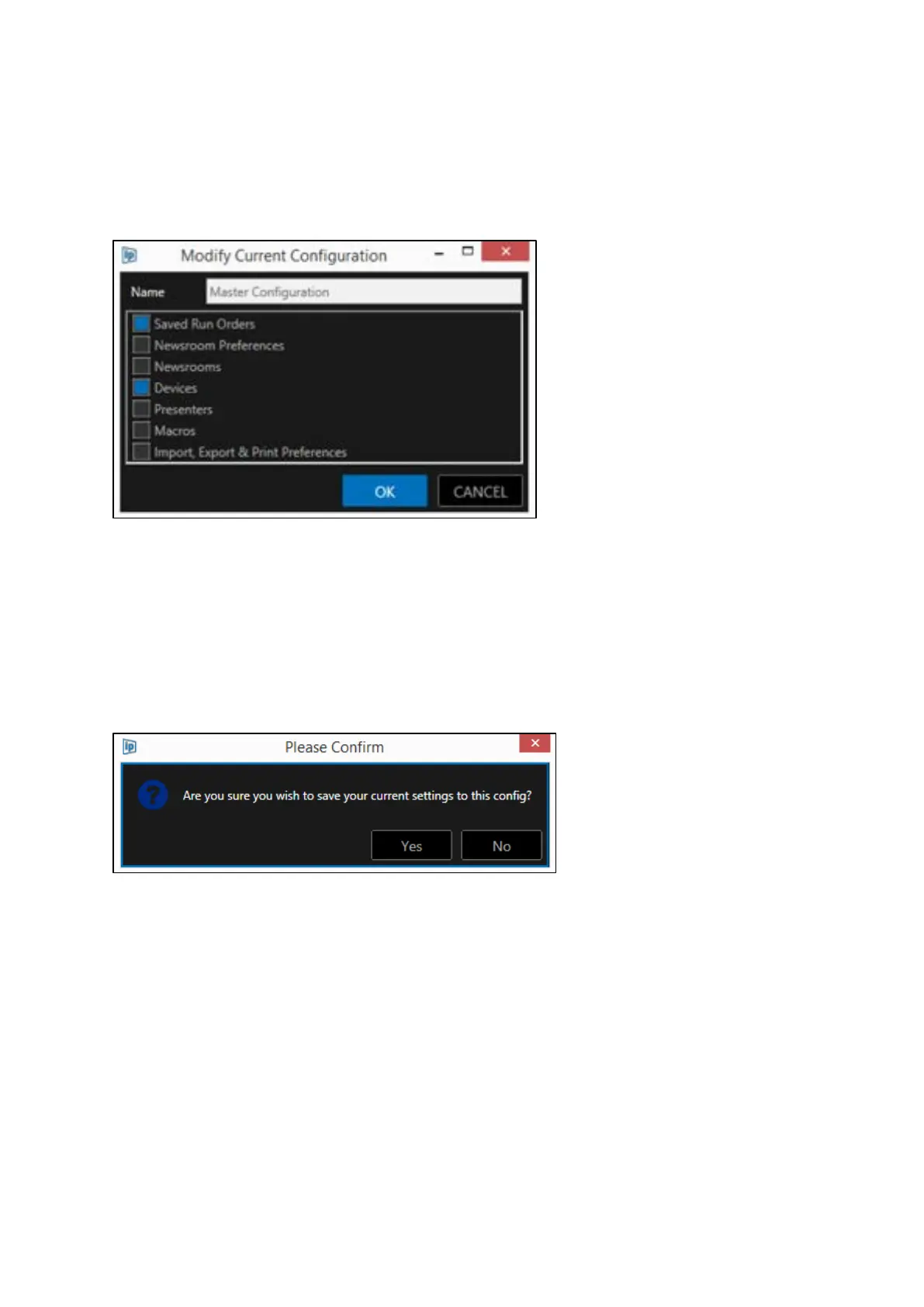
You can also rename the Configuration in this window.
In the below example, Saved Run Orders and Devices will be modified in the Master Configuration
with the current WP-IP settings, all other elements will be unchanged.
Click OK to apply or CANCEL to close the window without making any modifications.
Please Note: To quickly apply all current settings to a Configuration click on the Configuration you
want to delete to select it then right click and select Save.
When selecting this option a confirmation box will open:
Click Yes or No to save the current settings to the configuration, or close the confirmation box
Load Configurations
To switch between Configurations, I.E. to load a different Configuration from that currently active,
click on the Configuration you want to apply to select it.
In the below example Master Configuration in currently active.
To load the 5PM Running Order click on 5PM Running Order to select it.



 To Next Page