Page | 260
Pairing the WC-IP to the WB-IP
The WC-IP will be automatically linked to an available WB-IP.
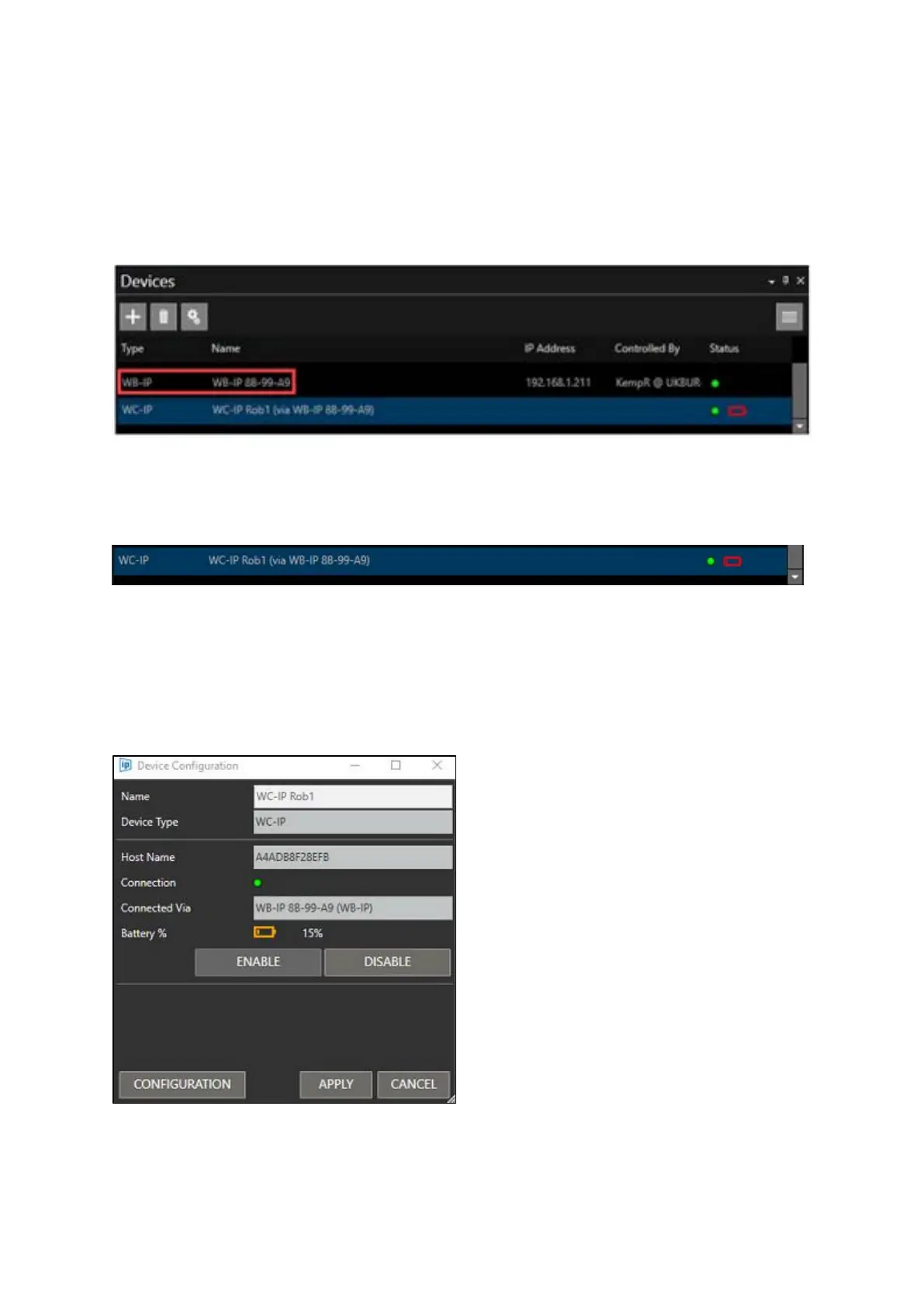
The devices pane will show which WB-IP Basestation it is connected to.
In the below example the WC-IP is named “WC-IP Rob1”
The devices pane shows “WC-IP Rob1” is connected to WinPlus-IP via Basestation WB-IP 88-99-A9.
In the WC-IP name column it displays the name of the WP-IP “WC-IP Rob1”, and then the WB-IP it is
using to connect to the WinPlus-IP application by showing the name in brackets (via WB-IP 88-99-A9)
The device menu is the same as with the other controllers except there is more information.
It shows the battery level both graphically and by %, the connection state, and the Basestation it is
connected to:



 To Next Page