Page | 186
Display/Hide Story Breaks
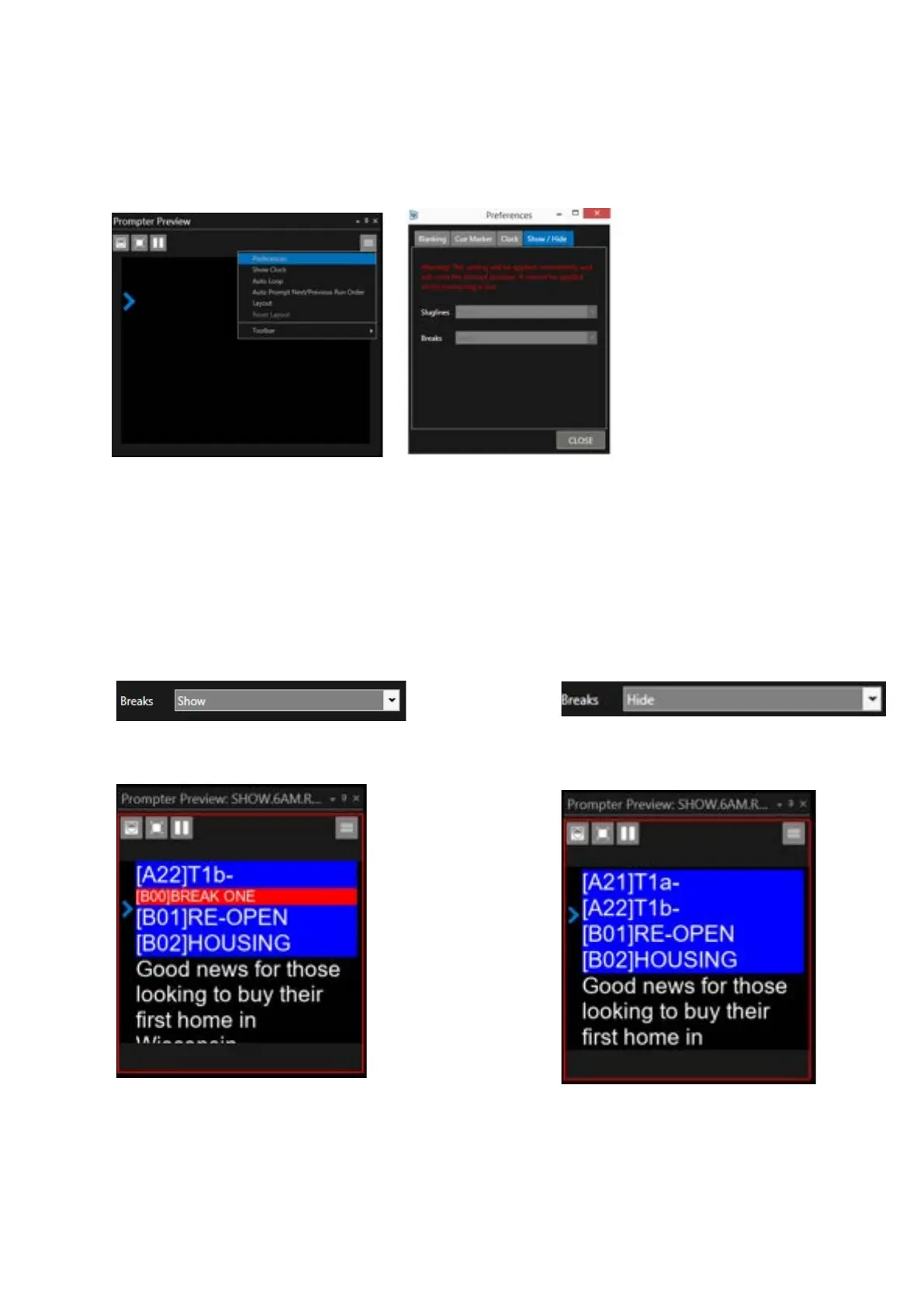
To access this feature, click on the burger in the Prompt Preview pane then Preferences / Show/Hide
WP-IP enables the option to remove all story BREAKS from the prompter output.
The options are to “Show” or “Hide” Breaks. These can be selected from the pull down.
Please Note: Break settings can only be applied when prompting is not live.
When applied the prompt position will be set back to the top of the Run Order.
Show: all breaks will be displayed Hide: all breaks will be hidden:
***IMPORTANT***
Please Note: Breaks are only hidden in the prompt output. They are not removed, and will therefore
appear in the Story Editor and the Active Run Order window.



 To Next Page