Page | 23
Firmware Upgrade
Occasionally there will be a need to update firmware on the devices.
Please Note: To access firmware updates, the latest version of WP-IP must be running
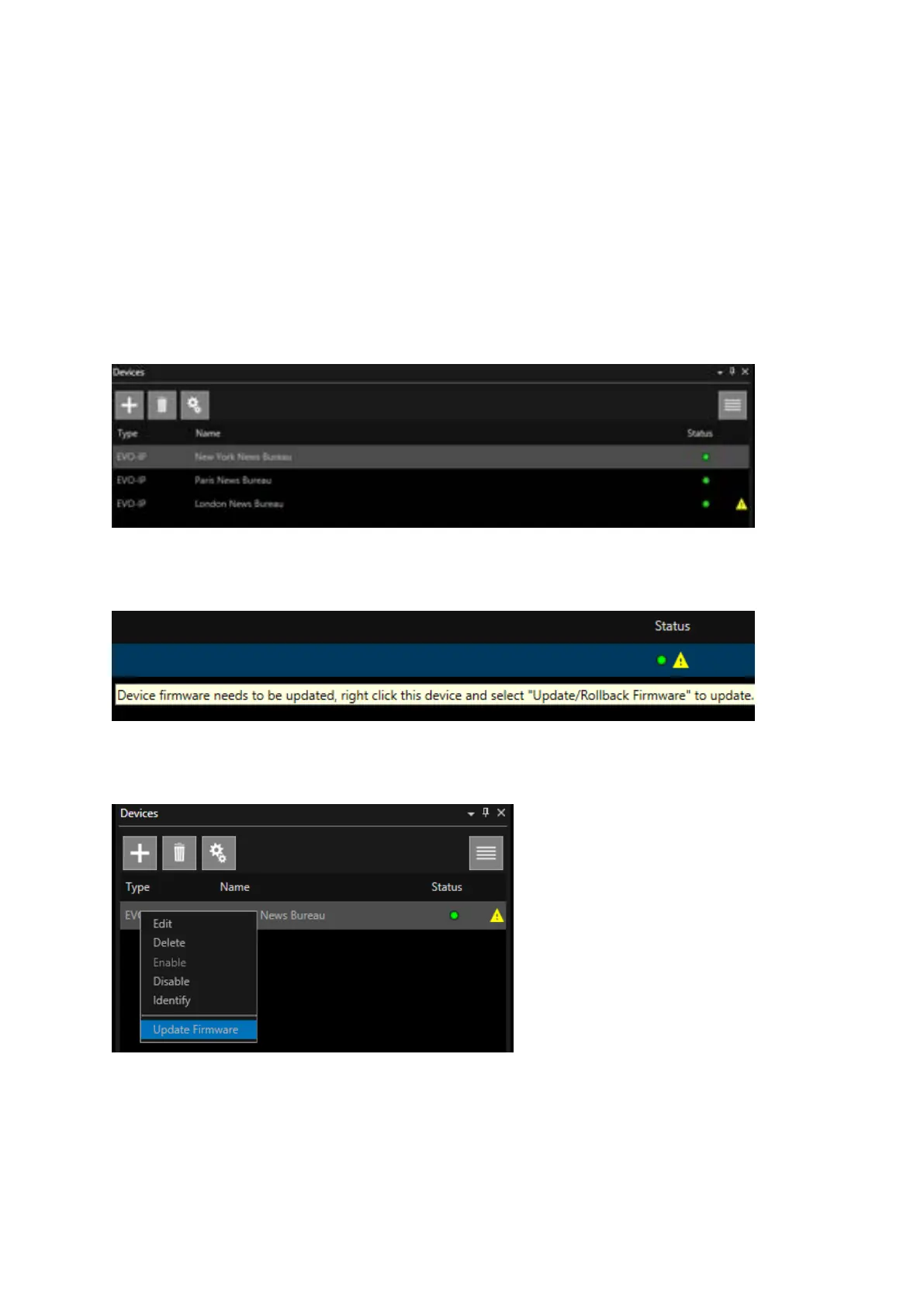
Firmware is bundled with the WP-IP installer. When WP-IP is launched, any device in the Devices
window requiring a firmware upgrade will display a warning sign (yellow triangle) beside the device
Status light:
The message will show as “Device firmware needs to be updated….”:
To update the firmware, right click on the device and select Update Firmware:
The application will automatically go to the file location for the updater.
The firmware updater window will open, and the update will begin.
An arrow moving to the right shows the image is downloading to the device.



 To Next Page