Page | 20
If you cannot access the hyperlink immediately, paste the copied Migration Code into a file then
open a browser and go to:
https://www.autoscript.tv/support/licence-migration
Complete the details required.
A Migration Authorisation Code will be emailed to the address you supplied.
Applying A Migration Code
Once you have received the Migration Authorisation Code you can apply it.
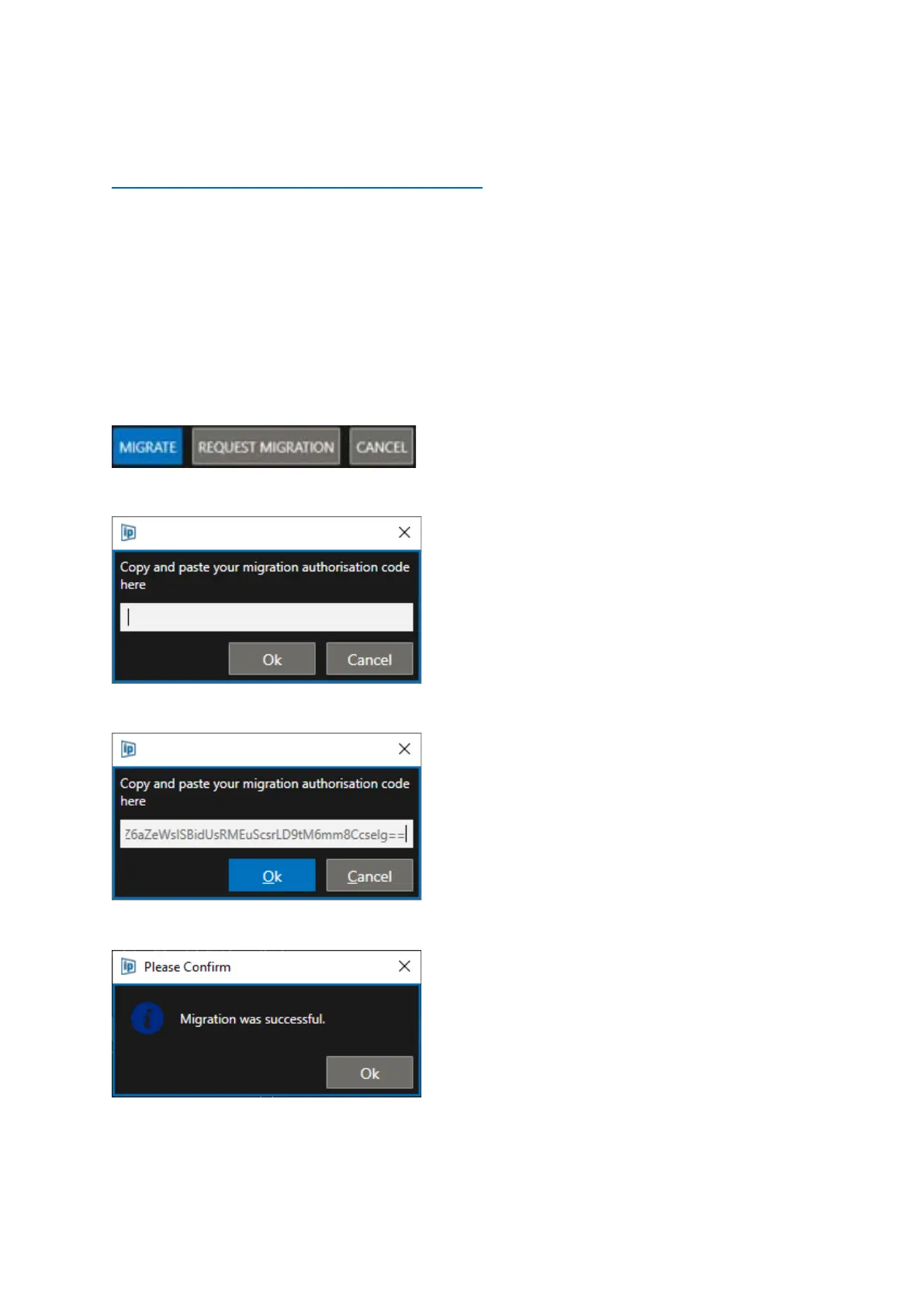
In WinPlus-IP click Help/Licence Migration. Click the Migrate button.
A new window will open.
Paste the Migration Authorisation Code emailed to you here and click OK to complete the migration
If successful you will see the below message.
Click OK and Cancel to close the Licence Migration window.
Please Note: After the licence has been migrated it will be deleted from the Source.



 To Next Page