Page | 188
Click Close to Close the Add Discovered Device window.
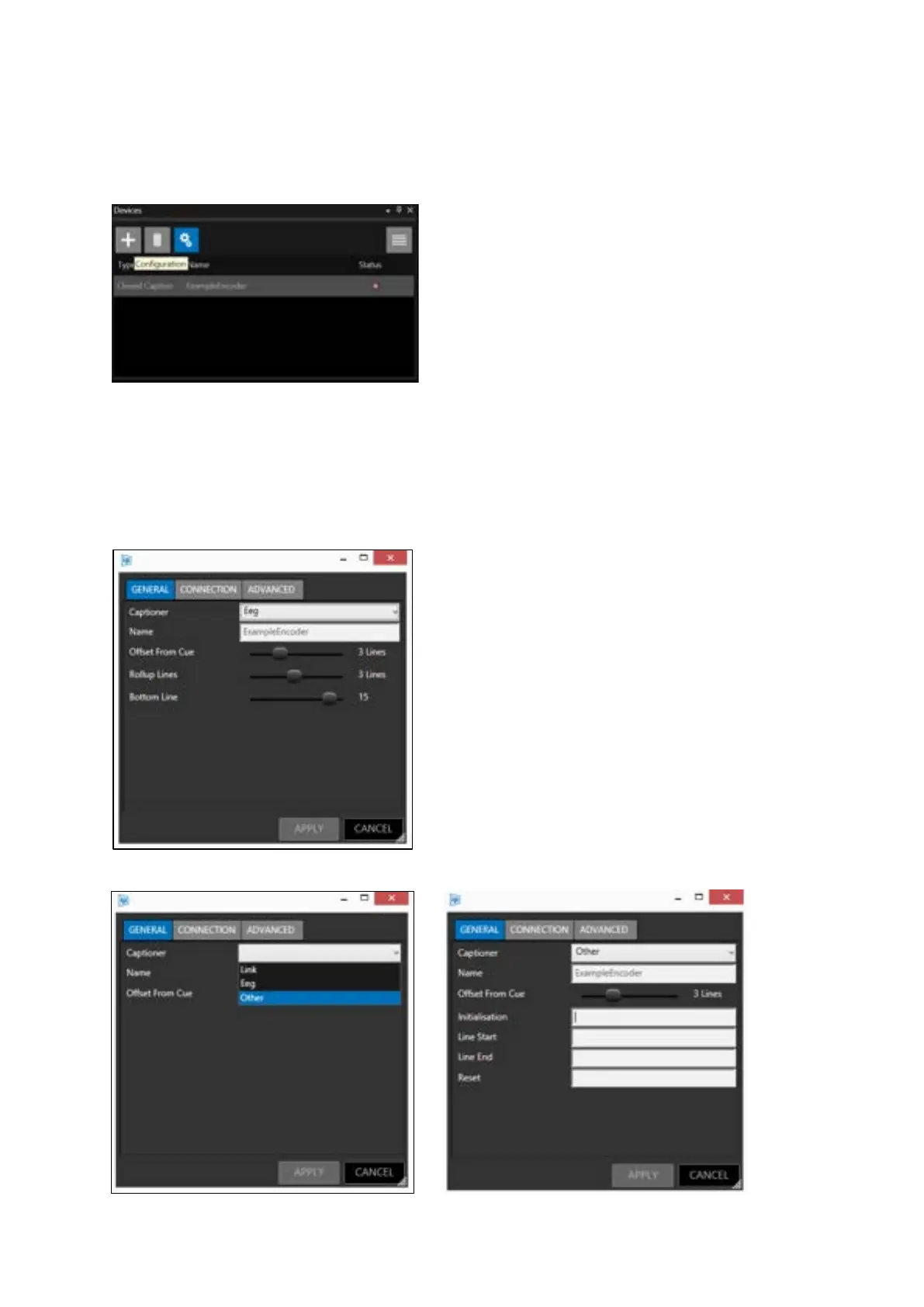
Highlight the closed caption entry in the Device pane and click the “Configuration” button or Right
Click and then Edit:
General Settings
Select the encoder from the drop-down menu. There are three CC options (LINK, EEG and OTHER)
Link or EEG CC encoder has the following general options:
Other encoder has the following general options:
Offset from cue: This value will determine when the CC
data is sent to the encoder relative to the position of
the Cue Marker. Values can be from 0 to 10. Use the
slider to adjust this number.
Rollup Lines: This value determines the maximum
number of lines CC displayed. Values can be from 2 to
4. Use the slider to adjust this number.
Bottom Line: This value determines where on the
screen the CC output appears. Values can be from 4-15.
Use the slider to adjust this number.



 To Next Page