Page | 83
Adding Notes To A Story
Notes can be added to a story for reference by the prompt operator.
Please Note: The notes feature is not available for Newsroom Run Orders
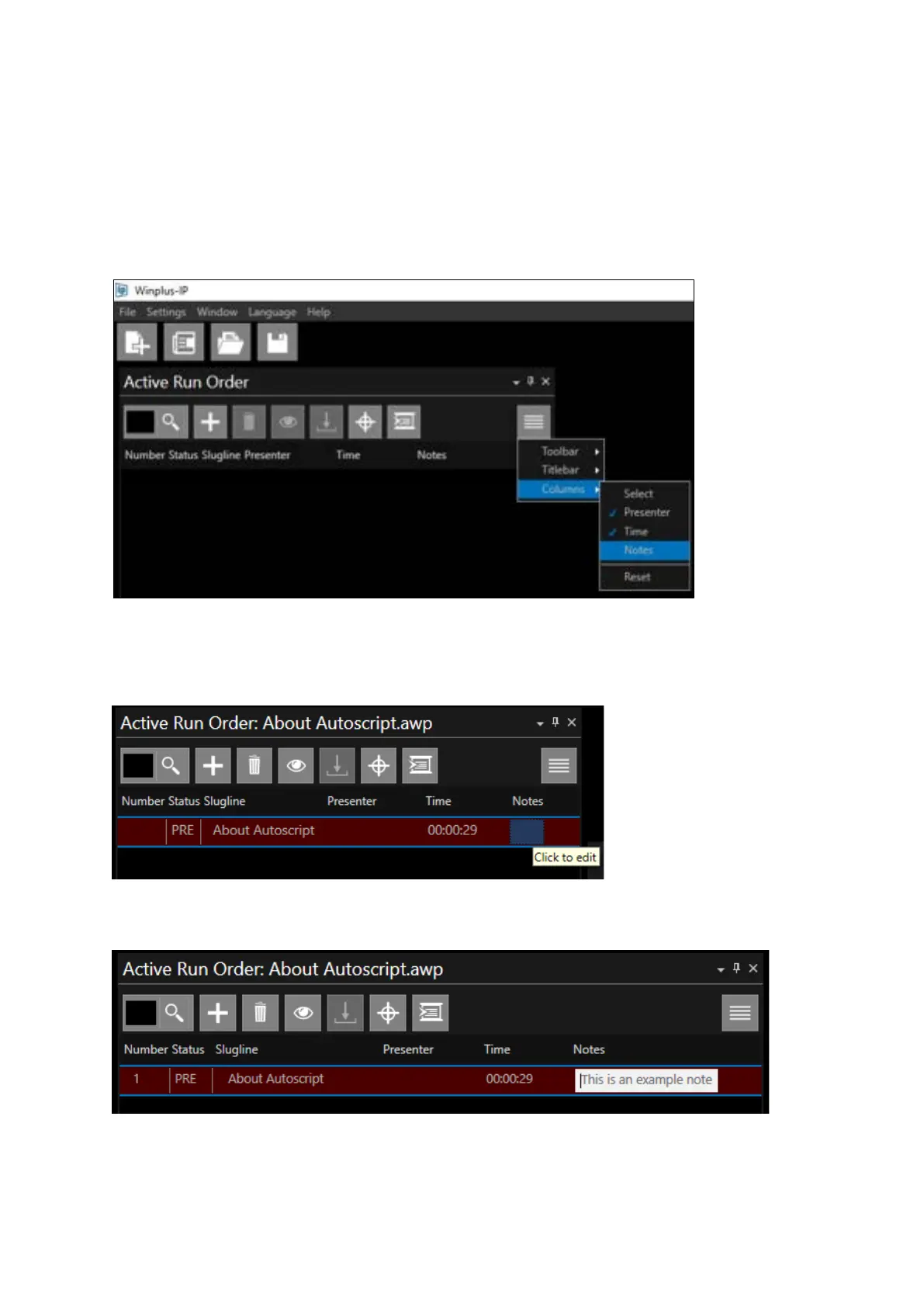
To display the notes column in the Active Run Order pane click the burger then Columns, Notes.
To add a Note:
In the story you want to make a note click under the word Notes. A box will appear where you can
begin typing.
Type the note you would like then press enter or tab out to save. Notes will be saved with the story
when the Run Order is saved. To edit a Note, click on the text in the Notes field.
To delete a Note select all the text and click delete or backspace.



 To Next Page