Page | 238
Purchasing a WP-I Licence
To enable the connection between the WP-IP application and your iPad/iPhone you will require a
licence. This is sales part:
WP-I
Sales Part Description:
iPad licence, single device
Note: Each incidence of iEVO will require a separate licence.
You can connect multiple iPads/iPhones to the WP-IP application, but each will require a separate
iEVO licence. You can share licences amongst iPads.
For example, if you have 3 x iPads and 2 x iPhones and 3 x WP-I licences you can add up to 3 x
iDevices to the WP-IP application. These can be any combination of the 5 x iDevices, the licence is
not locked to specific iPads or iPhones.
Please contact your local Autoscript sales representative for pricing.
To Activate Your WP-I Licence
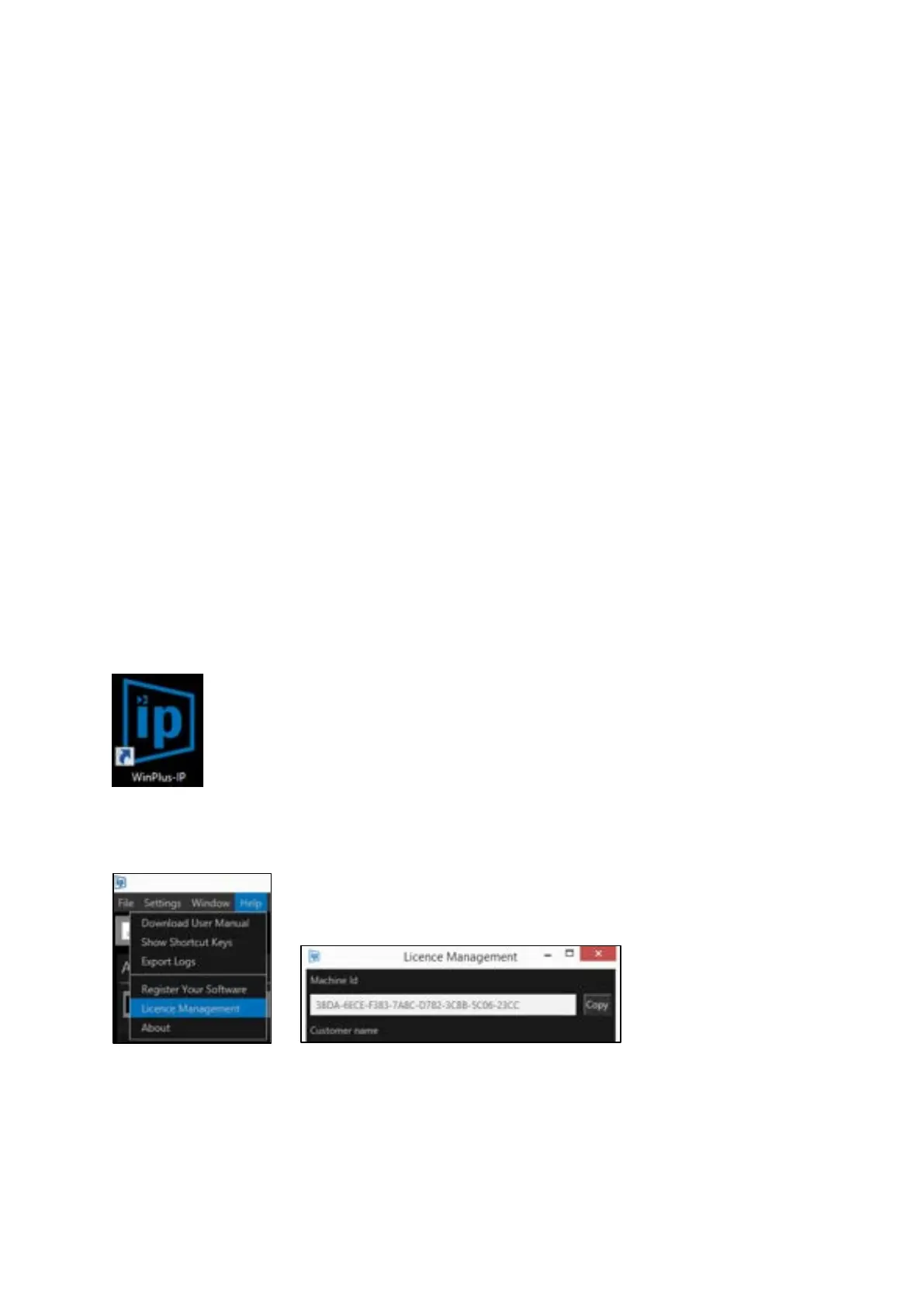
Open WinPlus-IP on the operating PC by double clicking on the WinPlus-IP icon on the desktop:
Copy the machine id from the Licence Management window:
Register the machine id and serial id(s) at:
http://www.autoscript.tv/support/register-product-software/



 To Next Page