Page | 128
Add A Presenter
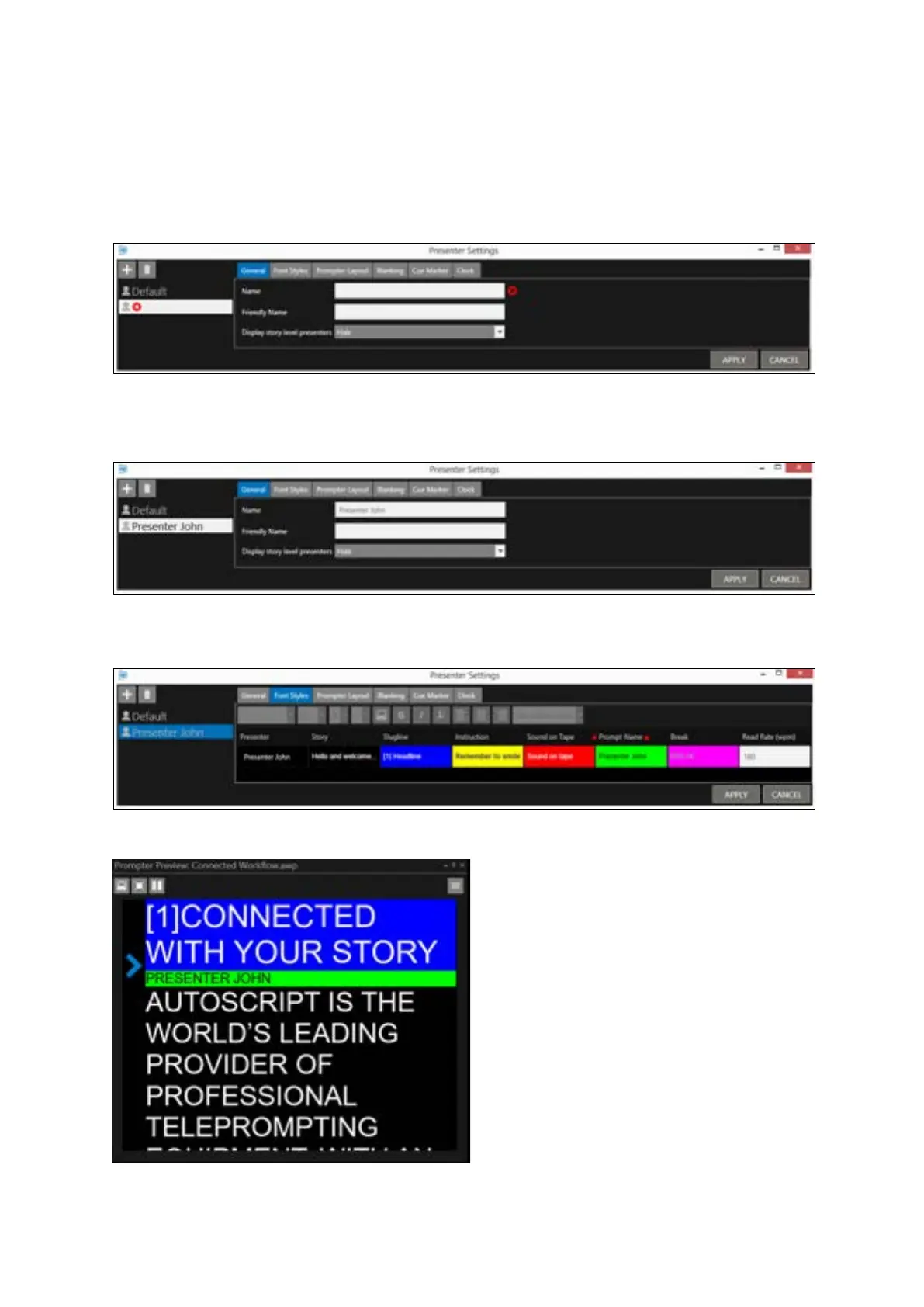
Open Presenter Settings by clicking on Settings/Presenter Settings from the main toolbar.
Then click the “+” button
Enter the presenters name in the Name field in the General Tab.
This will autofill the presenters name in the parent name field. For example, Presenter John:
When the presenters name is displayed, the presenters name will be shown in the format selected in
the Prompt Name field of the Font Styles tab:
That will result in Presenter John displayed as below:



 To Next Page