Page | 165
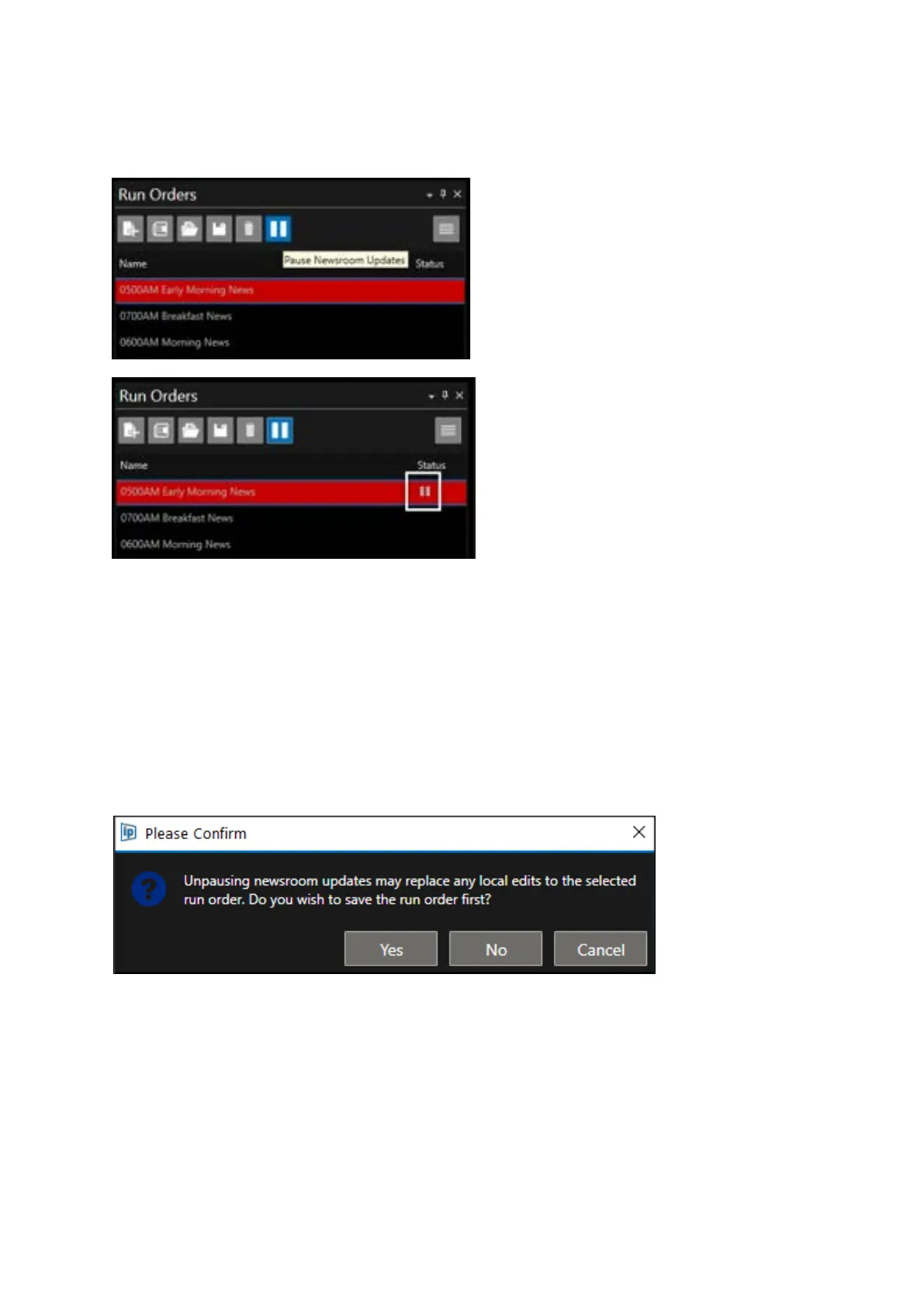
To Pause a Rundown select the Rundown you would like to Pause and click the Pause button. This
can be the active live Rundown or any other Rundown. The Status window will show a pause icon.
To Un-Pause a Rundown, select the Rundown you would like to Un-Pause and click the Pause button
again.
All changes made to the Rundown during the Pause period will automatically be applied.
The pause icon will be removed.
Please Note: When the paused is disabled, if any edits have been made to the script locally, you will
be offered the opportunity to save the Rundown.
Click Yes to save the script. Once the Rundown is saved the Pause will be removed and any changes
made by the NRCS during the paused period will be applied.
Click No and any changes made by the NRCS during the paused period will be applied.



 To Next Page