Page | 169
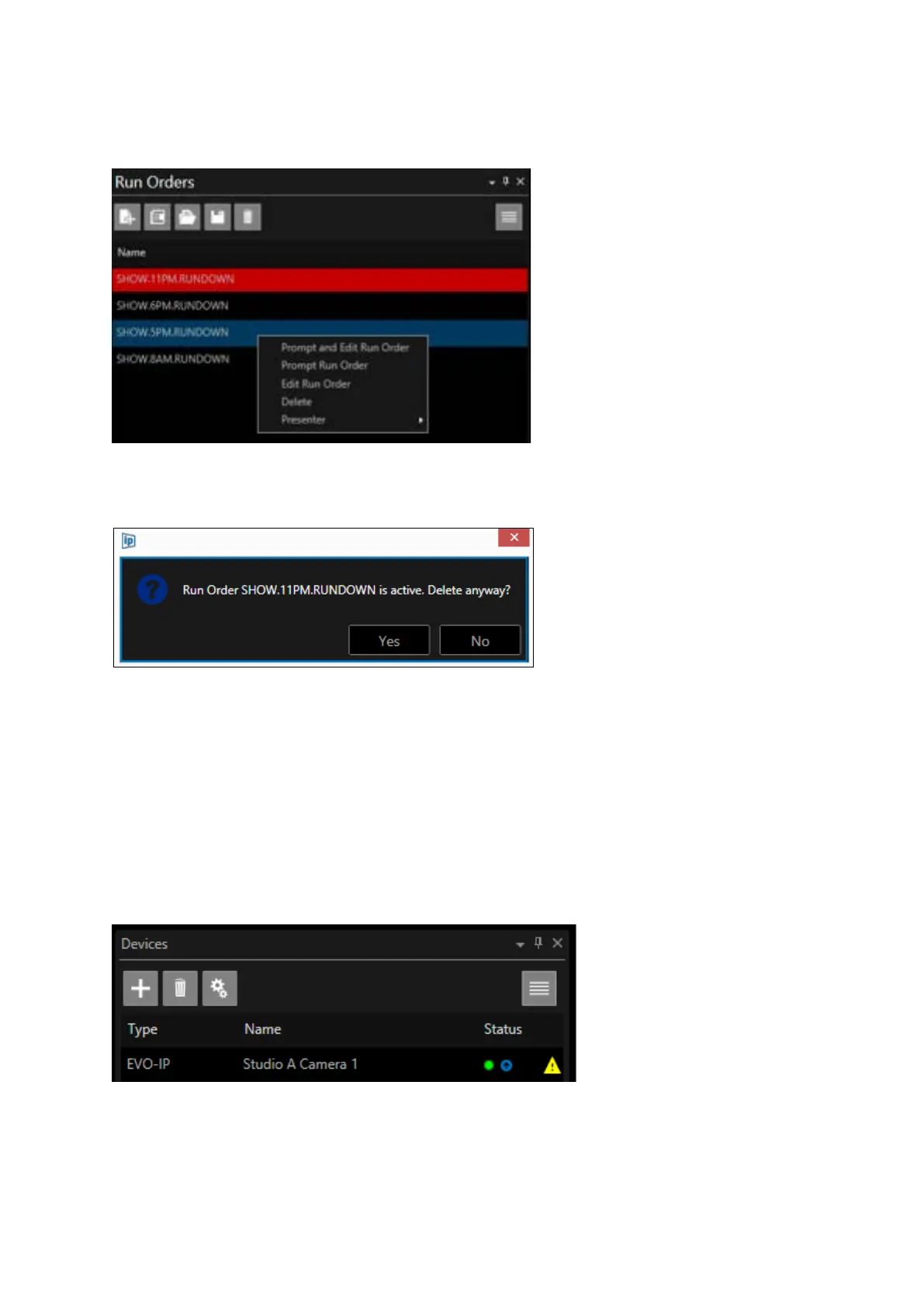
To prompt a different Run Order from the currently prompter Run Order right click on the required
Run Order and click Prompt and Edit Runorder or Prompt Run Order:
To delete a Run Order right click and select Delete. You will see a warning message
Please Note: If you choose to delete the currently live run order the currently prompted script will be
deleted.
As the rundown is loading into a device a blue arrow icon will be displayed beside the status light
(this may flash intermittently).
When the run down is fully loaded the red page icon will no longer be visible.
After any additional script updates the blue arrow icon may be seen to flash again as the run down
on the device is updated.



 To Next Page