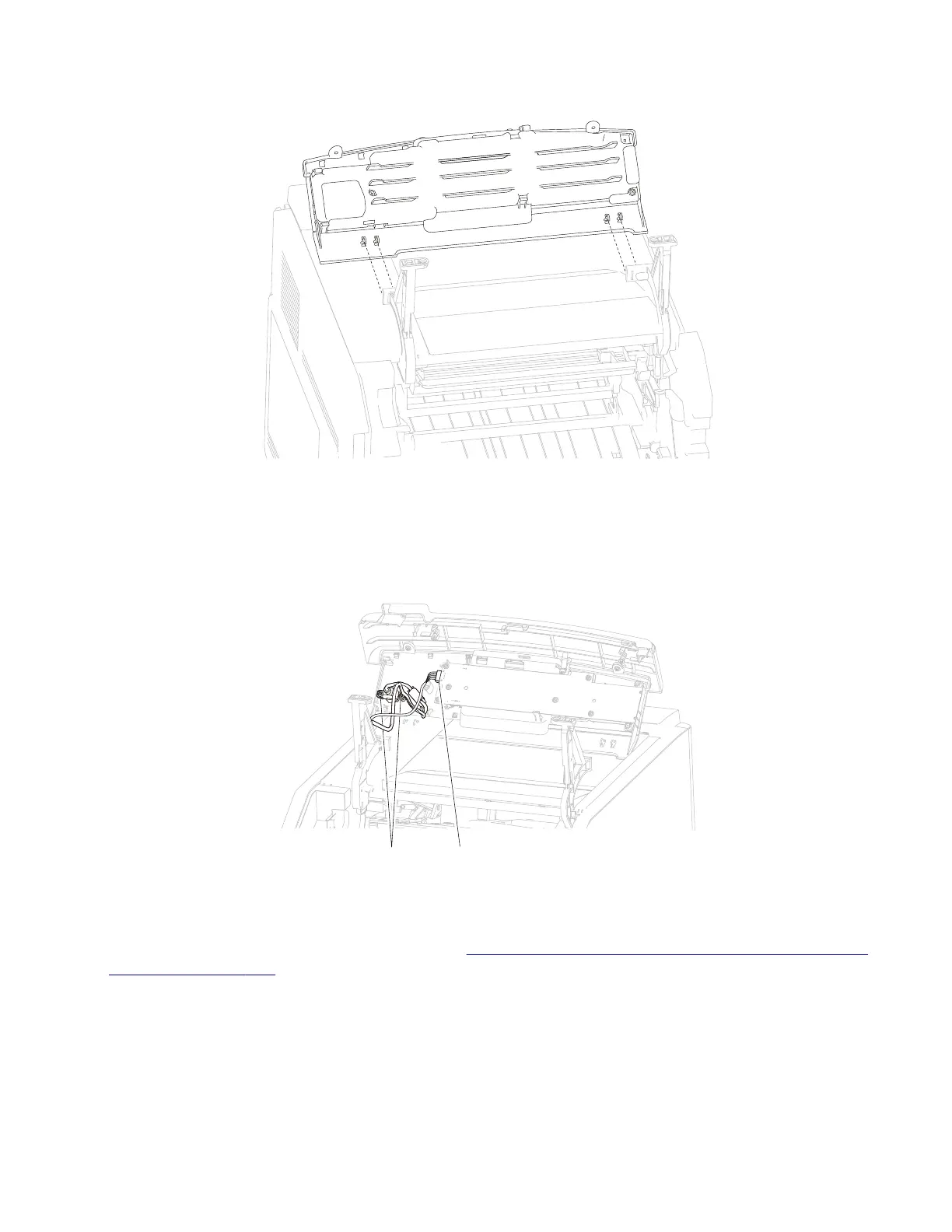
4 Detach the operator panel door assembly from the machine.
5 Remove the black plastic cover.
6 Remove the two screws (C) securing the USB socket to the assembly.
7 Remove the USB socket.
8 Disconnect the connector (D) from the assembly.
DC
T650, T652, and T654 left operator panel hinge assembly removal
1 Remove the operator panel door assembly. Go to “T650, T652, and T654 operator panel door assembly
removal” on page 305.
2 Remove the screw (A) securing the cover to the operator panel hinge assembly, left.
3 Remove the cover.
4 Detach the switch (B) from the operator panel hinge assembly, left.
4062
Repair information
306



 To Next Page