Action Yes No
Step 3
Check if the display on the operator panel changes every time the
sensing areas of the sensor (mailbox empty) is interrupted or
blocked.
a Enter Diagnostic mode.
b Select Output bin tests.
c Select Sensor test.
d Select Output bin x
e Observe the line item “mailbox empty.”
If necessary, replace the connection or the sensor (mailbox empty).
Go to
“Sensor (5-bin mailbox media bin empty) removal” on
page 350.
Does the problem remain?
Go to step 4. Problem is solved.
Step 4
Perform a print test using the output option.
Does the problem remain?
Contact next level of
support.
Problem is solved.
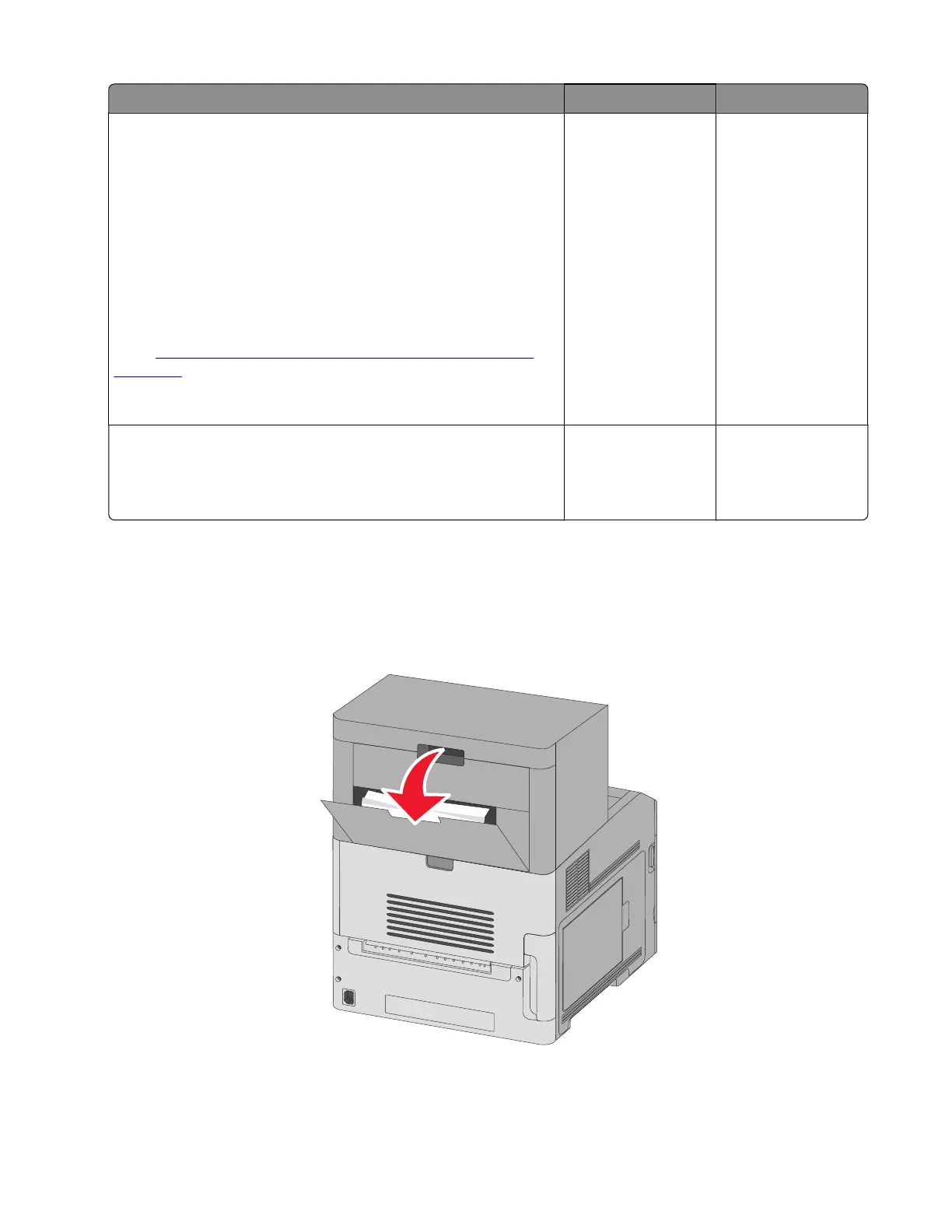
How to clear 280 paper jams
280 paper jams
1 Pull down the StapleSmart II Finisher door.
2 Remove the jammed paper.
4062
Diagnostic information
144



 To Next Page