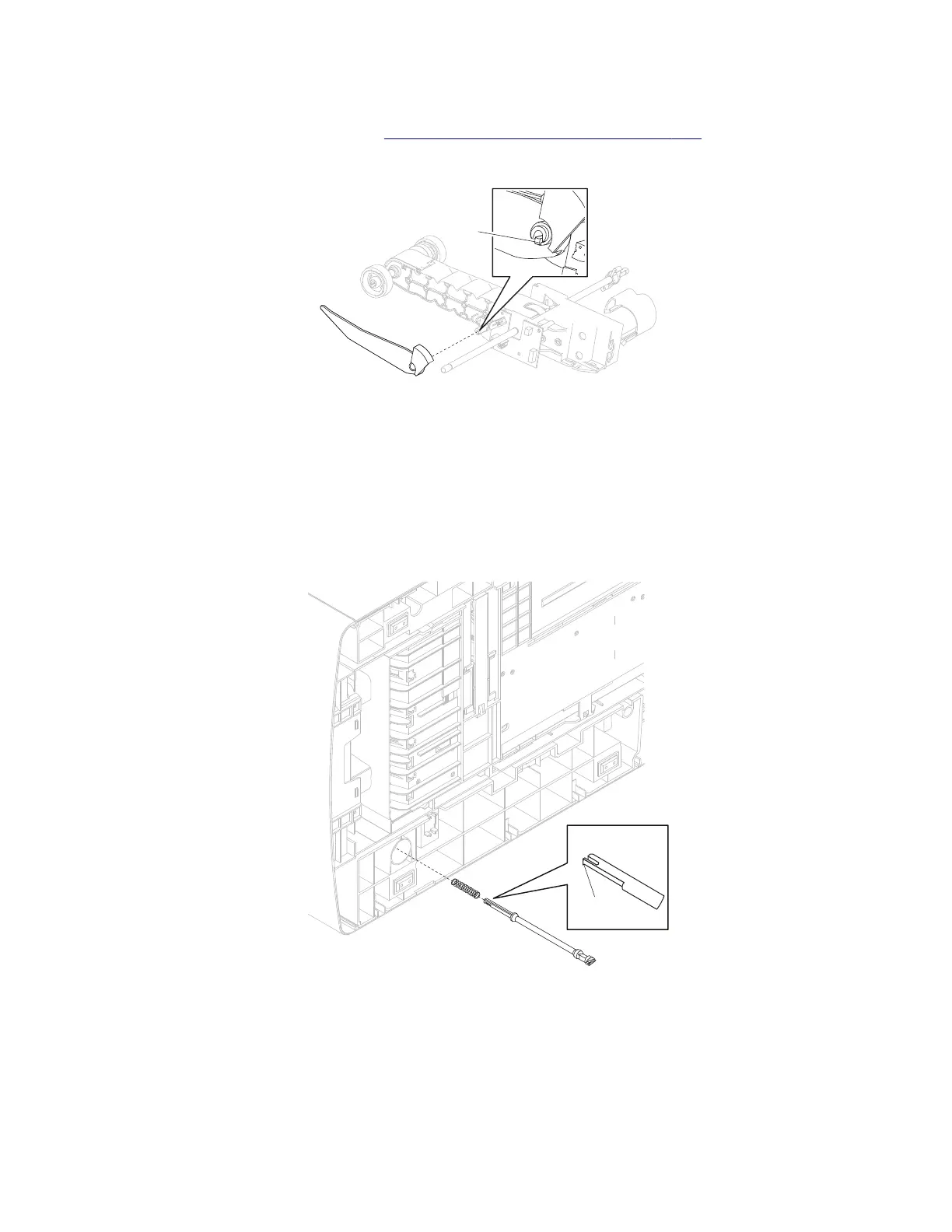
Media out actuator removal
1 Remove the pick arm assembly. Go to “Pick arm assembly removal” on page 320.
2 Release the hook (A) securing the media out actuator to the unit.
A
3 Remove the media out actuator.
Option drive shaft removal
1 Gently place the printer on its left or right side.
2 Using pliers, gently pull the option drive shaft from the machine.
3 Remove the spring.
A
Installation warning: When replacing the option drive shaft, ensure that the plastic hook (A) is not
damaged, or the option drive shaft will not remain secured.
4062
Repair information
319



 To Next Page