Operation
4
Operation
NOTE
If the driver leaves the driver's seat, the truck
is switched off after a delay time. If the seat
switch is activated during the delay time,
the truck can be operated without having
to re-enter the PIN. The fleet manager can
change the delay time.
e3861554
6
2
5
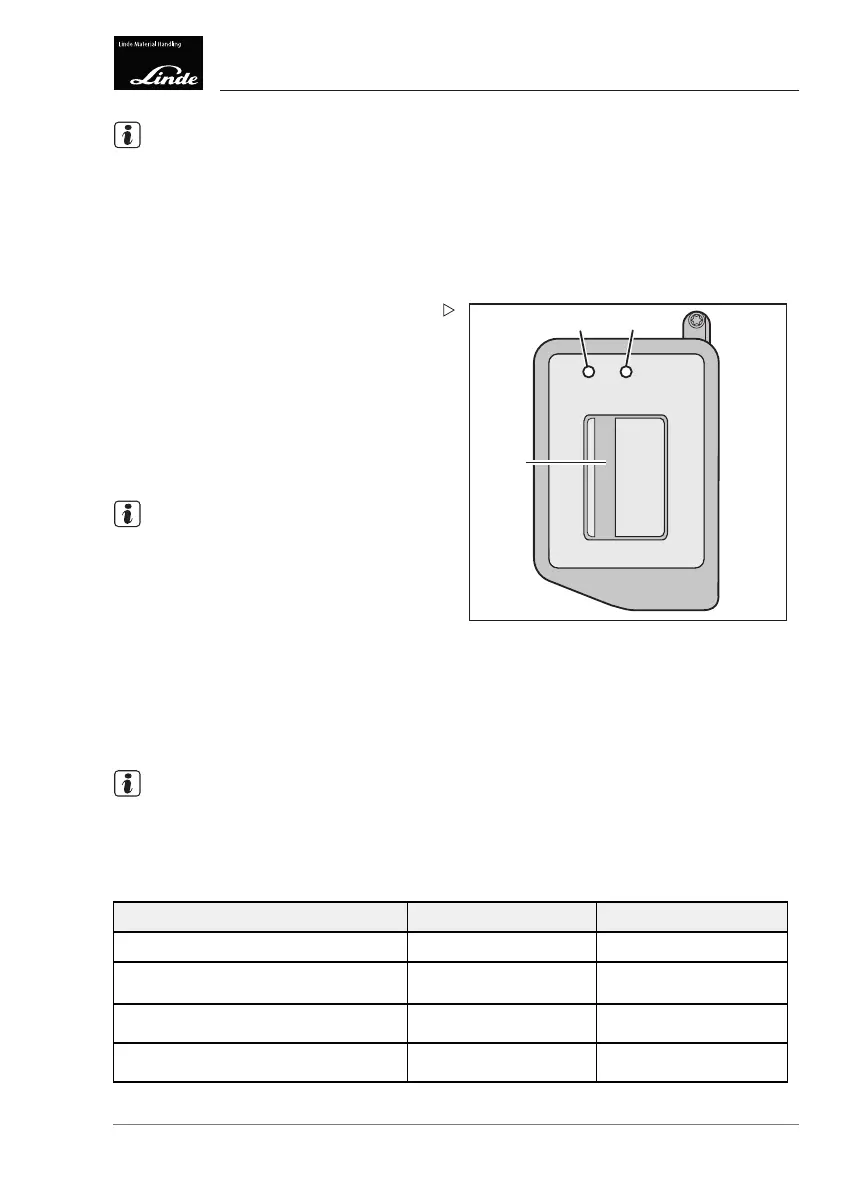
Activating the power supply:
Place a valid transponder on the reading
area (2) and hold it there for longer than
2 seconds.
LED (5) lights up yellow and LED (6) flashes
green.
The power supply remains switched on for
approx. 60 seconds (e.g. for lighting).
NOTE
If another valid transponder is placed on the
reading area within 60 seconds, the truck can
be operated again.
Status checking via smartphone
Afterlogginginvia
a keypad or transponder, a
status check (Pre-o
perational check) can be
performed via smart
phone.
The truck can only be switched on after a
successful check.
NOTE
The status check can be activated by the fleet
manager.
LED condition display
Function:
LED (5) LED (6)
Standby mode
Off Off
Input prompt:
PIN/transpond
er
Flashes green
Alternately with LED (6)
Flashes green
Alternately with LED (5)
No error when reading in PIN/transpon-
der: truck can be started
Illuminates green Illuminates green
Error when
reading in PIN/transponder:
truck cannot
be started
Flashes red Flashes red
Operating Instructions – 3888011701 EN – 12/2017 111



 To Next Page