Operation
4
Operation
10:30
03.03.2015
EFF
°
0,0
450
kg
2
Display_e0066a
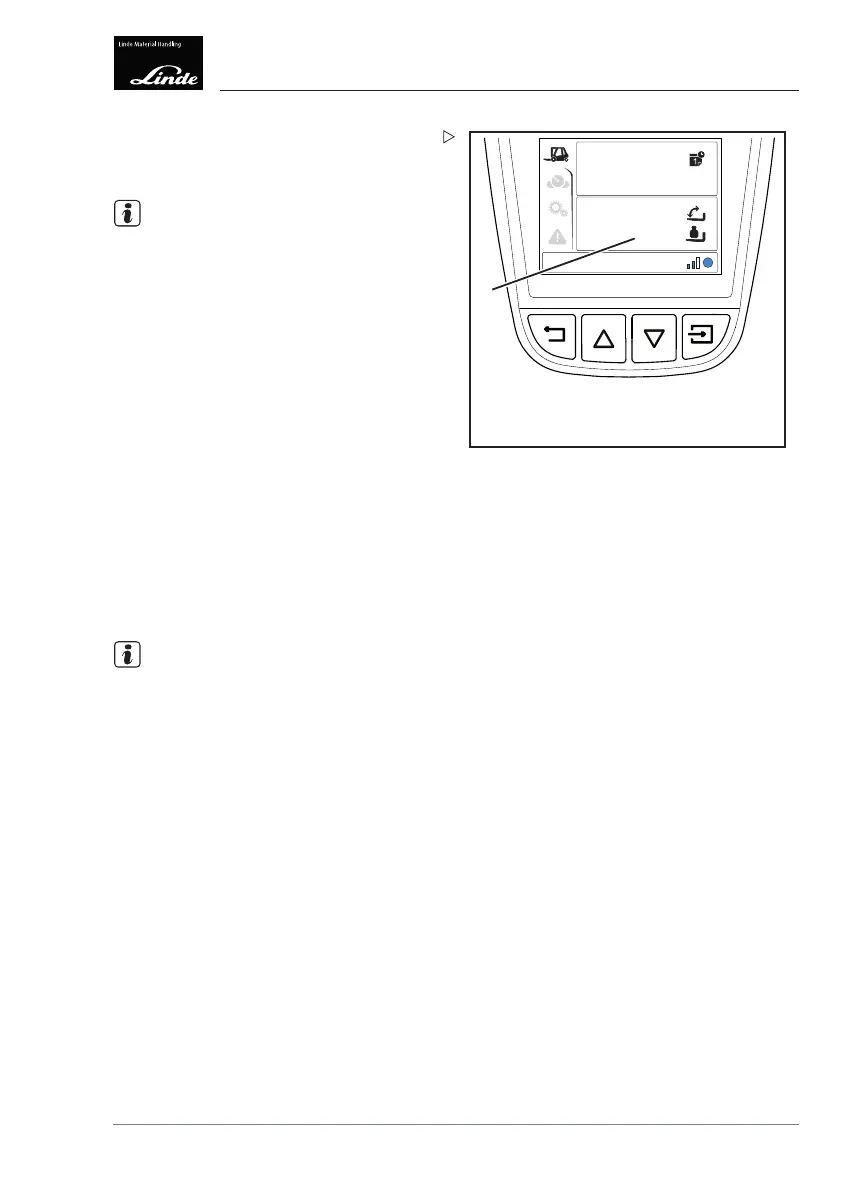
The load weight (example: 450 kg) is shown
for a duration of five seconds on the display
(2).
NOTE
Reliable display of the load weight cannot be
guaranteed for light loads of less than 100 kg.
Zero adjustment:
Using the zero adjustment feature, the cur-
rently determined load weight can be set to
zero.
Lift the load.
Lower the load by 10 cm.
Select the load weight indicator on the
display.
Press push button (1) on the armrest and
hold for three seconds.
The zero value is saved. In addition, the
buzzer sounds.
The load weight indicator shows a value of
0
kg
.
NOTE
The zero value remains saved even when the
truck is switched off and switched back on.
"Overload protection" assistance
function
The "overload protection" assistance function
reduces the lifting speed in critical load
situations, to the extent of stopping the
movement if necessary. The function is active
throughout the entire lift range.
Effect on the truck:
To prevent the truck from tipping over, the
function intervenes in the lifting movement if
the load is too great. The lifting movement will
be reduced or stopped regardless of the lift
height and tilt angle.
For a multi-stage lift mast, the assistance
function intervenes above the first stage of the
Operating Instructions – 3888011701 EN – 12/2017 143



 To Next Page