• Player: The Playback screen of the camera (section 4.4,
The Playback Screen
in the Browser
) allows searching and viewing the events recorded by the
camera. This screen also provides access to the enhanced video manage-
ment features (database search, event download, etc.).
• MultiView: The MultiView screen of the camera (section 4.5,
The MultiView
Screen in the Browser
) allows viewing several MOBOTIX cameras (or several
event images) on one screen in the browser.
• PDA: The PDA screen of the camera (section 4.6,
The PDA Screen
) shows the
current live image. This screen has been designed specifically for low-resolu-
tion displays (e.g. PDAs and mobile phones).
• PDA Event List: The PDA Event List of the camera (section 4.6.2,
Controls and
Event List
) gives a overview of all stored events in a concise list, which has
been optimized for PDAs and mobile phones.
You can also set the following start options:
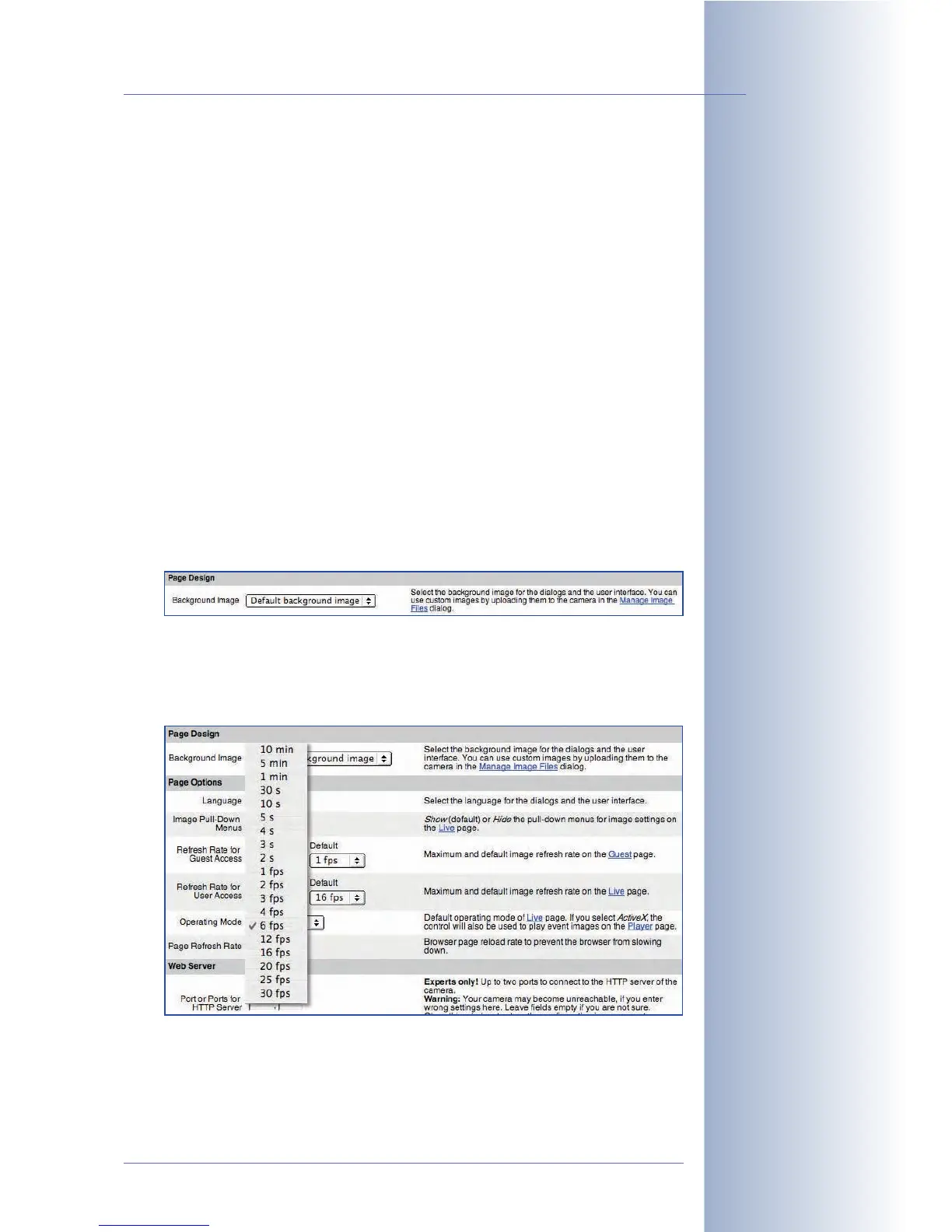
• Background Image: This parameter allows selecting a custom background
image for the user interface of the camera in the browser. Make sure that
you upload the corresponding graphics file (JPEG or PNG) into the camera
(Admin Menu > Manage Image Files):
• Image Pull-Down Menus
::
::
Enables/disables the Quick Controls of the Live
screen.
• Refresh Rate (Guest/User): Allows setting the maximum and the default
refresh (frame) rate for the Guest and the Live screens, respectively.
• Operating Mode: Select the standard operating mode for the Live screen. If
possible, set this option to
ActiveX
. The camera software automatically
detects if the browser and the operating system support ActiveX and selects
the best operating mode.
© MOBOTIX AG • Security-Vision-Systems • Made in Germany
www.mobotix.com • sales@mobotix.com • 10.10.2006
101/288
Software Camera Manual Part 2
Define custom background
image
Set the Refresh Rates



 To Next Page