7.5 Arming
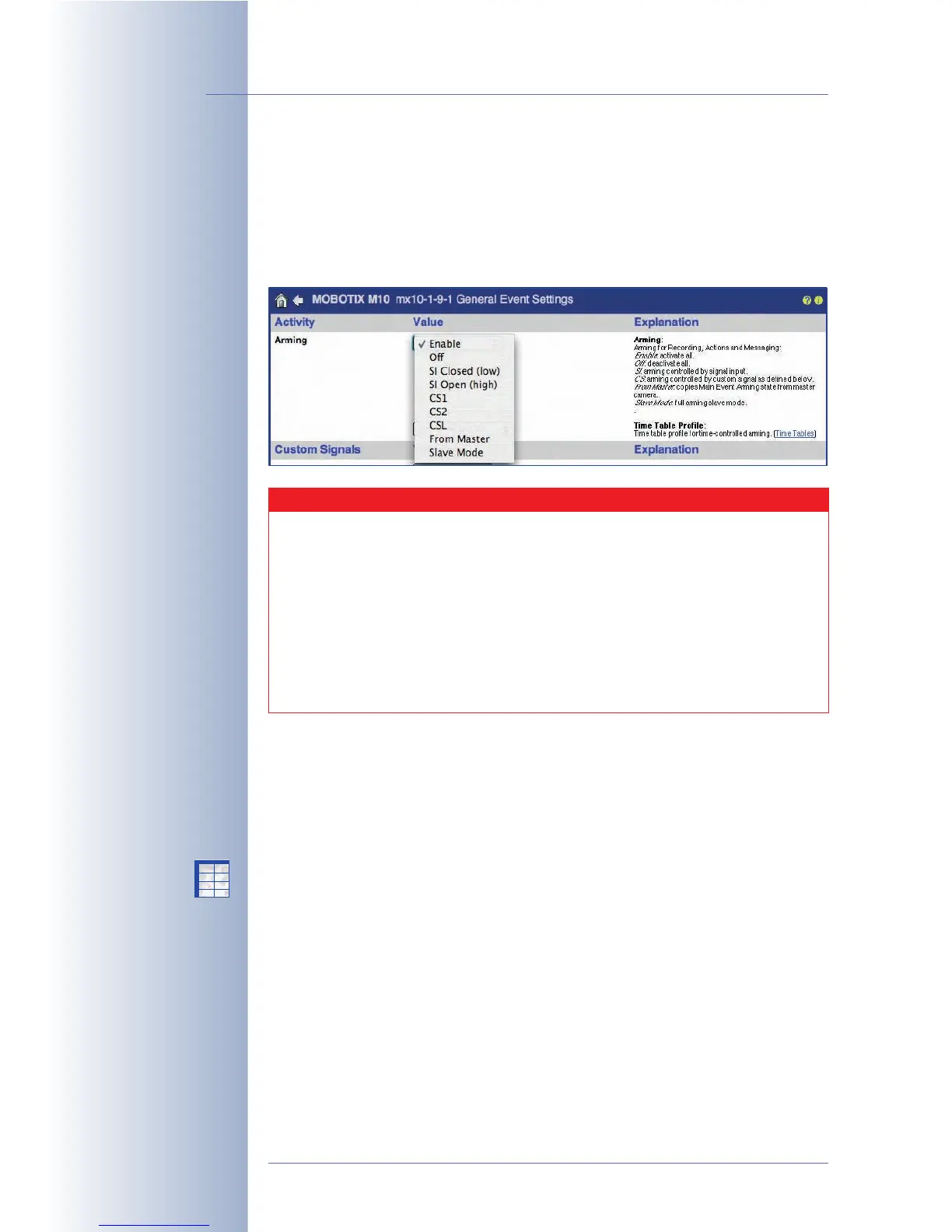
The Setup Menu > General Event Settings dialog contains the camera's main
arming switch, which switches all events, actions, messages and recording fea-
tures of the camera on or off. In addition, you can configure the Master/Slave
mode and the custom signals in this dialog, which allow the camera to synchro-
nize its arming status with that of another MOBOTIX camera.
The arming status of a MOBOTIX camera can be controlled using the following
mechanisms:
• Manual arming
The camera is either armed (
Enable
option) or not (
Off
option). These settings
work like an On/Off switch.
• Arming controlled by a time table
The arming status of the camera is based on a schedule: The camera is
armed only if a time range in the selected time table profile is active. On the
other hand, if no time range in the selected time table profile is active, the
camera is not armed.
This option allows controlling the arming of a MOBOTIX camera in a very
convenient manner, as you can easily adapt camera arming to opening
hours, holidays and vacation times. To use this feature, set Arming to
Enable
and select the time table profile you defined beforehand.
For additional information on this topic, see section 7.8.6,
Time Tables
.
© MOBOTIX AG • Security-Vision-Systems • Made in Germany
www.mobotix.com • sales@mobotix.com • 10.10.2006
146/288
Software Camera Manual Part 2
Activate the MOBOTIX
camera's main arming
switch to use the alarm
features of the camera
Time Tasks are active
even if Arming has been
deactivated!
Arming controlled by a
time table
Set Arming to
Enable
!
X
X
-
-
-
-
X
X
Kamerafunktionen
Kameramodell
Caution
A camera, which has been disarmed in this dialog will not record
any video or audio data, it will not register any events nor will it
perform any actions or messages. Likewise, the camera will not dis-
play any symbols of the event control at the bottom of the camera's
live image if it is disarmed. In this case, no event, action, message or
recording symbols are visible.
Note that the main arming switch of the camera
does not
influence the
Time Tasks. These tasks will be executed, even if the camera is dis-
armed.



 To Next Page