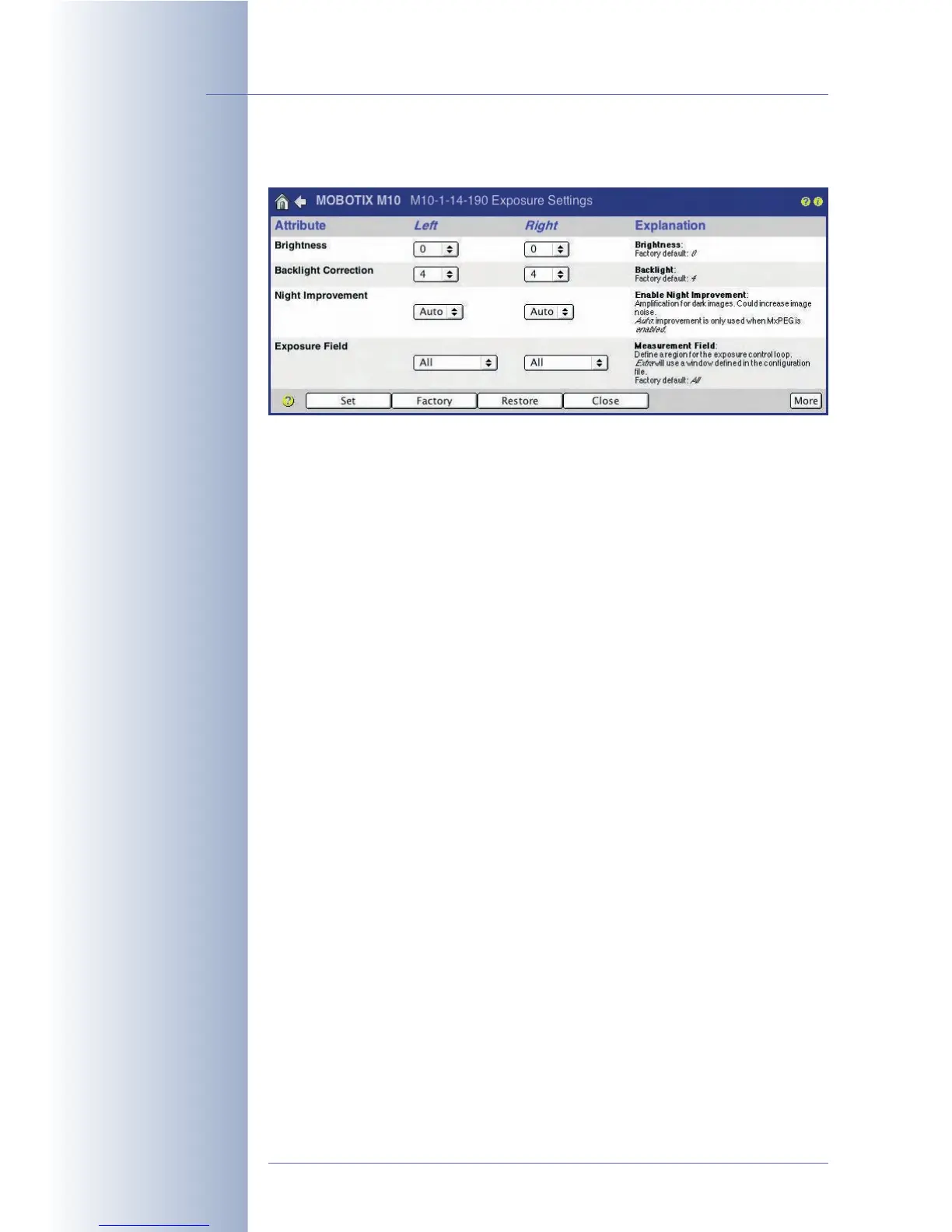
5.7 Exposure Settings
5.7.1 Overview
From the beginning, the MOBOTIX camera had been designed to transfer images
to the Internet. Therefore, all MOBOTIX cameras are equipped with several auto-
matic features that are allowing the camera to create the best possible images
under all weather and lighting conditions. Hardly any manual modifications of the
exposure settings are necessary; if they are required, they only make sense for
very special lighting conditions.
The most important exposure control features are the camera's Exposure Win-
dows (see section 5.7.6,
Exposure Windows
) and the Maximum Exposure Time
setting, with both features providing the means to create crisp images (see section
5.7.5,
Exposure Setting Options
).
Furthermore, the MOBOTIX Night camera models are equipped with an automatic
day/night switch that activates the eight times more light-sensitive B/W image sen-
sor when illumination falls below the specified level (see section 5.8,
Day & Night
Modes
).
5.7.2 Automatic Exposure
In order to obtain good quality images for all weather, contrast and lighting condi-
tions, the MOBOTIX camera optimizes the raw images obtained from the image
sensor(s). Every image is subjected to all automatic functions in the camera soft-
ware, i.e. every image always has optimum quality.
The following automatic functions are part of the process:
• Exposure time: The camera automatically selects the best exposure time
(between 1/8000 s and 1 s). This is done electronically and does not require
any mechanical components (e.g. an auto iris).
• Pre-amplification: The camera automatically controls the pre-amplification
level in the digital image sensor depending on the current lighting conditions
and the current exposure time.
© MOBOTIX AG • Security-Vision-Systems • Made in Germany
www.mobotix.com • sales@mobotix.com • 10.10.2006
122/288
Software Camera Manual Part 2
Setup Menu>
Exposure Settings
Always start from the
factory settings when
fine-tuning the image
settings. As a first step,
you should only set the
predefined exposure
windows. This approach
usually delivers the best
results.



 To Next Page