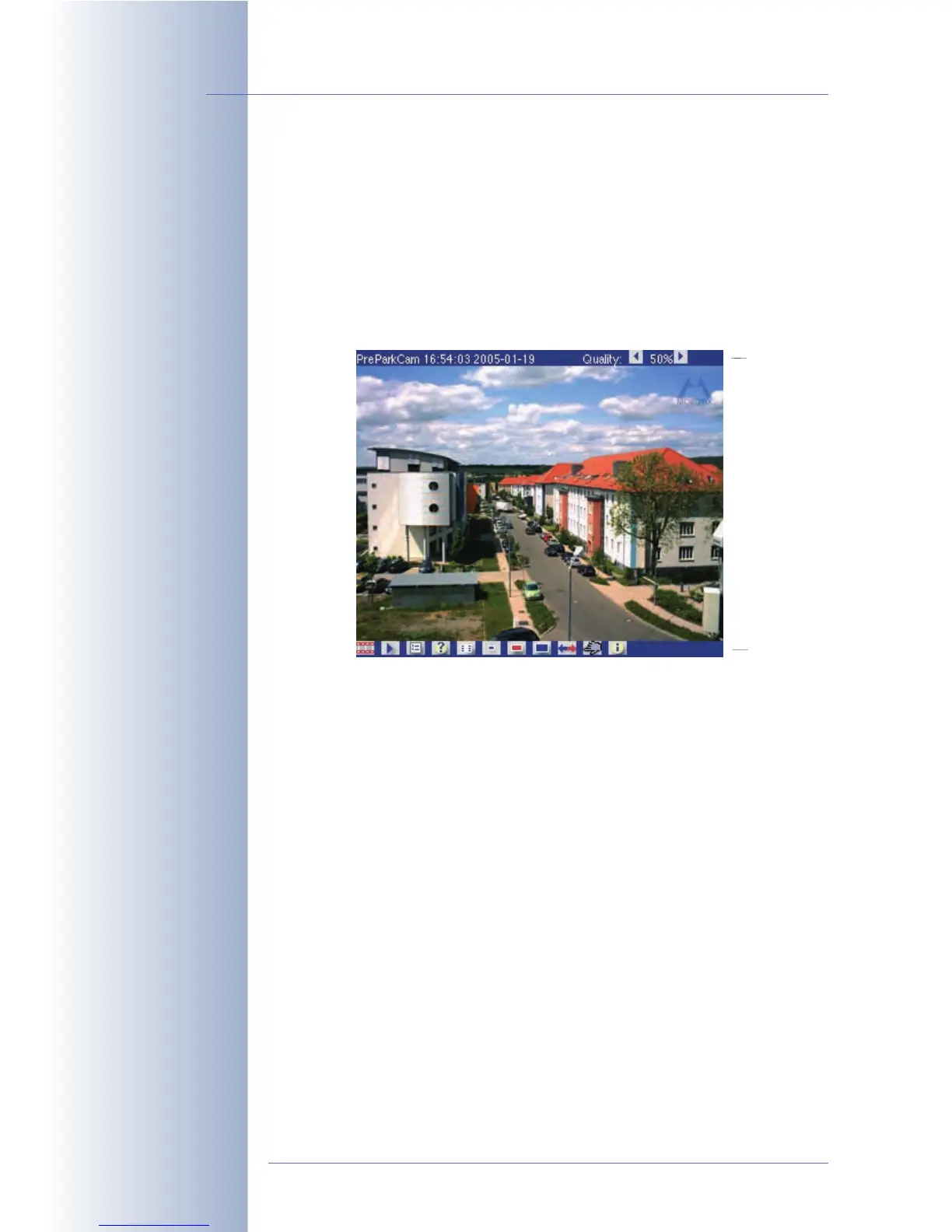
4.6 PDA Screen
4.6.1 Accessing the PDA Screen
The PDA screen is a special screen of the MOBOTIX camera that is optimized for
PDAs and smart phones that are able to display the event images of the MOBOTIX
camera on their displays. Moreover, the PDA screen provides functions and dialogs
that have been designed especially for these devices. This means that you can
open a list of all events in the PDA, and that you can view and download the event
images.
Entering the URL http://x.x.x.x/pda in the PDA browser allows accessing
the PDA page directly, but it is also possible to set the PDA page as entry page
(Admin Menu > Language and Entry Page). To access the administration menu,
enter the following URL: http://x.x.x.x/admin.
Accessing the PDA screen without the button bar:
• http://x.x.x.x/pda/s PDA screen 160x120 pixels
• http://x.x.x.x/pda/m PDA screen 320x240 pixels
• http://x.x.x.x/pda/l PDA screen 640x480 pixels
4.6.2 Controls and Event List
The PDA screen of the MOBOTIX camera contains the current live image, a title bar
on top and a button bar at the bottom of the screen.
The title bar shows the name of the MOBOTIX camera, date and time, the current
JPEG quality and two buttons to increase/decrease JPEG quality. When working
with low bandwidths or to save costs when using volume-based transmission (e.g.
via GSM or GPRS), this setting may be used to reduce the data volume.
© MOBOTIX AG • Security-Vision-Systems • Made in Germany
www.mobotix.com • sales@mobotix.com • 10.10.2006
42/288
Software Camera Manual Part 2
Live and event images on
the PDA/mobile
http://10.1.0.99/pda
Caution: Images on the
PDA Live screen are upda-
ted automatically if the
PDA browser supports Ja-
vaScript or manually by
repeatedly clicking on the
Live control
Quality
Menu bar



 To Next Page