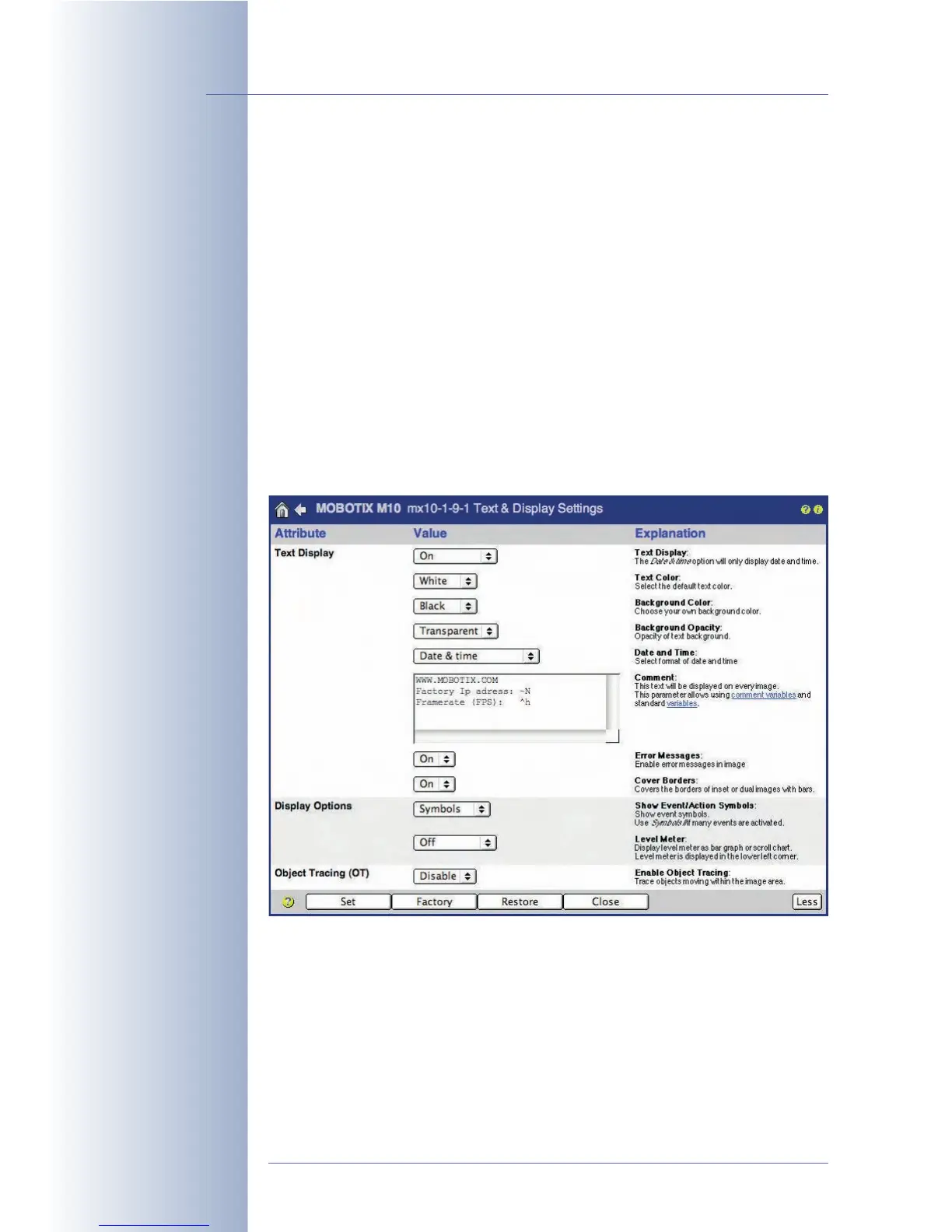
5.5.3 Text Settings
Your MOBOTIX camera allows you to display a lot of text and status information
directly in the camera image. In the Setup Menu > Text and Display Settings dia-
log, you can set date and time, text, comments, error messages and event, action,
message and recording type symbols that are displayed directly in the camera
image as text. In addition, you can use the level meter to visualize the values
obtained from specific sensors or events. This greatly facilitates setting certain
parameters (e.g. the sensitivity of the PIR sensor). Another feature activated here is
the visual display of moving objects (Object Tracing).
Displayed text can consist of static image text, web addresses, current camera
status information as well as dynamic sensor data and data of other devices
connected to the serial interface. On top, you can set the background and text
colors and you can set the transparency of the background color. For additional
information on this topic, read section 5.5.4,
Placeholders and Variables in the
Comment Field
and the corresponding topics of the camera help and the reference
manual (look for
placeholders
and
variables
).
© MOBOTIX AG • Security-Vision-Systems • Made in Germany
www.mobotix.com • sales@mobotix.com • 10.10.2006
108/288
Software Camera Manual Part 2
Display text and status
information directly in the
live image
The Comment field may
also contain placeholders
and variables



 To Next Page