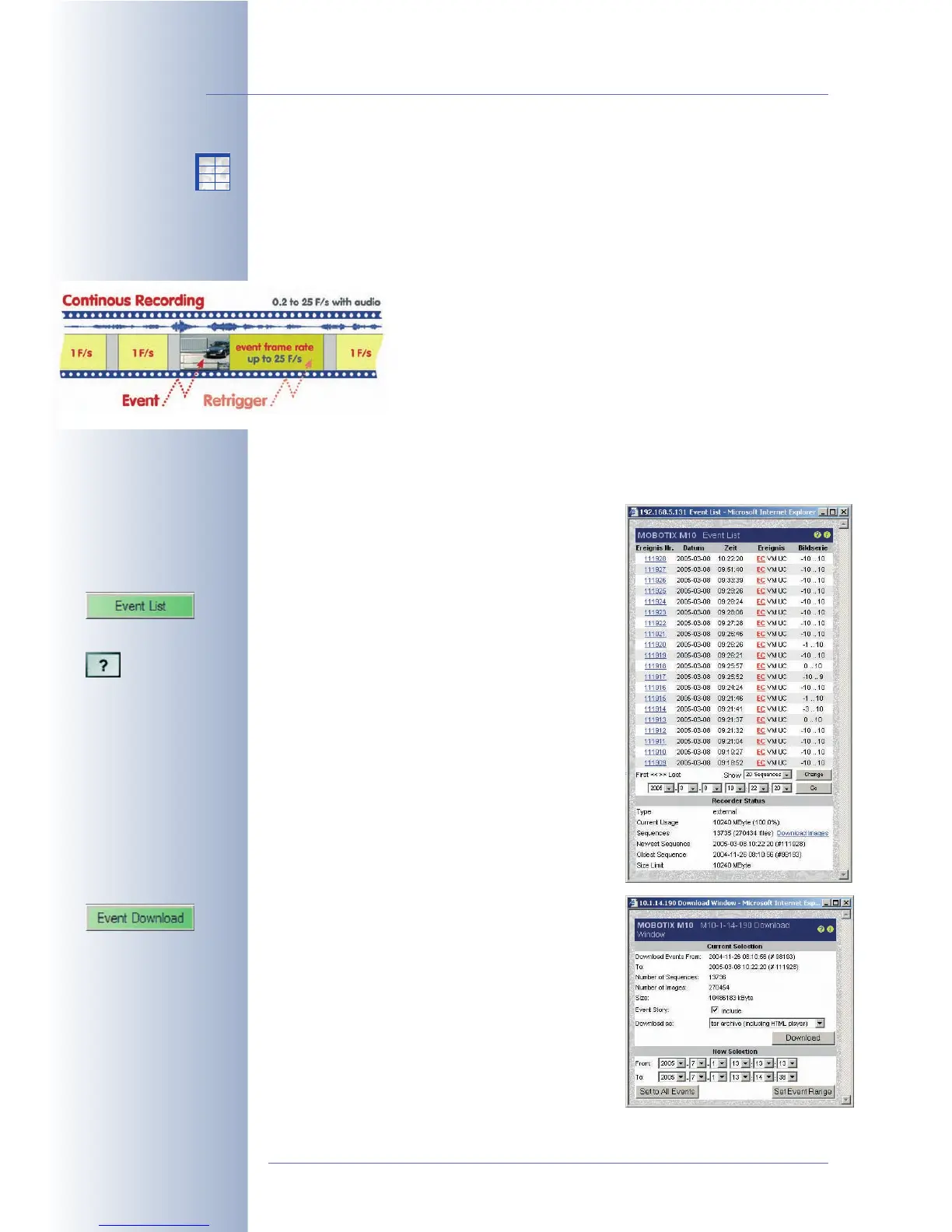
Continuous Recording allows storing a continuous audio/video stream using a va-
riable frame rate between 0.2 to 30 fps. Moreover, the camera can automatically
increase the frame rate when the camera detects an event. You could, for
example, set continuous recording to one image every five seconds (0.2 fps), and
have the camera switch to 30 frames per second for recording once the camera
detects an event.
The video stream will be stored in the ring buffer in clip files of
up to ten seconds in length. This highly efficient recording mode
makes it possible for 30 cameras to record a live video/audio
stream with 30 frames per second on a standard PC (P4 with
3.0 GHz).
If your application requires more cameras, adding more came-
ras and more servers is easily accomplished. If high-performan-
ce server PCs and Raid file systems are used, the number of cameras per server
can be further increased. Especially when high frame rates are required, the MO-
BOTIX approach is clearly superior to the more traditional approach of centralized
event detection and storage using a PC application.
4.4.4 Image Search Using Date & Time
The event list (Event List softbutton or [OBJEKT] but-
ton) contains a list of the last 20 events recorded by
the camera. If you enter a specific date and time in
the past and click on the Search button, the focus
of the event list will be moved to the selected point
in time. The event that is closest to the selected
point in time is highlighted by a yellow background.
The highly efficient binary search algorithm of the
MOBOTIX camera results in short response times
even when millions of images are stored in an ex-
ternal ring buffer on a PC or server. This is the same
for searches conducted over a slow connection
(e.g. ISDN) as the camera itself performs the search,
not the browser.
4.4.5 Archiving
Clicking on the Event Download softbutton or the
Download Images link in the event list dialog al-
lows downloading the recorded event images and
video sequences as a compressed TAR file (expand
using tar, WinZip, Stuffit, PowerArchiver, …) or as
MxPEG streaming file from the camera to any stora-
ge device. The TAR archive also contains an HTML
index file that can play back the image sequences
in a browser, independent of the MOBOTIX camera.
The recorded images and video sequences can
© MOBOTIX AG • Security-Vision-Systems • Made in Germany
www.mobotix.com • sales@mobotix.com • 10.10.2006
36/288
Software Camera Manual Part 2
Continuous recording with
reduced frame rate and
permanent audio recor-
ding
Fast image search using
the Event List
X
X
-
-
-
-
X
X
Kamerafunktionen
Kameramodell



 To Next Page