8.3.5 Recording on a Mac OS X Computer
Camera Settings
All required parameters for setting up the camera to record on a Mac
OS X computer with activated Windows Sharing are part of the Admin
Menu > Event Storage dialog. The configuration of the MOBOTIX camera is not
any different from the procedure described in section 8.3.3,
Recording on a Win-
dows Computer
.
Server Settings (Mac OS X Computer)
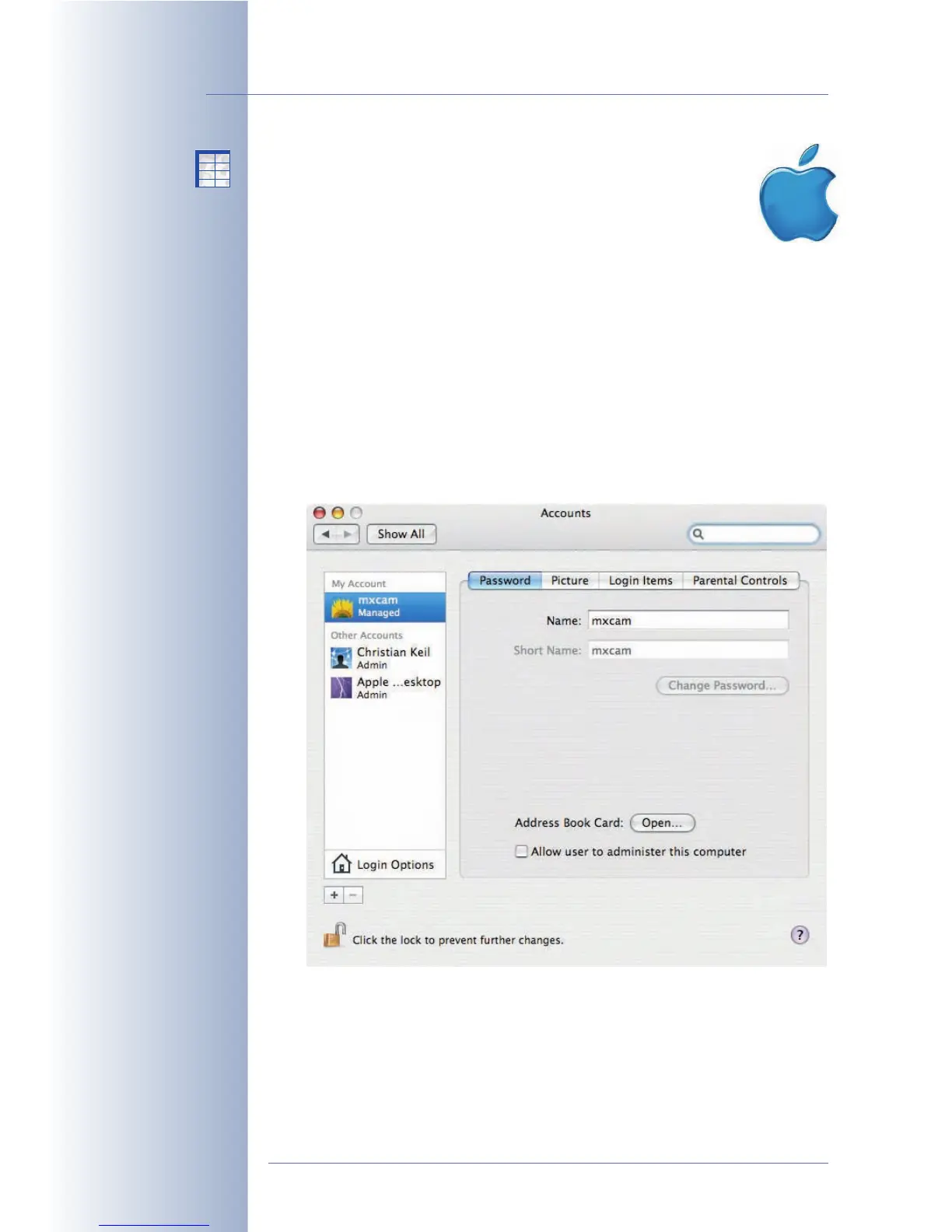
• Step 1: Log onto the Mac OS X computer with administrator rights.
• Step 2: Create a new standard user, set a password (e.g. mxcam/mxcam).
The camera will use this user name later on to log onto the Mac OS X com-
puter. Note that the new user does not require administrator rights (deacti-
vate System Preferences > Accounts > Password > Allow user to admin-
ister this computer).
© MOBOTIX AG • Security-Vision-Systems • Made in Germany
www.mobotix.com • sales@mobotix.com • 10.10.2006
230/288
Software Camera Manual Part 2
Set the Windows configu-
ration options on the cam-
era!
No additional software
installation required!
X
X
-
-
-
-
X
X
Kamerafunktionen
Kameramodell



 To Next Page