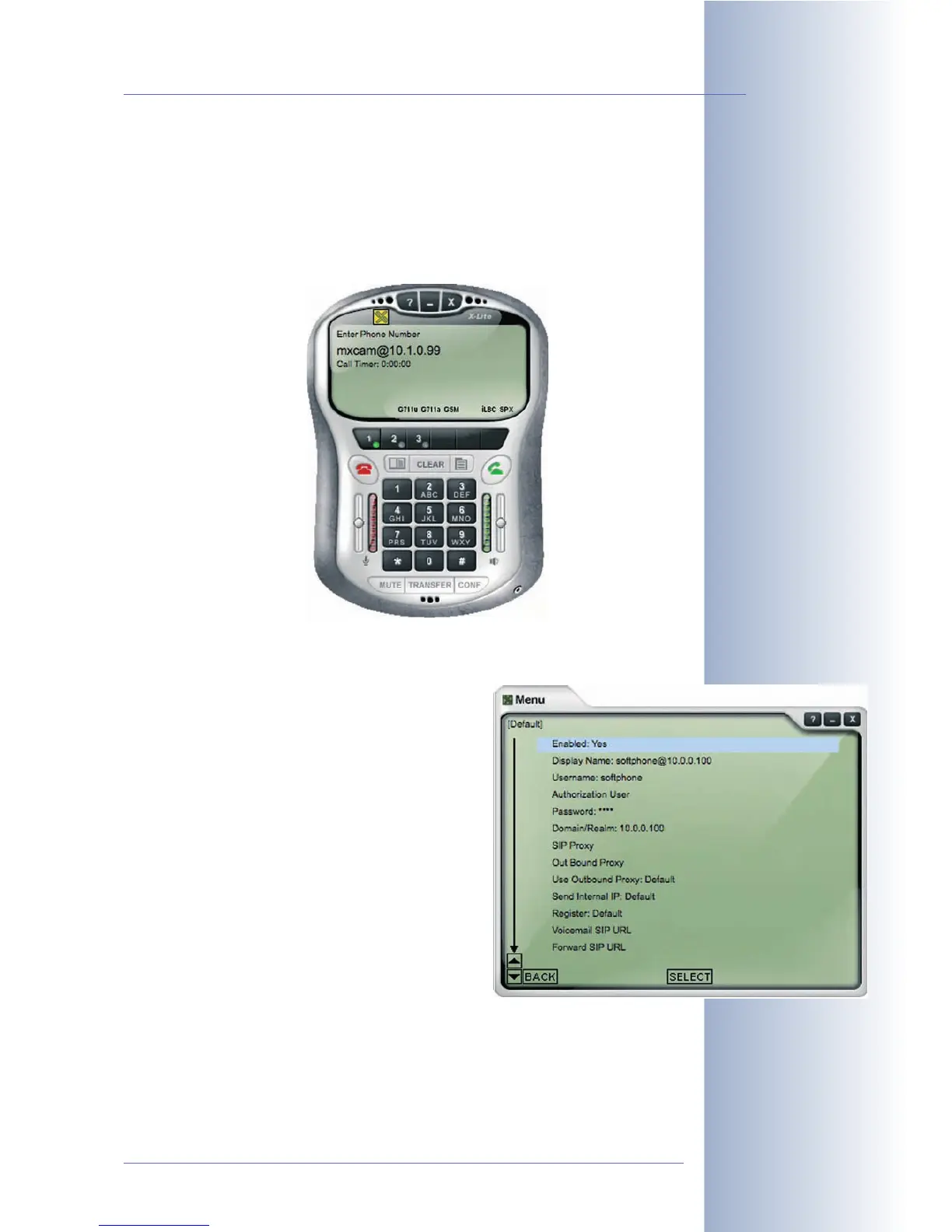
9.8.4 Setting up a Softphone
In this example, we are using X-Lite to demonstrate how to configure an IP phone.
X-Lite is a free softphone for Windows, Linux/UNIX and Mac OS X.
For more information, the manual and other software, go to
www.counterpath.com.
Preferences > System Settings > SIP Proxy >
Default:
• Enabled:
Yes
• Display Name: softphone@10.0.0.100
• Username: softphone
• Domain/Realm 10.0.0.100
The IP address and network mask have to match
the settings on your PC. If you are specifying a gate-
way and a DNS server, these addresses should also
match the settings on your PC.
The softphone can now be reached using the SIP address
softphone@10.0.0.100.
© MOBOTIX AG • Security-Vision-Systems • Made in Germany
www.mobotix.com • sales@mobotix.com • 10.10.2006
267/288
Software Camera Manual Part 2



 To Next Page