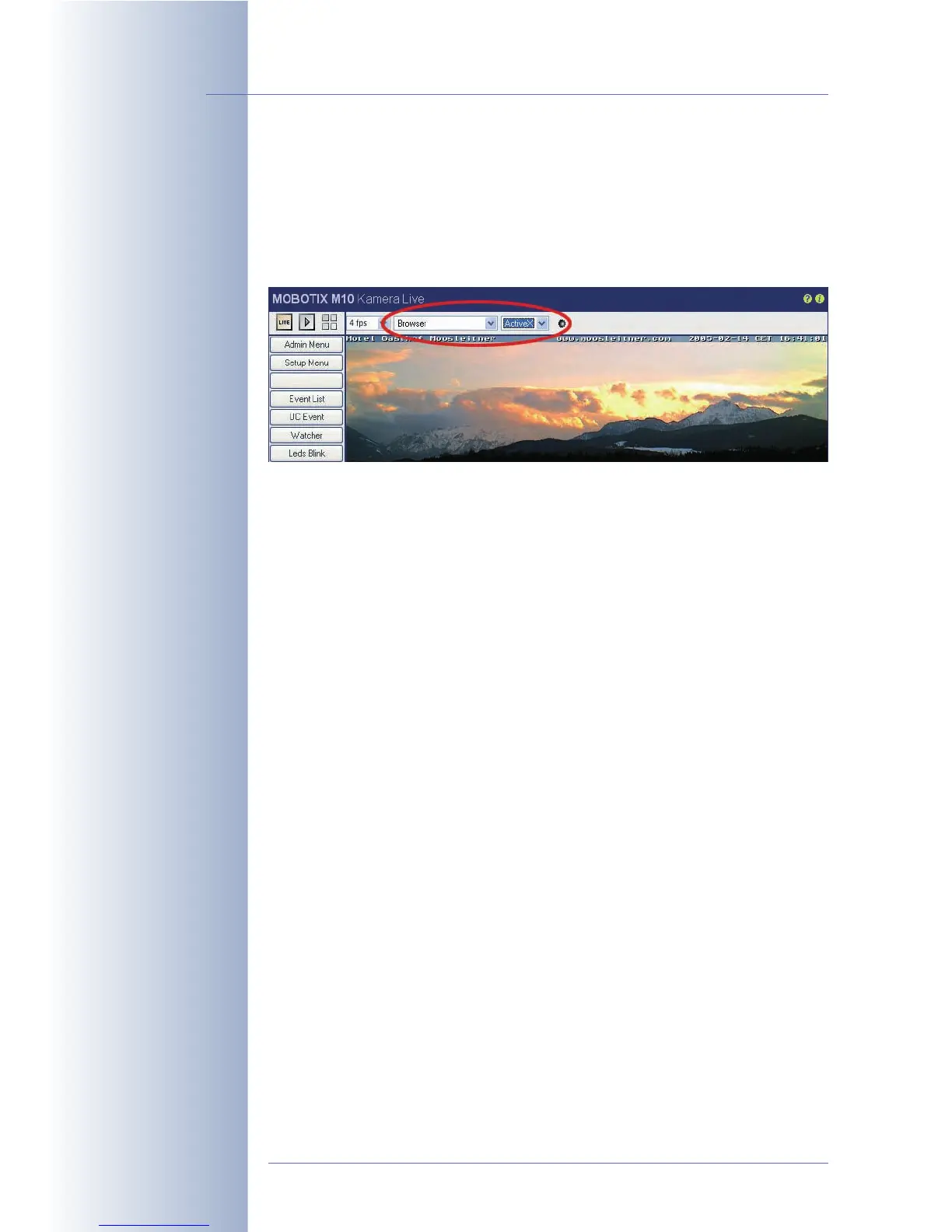
4.3.3 Browser Settings, Operating Mode
The maximum frame rate that can be displayed by the browser is dependent on
several factors. Depending on the computer's performance and the operating sys-
tem, the one or the other operating mode can lead to improved results and higher
frame rates in the browser. Set the desired operating mode using the Image Set-
tings > Browser quick control.
The following operating modes are available:
• Server Push
• JScript
• Java
• ActiveX (only available for Internet Explorer on Windows computers)
By factory default, the camera uses either Server Push or JScript (depending on
the browser and the operating system).
Server Push, JScript
Server Push has many advantages over JScript, but is not supported by all
browsers on all operating systems. When using
Server Push
, the MOBOTIX came-
ra itself sends (pushes) new images to the browser, while
JScript
uses JavaScript
code and instructs the browser to pull new images from the MOBOTIX camera.
Java
The Java operating mode can be used if problems occur with all other operating
modes. In practice, you should never have to select this mode.
ActiveX
This is the ideal operating mode for the MOBOTIX camera. However, it only runs in
Internet Explorer on Windows computers. ActiveX uses an image control develo-
ped by MOBOTIX that delivers high frame rates when viewing a MOBOTIX came-
ra—either in the browser window or in customized computer programs. The Acti-
veX plug-in is stored directly in the MOBOTIX camera and will be installed automa-
tically when you select the
ActiveX
operating mode for the first time (provided you
agree to its installation). Once the ActiveX plug-in has been installed on the compu-
ter, this operating mode can be used with any MOBOTIX camera and this compu-
ter without having to install the plug-in again. The ActiveX operating mode can
© MOBOTIX AG • Security-Vision-Systems • Made in Germany
www.mobotix.com • sales@mobotix.com • 10.10.2006
24/288
Software Camera Manual Part 2
Server Push => fast image
display for Mozilla, Fire-
fox, and Netscape
browsers
ActiveX => Audio in
Internet Explorer



 To Next Page