8.2 Recording Modes
8.2.1 Configuring the Recording Modes
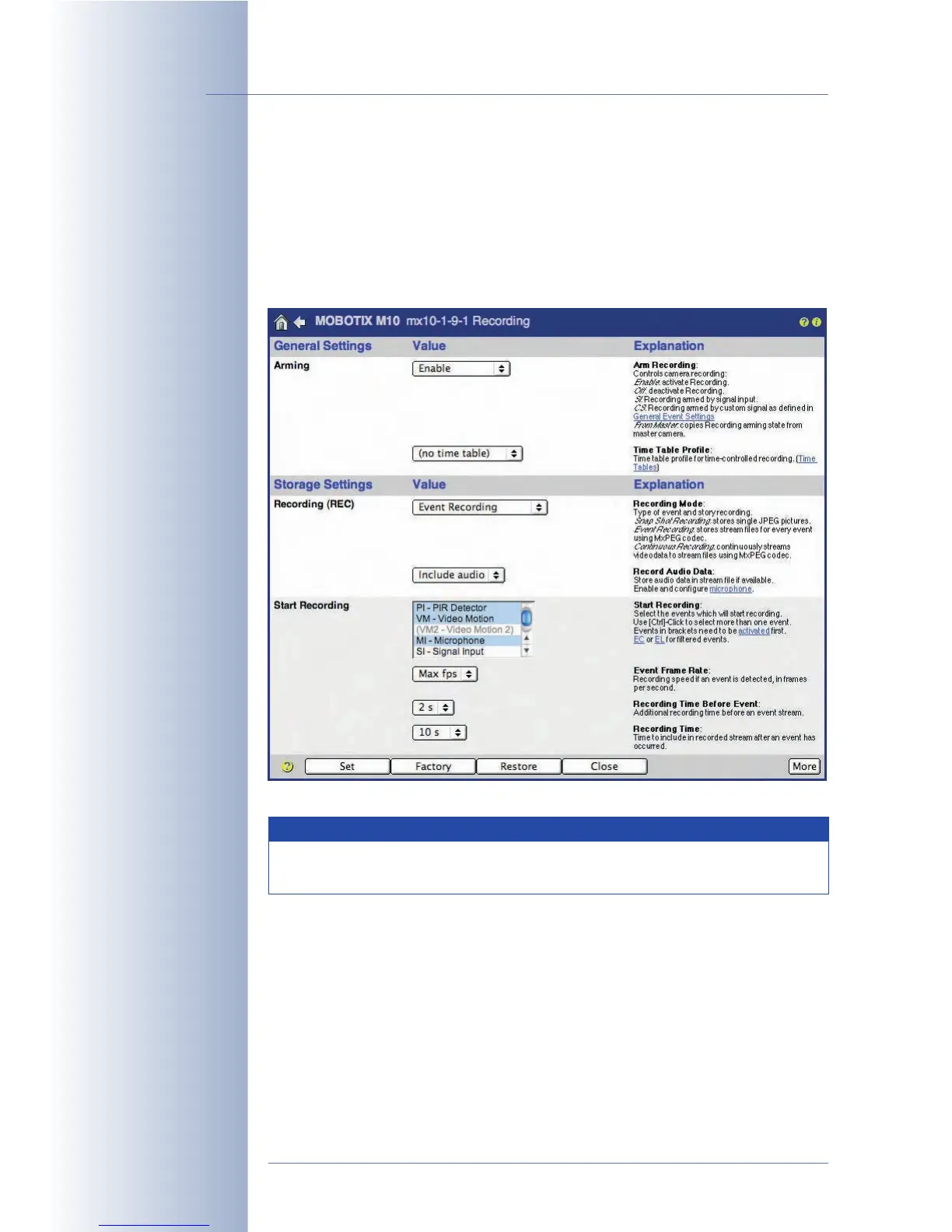
Open the Setup Menu > Recording dialog to change the Recording Mode and
the corresponding settings. This dialog is important as it activates (arms) the whole
recording mechanism of the camera. The camera will only record images, video
and audio, if recording has been armed.
Follow this procedure to properly configure recording:
1) Activate the Arm Recording parameter.
2) Select the Recording Mode:
a) Set the following parameters for Snap Shot Recording (JPEG):
- Events, which will start a recording
- Number of pre- and post-alarm images
- Snap Shot Interval (e.g. 250 ms = 1/4 second)
© MOBOTIX AG • Security-Vision-Systems • Made in Germany
www.mobotix.com • sales@mobotix.com • 10.10.2006
208/288
Software Camera Manual Part 2
Arm the camera!
General procedure
Note
Inexperienced users should start using the preset Snap Shot Record-
ing to get experience with the MOBOTIX camera's recording features.



 To Next Page