7.2 Functional Overview
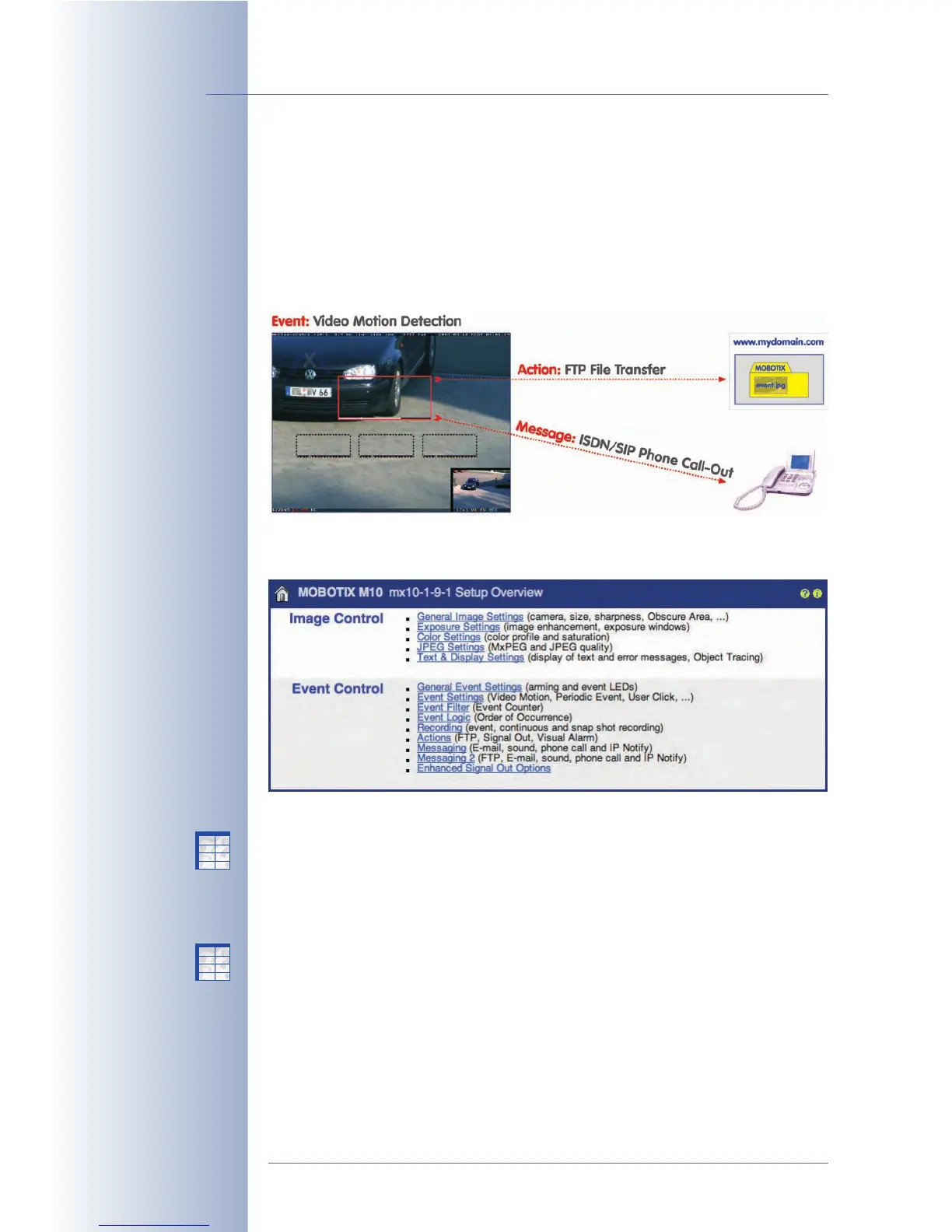
MOBOTIX cameras are unique in their ability to execute actions or to send mes-
sages once they are detecting events from one of their integrated sensors. When
detecting movements in the image, for example, the camera software can start
recording video and audio, it can play an alarm on the integrated speaker, send
the recorded video as an email attachment and call the control center. All of these
actions and messages can occur simultaneously or with adjustable delays.
Use the dialogs grouped in Setup Menu > Event Control to configure the events,
actions and messages of the MOBOTIX camera:
• General Event Settings: (Section 7.5,
Arming
) This dialog controls the cam-
era's arming, which in turn activates event evaluation, actions, messaging
and video recording.
• Event Settings: (Section 7.6,
Events
) This dialog configures the camera's sen-
sors and allows activating the corresponding events.
• Actions: (section 7.7) This dialog controls the camera's actions (signal output,
FTP, visual alarm in the live image), which the camera can execute upon
detecting an event.
• Messaging: (section 7.7) This dialog controls the camera's messages (sound
on event, e-mail, phone call, network message), which the camera can send
upon detecting an event.
© MOBOTIX AG • Security-Vision-Systems • Made in Germany
www.mobotix.com • sales@mobotix.com • 10.10.2006
142/288
Software Camera Manual Part 2
Individual possibilities
when configuring alarms
1. Arm the camera
2. Configure events and
sensors
3. Configure actions and
messages
X
X
-
-
-
-
X
X
Kamerafunktionen
Kameramodell
X
X
-
-
-
-
X
X
Kamerafunktionen
Kameramodell



 To Next Page