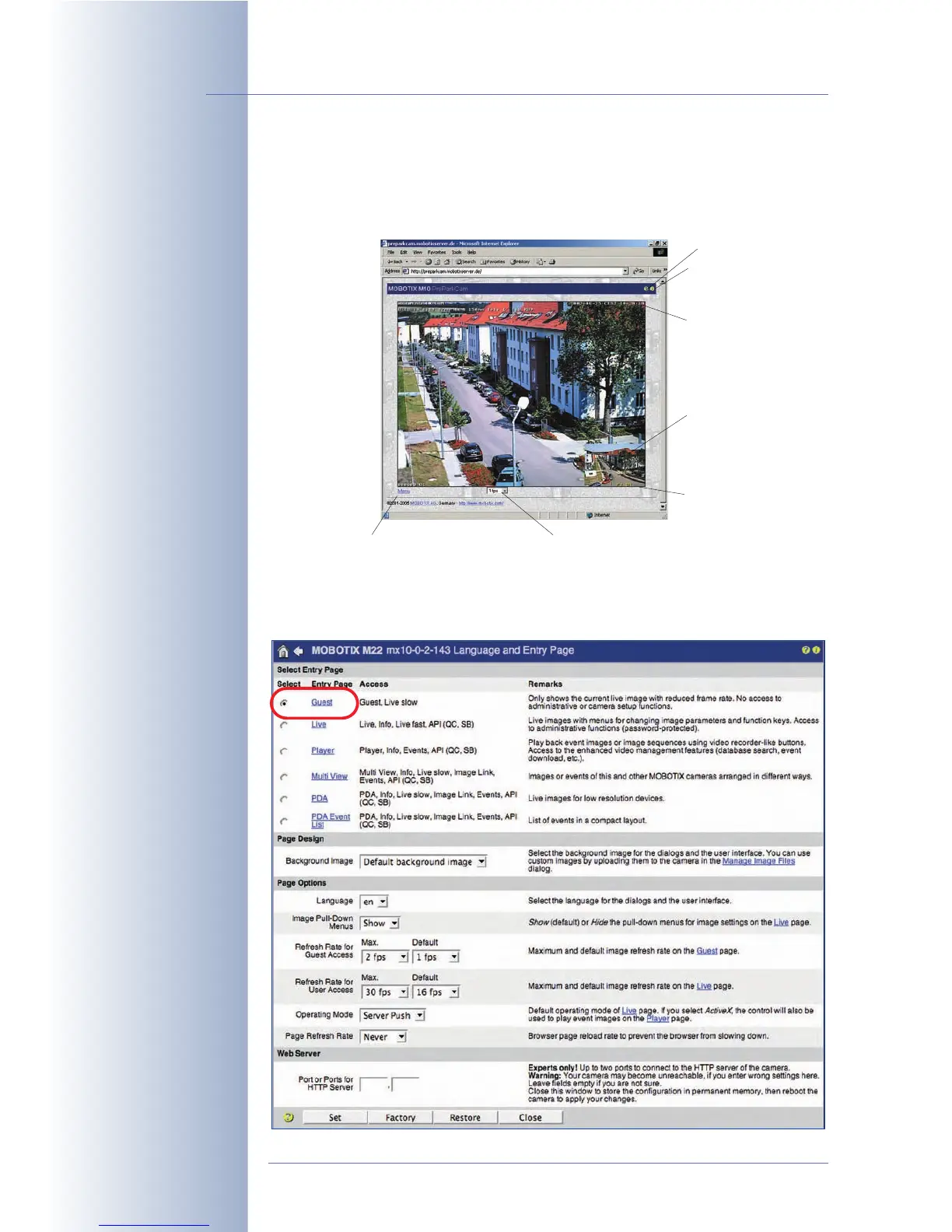
4.7 Guest Screen
The Guest screen of the camera shows the live image of the MOBOTIX camera with
a minimum number of controls.
To access the Guest screen directly, enter the following URL: http://x.x.x.x/
cgi-bin/guestimage.html. The Guest screen can be selected as default
start screen for the camera (Admin Menu > Language and Entry Page).
© MOBOTIX AG • Security-Vision-Systems • Made in Germany
www.mobotix.com • sales@mobotix.com • 10.10.2006
44/288
Software Camera Manual Part 2
Guest screen with redu-
ced image rate
Setting the Guest screen
as entry page
Menu link (opens the Live screen)
Info button
Frame rate (guest screen has 2 fps limit)
Help pages
Picture in picture
(only dual lens
models)
Text display
Status bar



 To Next Page