9 TELEPHONY FEATURES
9.1 Overview
The telephony features of the MOBOTIX camera allow using the camera like a
phone with optional video features. The camera can thus transmit audio and video
data from and to a phone or a softphone, i.e. telephone software running on a PC
or PDA.
To be able to do this, the MOBOTIX camera can use both ISDN and network
connections (IP telephony is using the SIP protocol). When placing phone calls,
the camera can call a standard analog connection, a mobile (cell) phone, an IP
phone, a softphone or another MOBOTIX camera.
In case of an alarm, for instance, the MOBOTIX camera can call you on the phone
and can play back a voice message. Afterwards, you can listen to what the cam-
era microphone is "hearing", make an announcement over the camera's built-in
speaker or use the camera as an intercom system.
Likewise, you can call the MOBOTIX camera from a phone and use the same audio
features (listen to the audio channel from the camera microphone, make an
announcement over the camera speaker or use it as an intercom system).
In addition, you can use an existing connection to execute remote-control functions
with the phone's touchtone keys. For instance, you can send the last event image
to the preset e-mail address by pressing a key on your phone.
IP Telephony Using the Network (LAN/Ethernet/Internet)
To date, the communication systems of private households and companies are
usually based on two separate infrastructures: a phone network (telephone sys-
© MOBOTIX AG • Security-Vision-Systems • Made in Germany
www.mobotix.com • sales@mobotix.com • 10.10.2006
236/288
Software Camera Manual Part 2
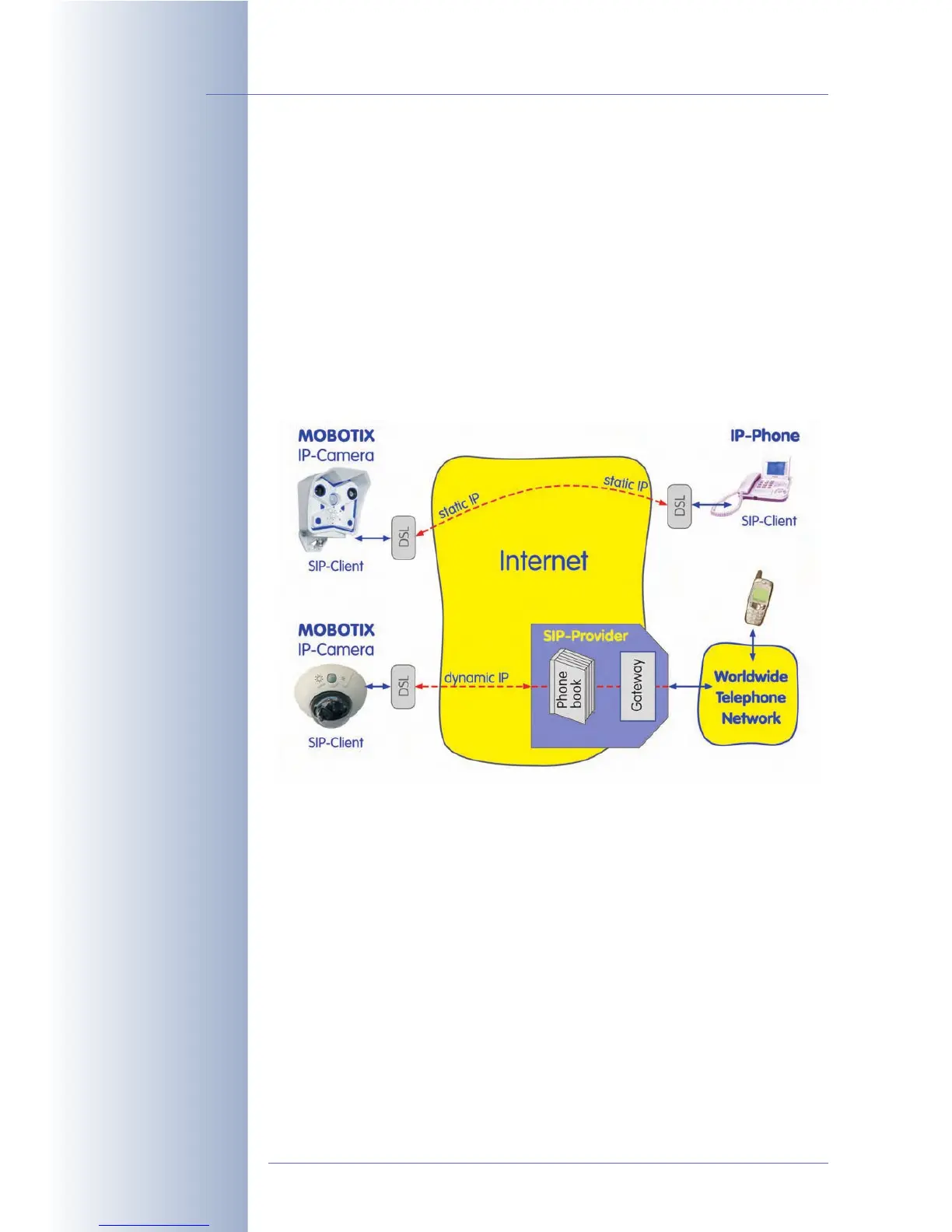
Direct SIP telephony us-
ing static IP addresses
SIP telephony using SIP
provider



 To Next Page