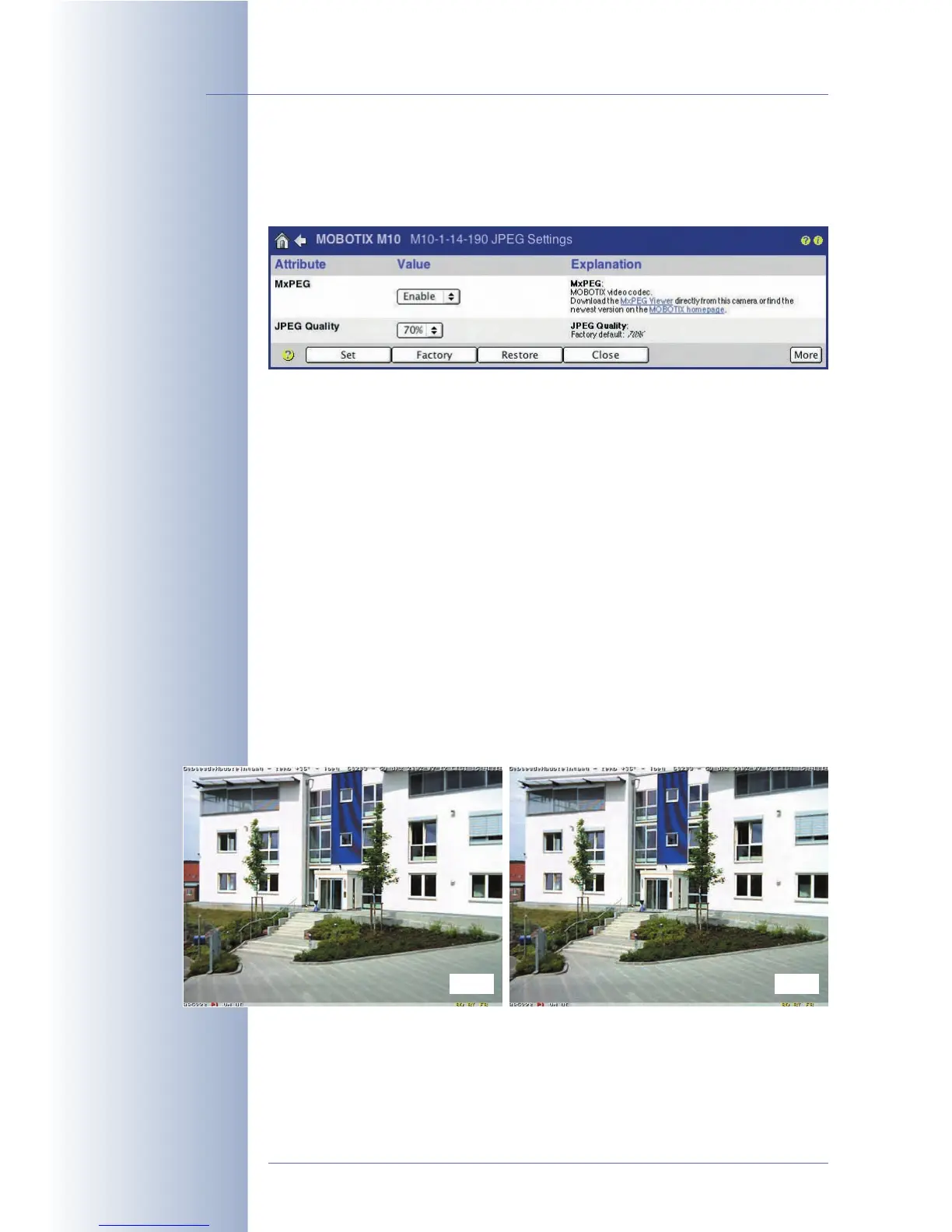
5.5.6 Compression Format and Image Quality
Open Setup Menu > JPEG Settings to set the image format created internally by
your MOBOTIX camera (JPEG or MxPEG) and set the quality of the image data.
If the camera would output an uncompressed color image with 640 x 480 pixels
(e.g. as a bitmap image), the file created (and thus each individual live image)
would be about 1 MB in size. Transferring this file to the user's computer using an
ISDN connection would take about 2 minutes or using a 10 Mbps Ethernet connec-
tion still 1 second. It is easy to see why this format is not suitable for transferring
and storing image data at high frame rates.
When selecting JPEG (MxPEG:
Disable
), the individual images are compressed to a
size of 60 to 70 kB (JPEG
quality:
70%
). Moreover, JPEG live images can be dis-
played immediately in all graphical browsers without having to install additional
plug-ins.
When selecting MxPEG (MxPEG:
Enable
), the video stream is reduced further
(requires MxPEG ActiveX and the Windows Internet Explorer to be installed; needs
ActiveX operating mode for the browser). No matter which type of recording you
have selected, this operating mode allows for considerably higher frame rates and
for transferring the realtime camera sound. For additional information on the oper-
ating modes, see section 4.3.3,
Browser Settings, Operating Mode
and section
4.10,
Fast Video Streaming
.
© MOBOTIX AG • Security-Vision-Systems • Made in Germany
www.mobotix.com • sales@mobotix.com • 10.10.2006
112/288
Software Camera Manual Part 2
JPEG:
For web applications
MxPEG:
For fast live video with
audio
80% Q 20% Q



 To Next Page