7.7.3 Visual Alarm (Action VA)
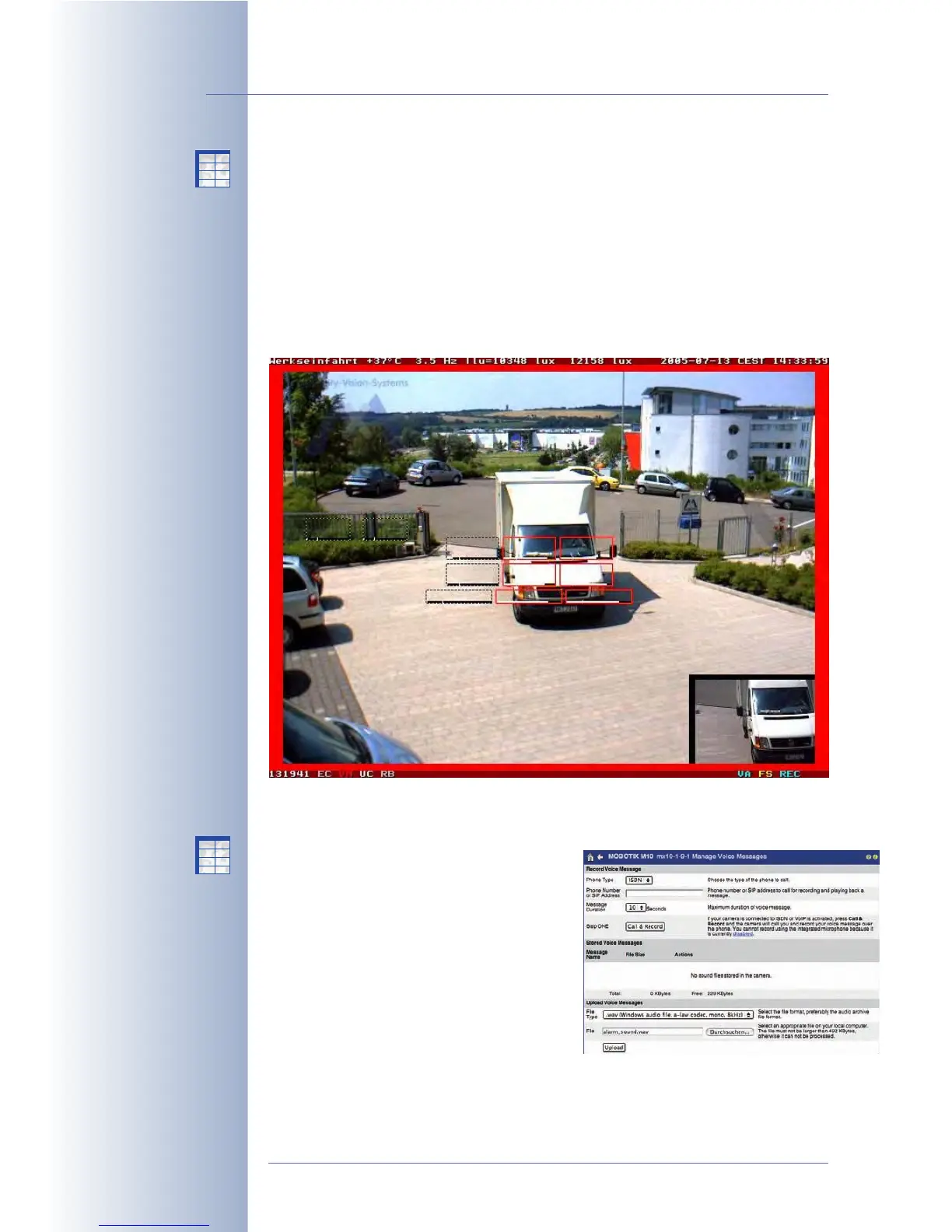
The MOBOTIX camera can highlight the live image if an event occurs. You can
define the type (Visual Effect), the Color and the Duration of this action. The visual
effect can be set to one of the following options:
Bars Left/Right
,
Bars Top/Bottom
,
Outline Frame
,
Outline Frame Bold
,
Little Ball
and
Alarm Lamp
. Likewise, you can
set the duration of the visual effect.
The visual alarm is perfectly suited to identify the camera that is triggering the
alarm if several cameras are shown on one monitor (using the options
Outline
Frame
and
5 s
, for example).
7.7.4 Sound on Event (Message SD)
This message action plays back a sound file
on the camera's integrated speaker. The
sound file may be one of the camera's sys-
tem sounds or a custom sound file you
previously recorded and stored in the cam-
era. You may also select several sound files,
which are then used randomly by the cam-
era.
© MOBOTIX AG • Security-Vision-Systems • Made in Germany
www.mobotix.com • sales@mobotix.com • 10.10.2006
174/288
Software Camera Manual Part 2
Red frame in the live im-
age appears only in case
of an alarm
Create your own voice
messages and upload the
.WAV files into the cam-
era (8bit, Mono, 8kHz;
record these files using
Windows Recorder)
X
X
-
-
-
-
X
X
Kamerafunktionen
Kameramodell
X
X
-
-
-
-
X
X
Kamerafunktionen
Kameramodell



 To Next Page