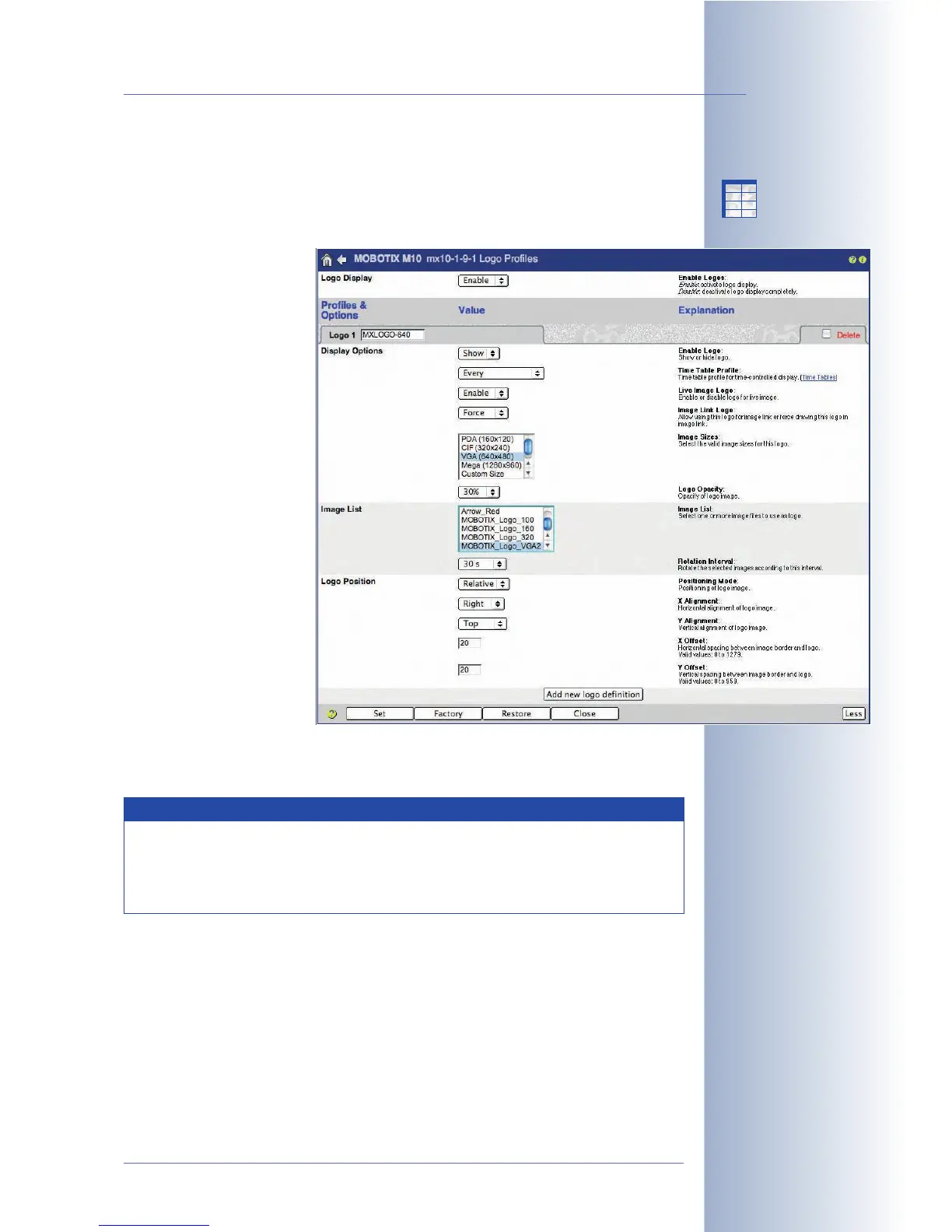
7.8.8 Logo Profiles
The Admin Menu > Logo Profiles dialog allows using the camera's default graph-
ics files or those defined in the Admin Menu > Manage Graphics Files dialog as
logos. Section 6.5.2,
Manage Image Files
, contains more information on this topic.
A logo profile can also be
linked to a time table, and
can set the position, opac-
ity and the rotation interval
if several logos are part of
this profile. It is also possi-
ble to create a frame
around the camera image
using the Frame position-
ing mode of the logo pro-
file.
© MOBOTIX AG • Security-Vision-Systems • Made in Germany
www.mobotix.com • sales@mobotix.com • 10.10.2006
195/288
Software Camera Manual Part 2
Note
The MOBOTIX camera can automatically load graphics files and logos
from a web or FTP server as configured in Admin Menu > Manage
Graphics Files. For additional information on this topic, see section
5.6.2,
Manage Image Files
.
X
X
-
-
-
-
X
X
Kamerafunktionen
Kameramodell



 To Next Page