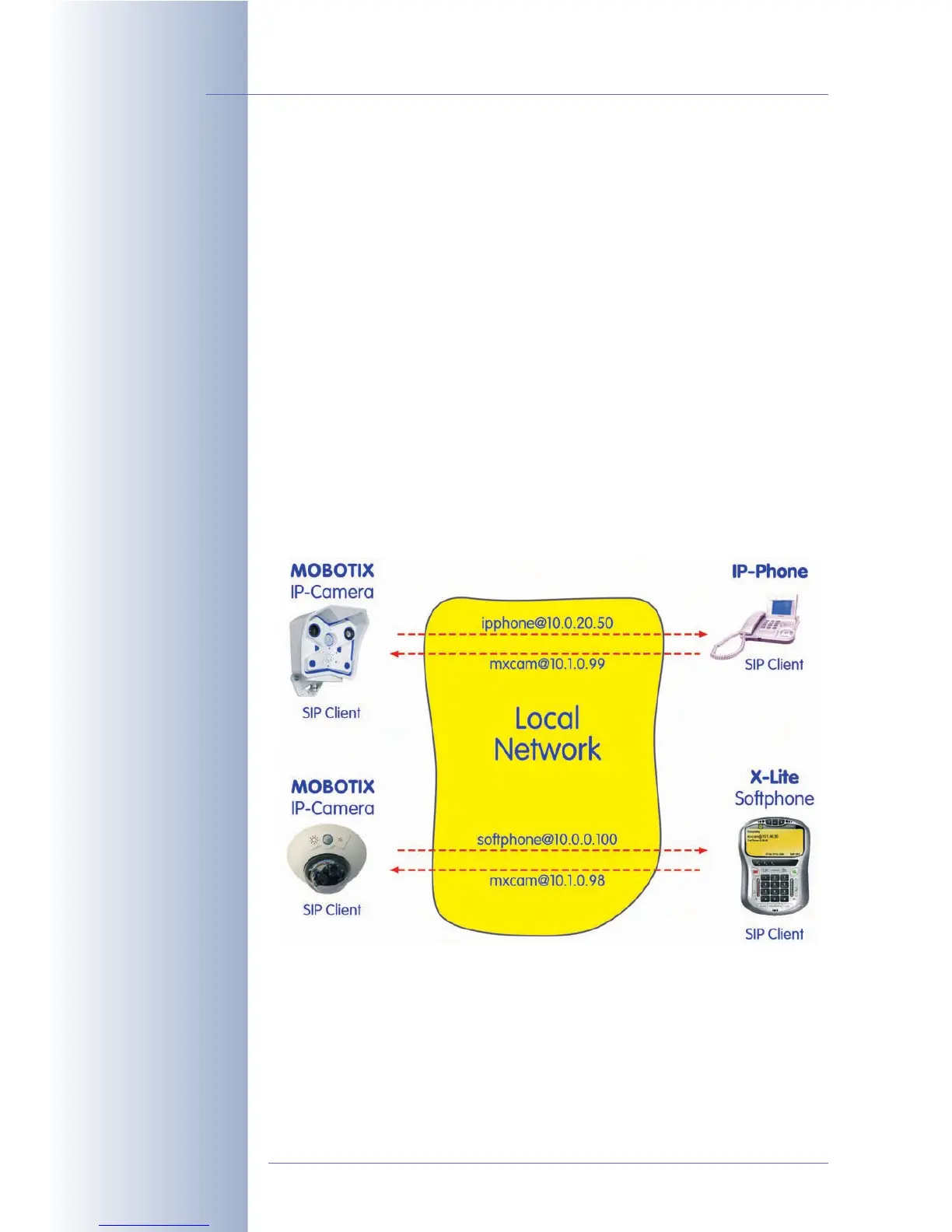
9.8 Sample Configurations for IP Telephony via LAN
9.8.1 Overview
Configuring devices for IP telephony on the LAN (MOBOTIX camera, IP phone,
softphone) means making only a few basic changes to the devices and in the
software (mainly entering network and user settings). Once these parameters have
been set, the devices can establish phone connections using their SIP addresses.
The full SIP address of a device could be sip:username@<IP_address> (e.g.
sip:mxcam@10.1.0.99). This is not a "must", however—VoIP devices are usu-
ally smart enough to add the "sip:" prefix if it is missing.
For testing a small IP phone network, for example, all VoIP devices can be con-
nected to one switch. In this case, entering information on the gateway or making
DNS entries is not required. This kind of scenario is ideal for getting started with IP
telephony and to understand the basic functionality.
© MOBOTIX AG • Security-Vision-Systems • Made in Germany
www.mobotix.com • sales@mobotix.com • 10.10.2006
260/288
Software Camera Manual Part 2



 To Next Page