5.2 Quick Installation
5.2.1 Overview
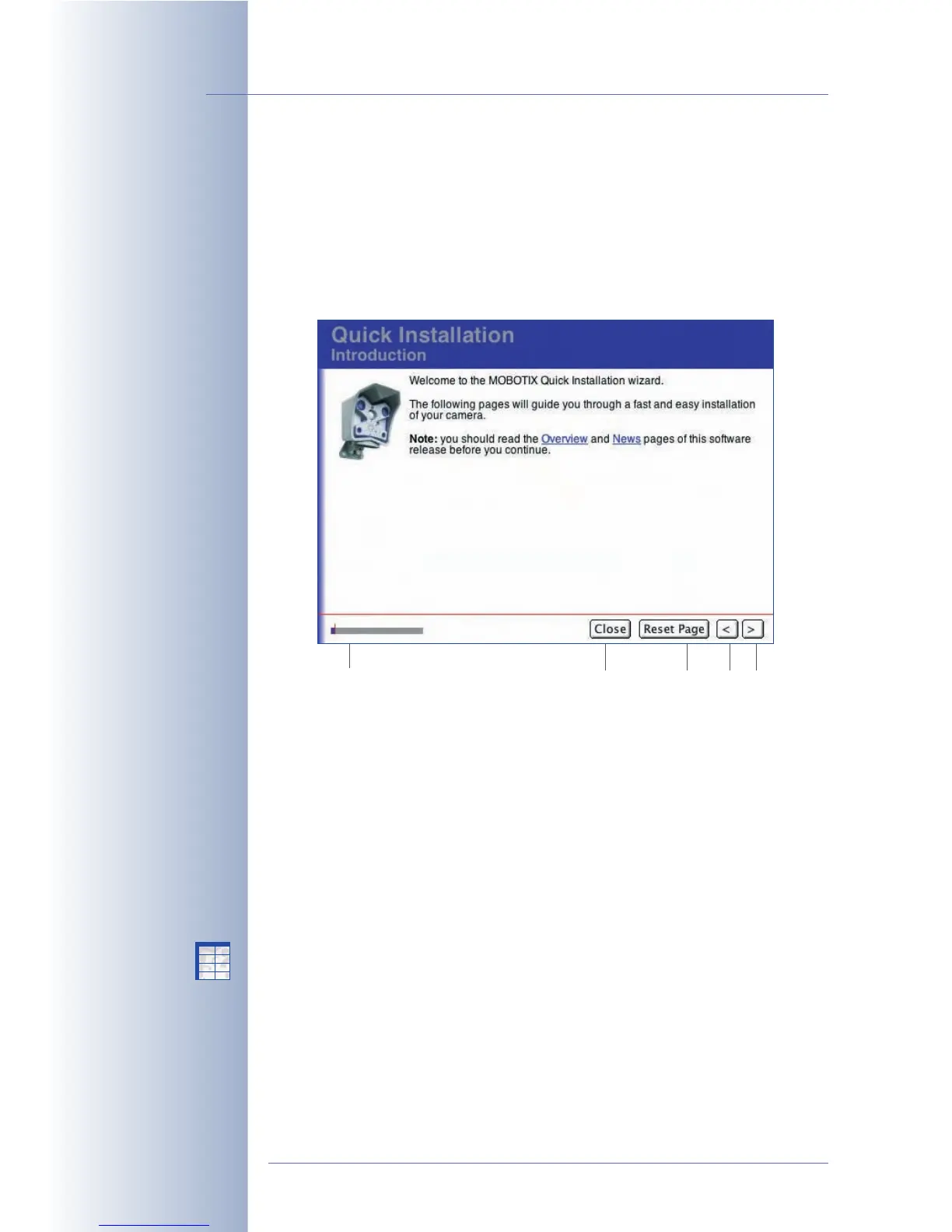
The Quick Installation wizard provides an easy-to-use and safe method for setting
up your MOBOTIX camera (Admin Menu > Quick Installation). After booting the
MOBOTIX camera for the first time, any access to the administration menu (Admin
Menu button) will start the Quick Installation wizard.
Selecting and configuring the network interfaces is one of the most important tasks
performed during quick installation. The settings defined in this step determine
how the camera can be accessed from the outside and how the camera itself can
communicate with the "outside world".
On the Network Interface page, the following interfaces are available:
• Ethernet for LAN
• ISDN Dial-In (from other computers into the camera)
• ISDN Dial-Out (from the camera to e.g. the Internet)
• ISDN Phone Call-In (from a phone to the camera)
• ISDN Phone Call-Out (from the camera to a telephone)
© MOBOTIX AG • Security-Vision-Systems • Made in Germany
www.mobotix.com • sales@mobotix.com • 10.10.2006
64/288
Software Camera Manual Part 2
Quick Installation
for easily setting up
MOBOTIX cameras
To revert to the previous
settings of a page, click
on Reset Page
Status display Back NextClose dialog Page defaults
X
X
-
-
-
-
X
X
Kamerafunktionen
Kameramodell



 To Next Page