also transmit the sound from the camera's microphone to the browser (see
also section 4.3.5,
JPEG, MxPEG and Audio
).
If you cannot use the ActiveX plug-in, it is recommended to keep the operating
mode that the camera automatically selected (Server Push or JScript). For additional
information on this topic, see section 4.10,
Fast Video Streaming
.
4.3.4 Saving the Settings
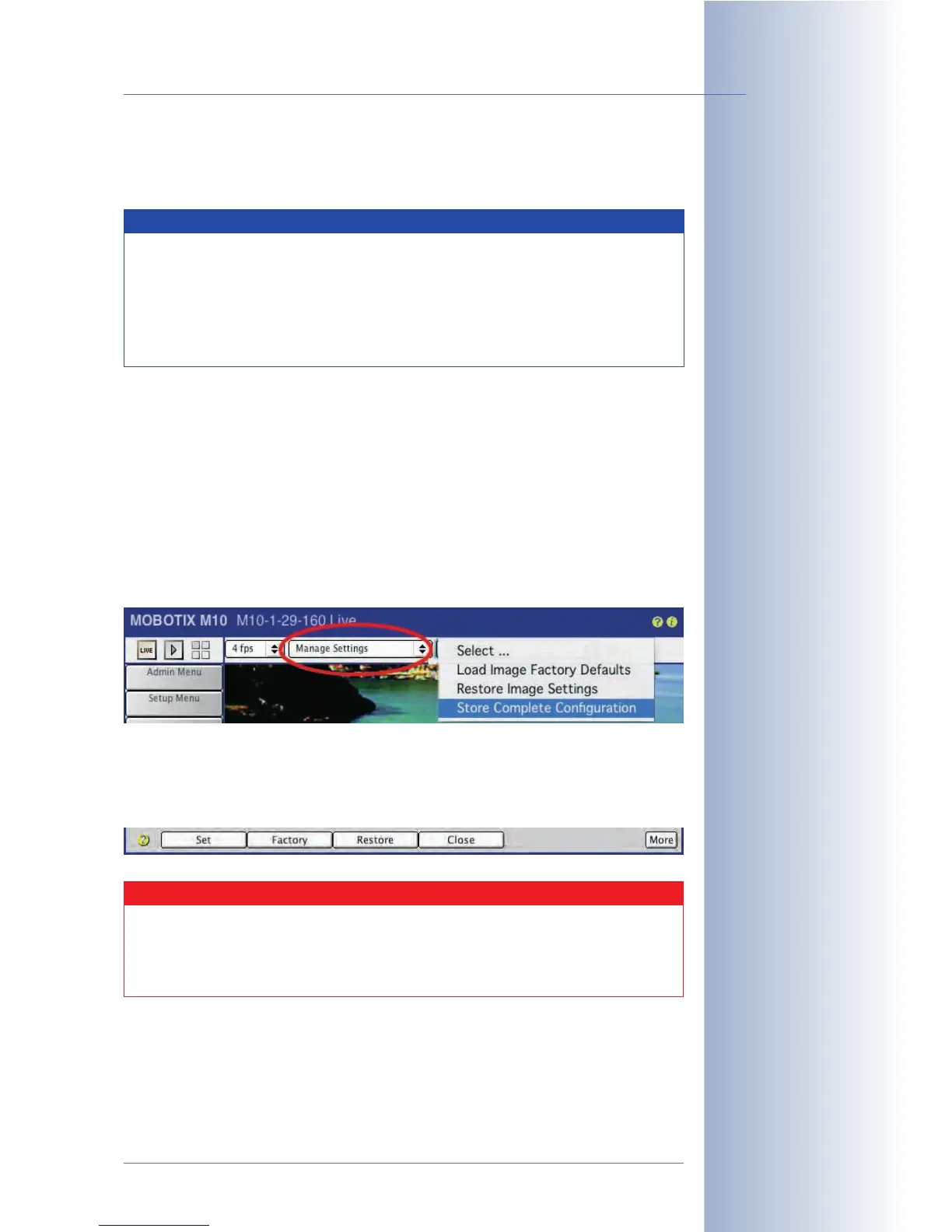
If you would like to keep changed configuration settings, you should store the new
configuration into flash memory. This will guarantee that the new configuration is
present even after rebooting the camera. Open the Image Settings quick control
and select Manage Settings > Store Complete Configuration to store the new
settings in the permanent flash memory.
If you are making changes to settings in dialogs of the Setup Menu or the Admin
Menu, you should activate the changes by clicking on Set, then store the settings
permanently by clicking on Close (see figure). Both buttons are located at the bot-
tom of the dialogs.
© MOBOTIX AG • Security-Vision-Systems • Made in Germany
www.mobotix.com • sales@mobotix.com • 10.10.2006
25/288
Software Camera Manual Part 2
Open Admin Menu>
Language and Entry Page
to set the default opera-
ting mode. The factory
default setting is Server
Push
Settings are only tempor-
ary; make sure to store
the settings permanently
using Quick Controls or
Admin Menu> Store
current configuration into
flash memory
Note
In order to install the ActiveX plug-in, you need to have administrator
or power user rights under Windows (from version 2000) and you
need to agree to the installation. Depending on your settings, you may
have to add the IP address of the camera to the list of trusted sites in
Internet Explorer (Tools > Internet Options > Security > Trusted
Sites)!
Caution
Closing the dialog box using a key combination (e.g. Alt-F4) or by
clicking on the Close symbol in the top right corner of the dialog will
not store the settings permanently. The settings are lost when re-
booting the camera.



 To Next Page