5.7.9 Exclusion Windows
In certain situations, you may want to exclude bright sources of light (e.g. street
lights) from exposure control. In order to do so, you need to define the respective
windows as described above in the
Custom Exposure Windows (Extra)
section.
Next, add the ,out parameter at the end of the definition lines to turn them into
exclusion windows.
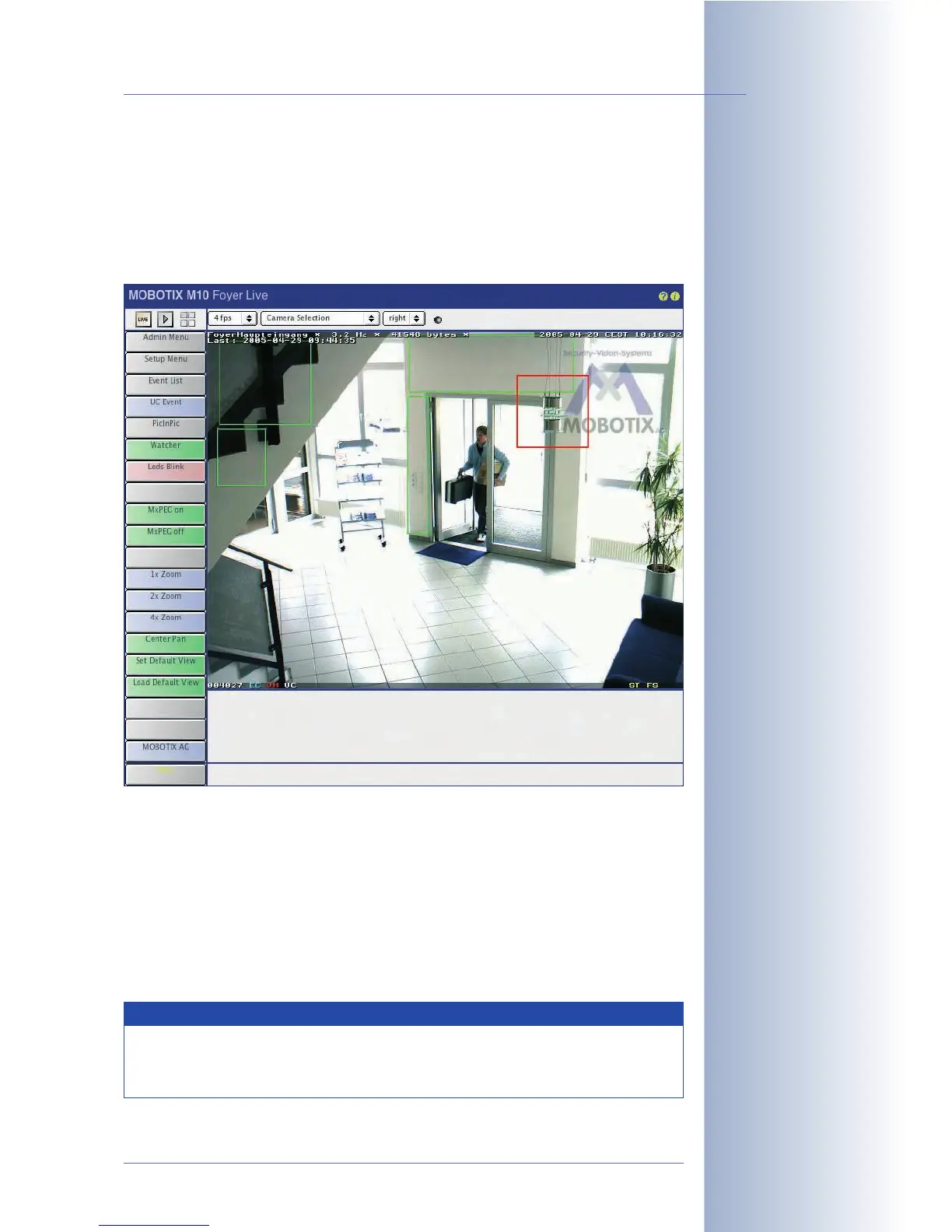
If the exposure windows are displayed (Show
Window set to
On
) the camera
shows the defined exclusion windows with a red
frame.
Example for a custom exposure window with an exclusion window:
# First, define the image area of the exposure window
0,100,100,900,800
# Next, define the exclusion window within the exposure window
0,800,700,50,50,out
© MOBOTIX AG • Security-Vision-Systems • Made in Germany
www.mobotix.com • sales@mobotix.com • 10.10.2006
129/288
Software Camera Manual Part 2
Exposure Windows:
green frame
Exclusion Windows:
red frame
Note
Lines starting with a # are indicating a comment and may be included
in the Exposure Window Definitions field for documentation
purposes.



 To Next Page