7.8.7 Image Profiles
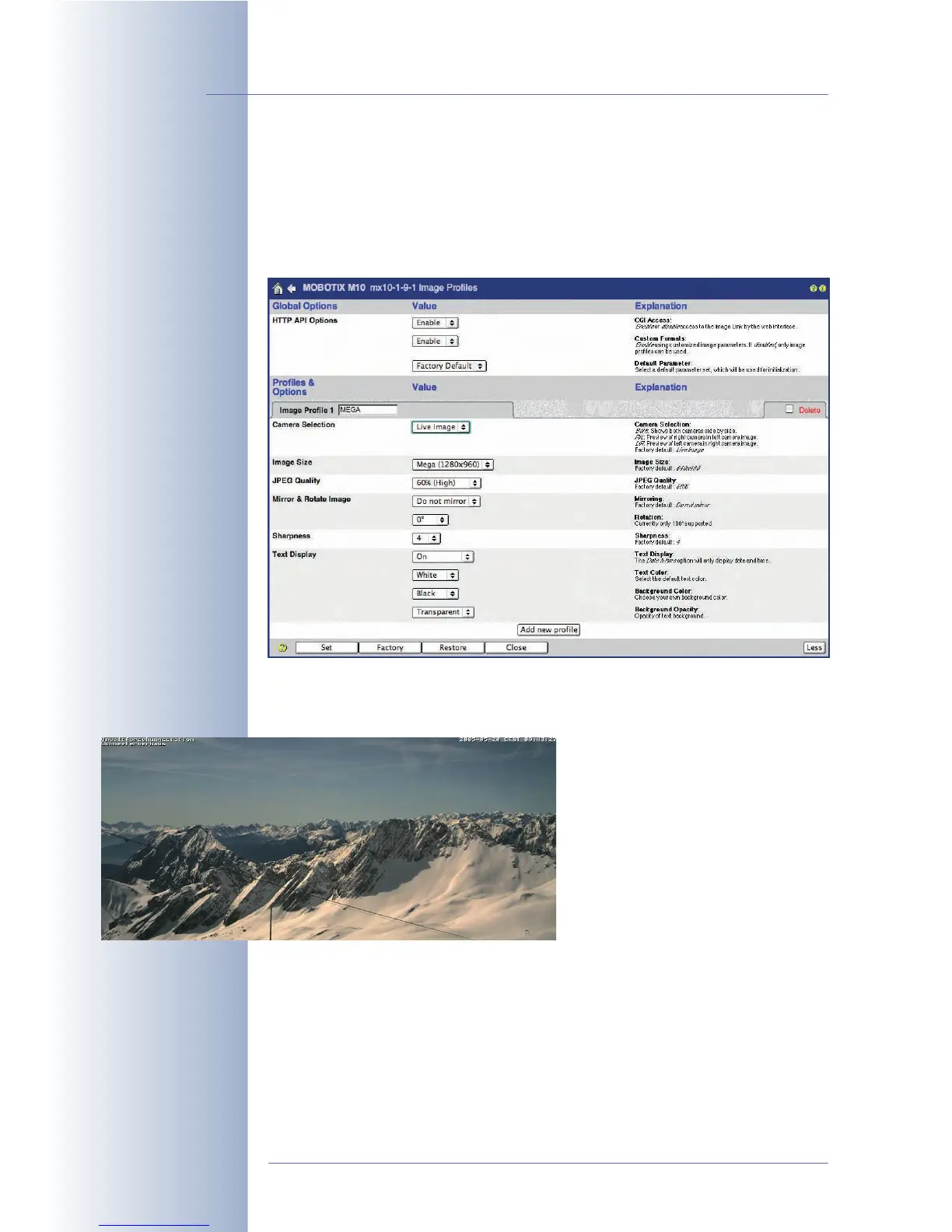
The Admin Menu > Image Profiles dialog allows defining individual images with
specific properties. The MOBOTIX camera could update mega pixel images
(1280x960 pixels) on a web server using a corresponding profile, although the Live
screen only shows VGA images (640x480), for instance.
Image profiles also allow creating images with specific resolutions (sizes), JPEG
quality, sharpness settings as well as mirroring and rotation settings. You can even
set a different type and form for the text displayed on the images (independent of
the settings in the Setup Menu > Text
& Display Settings dialog; see section
5.5.3,
Text Settings
). Image profiles
also control logos and graphics (using
logo profiles) in the camera image,
(see section 7.8.8,
Logo Profiles
).
The image profiles defined in this dia-
log can be used to transfer images
using FTP or e-mail, for example.
Global Options
The Global Options section allows deactivating the HTTP API functions (see sec-
tion 11.5,
HTTP API
), which allow remote-controlling the camera from other applica-
tions. Deactivate the Custom Formats option to prevent the camera from creating
customized image formats that have
not
been defined in the image profiles.
© MOBOTIX AG • Security-Vision-Systems • Made in Germany
www.mobotix.com • sales@mobotix.com • 10.10.2006
192/288
Software Camera Manual Part 2
Custom image sizes using
image profiles (e.g.
SKYLINE)
Image format: 900 x 400 pixels



 To Next Page