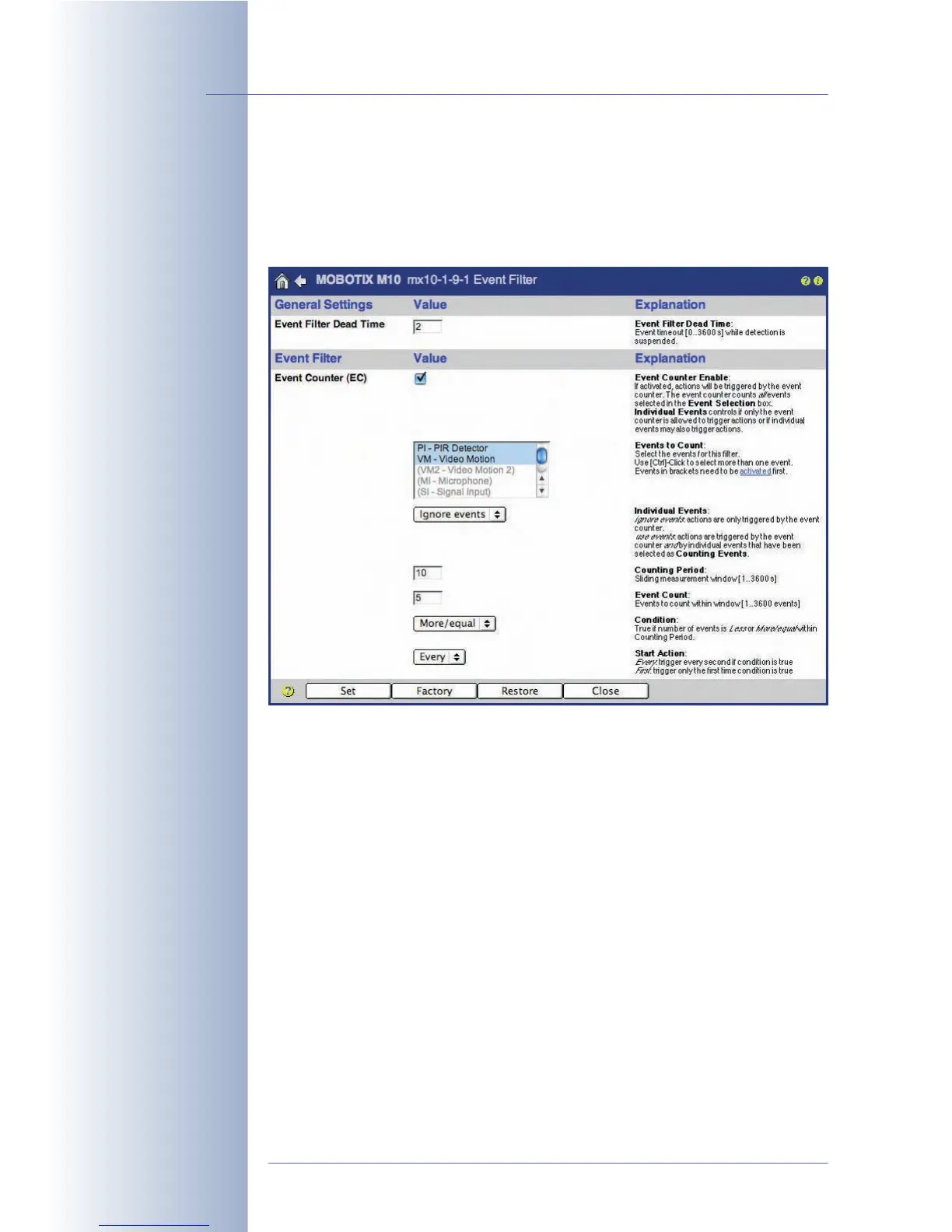
7.6.3 Event Filter (EC Event)
The Event Counter (Setup Menu > Event Filter (Event Counter)) is an event filter
that prevents the camera from immediately executing an action or sending a mes-
sage; it will only do so if a certain number of the selected events occur within the
specified timeframe.
The event filter can be used, for example, to monitor a conveyor belt in a produc-
tion scenario. If the MOBOTIX camera counts fewer objects per minute than
required, the camera will trigger the alarm.
• Event Counter Enable: If activated, the camera can trigger EC (Event
Counter) events. The event counter counts all events selected in the Events to
Count list.
• Events to Count: The event counter counts the events highlighted in this list.
Make sure that the highlighted events have been activated in the Setup
Menu > Event Settings dialog if you intend to use them. If an event is dis-
played gray and in parentheses, it has not been activated.
• Individual Events: This parameter allows using the selected events for trig-
gering actions and messages although they do not occur frequently enough
to trigger the EC event of the event filter. The
Ignore events
setting will sup-
press actions and messages from single (isolated) events;
Use events
will
allow actions and messages from isolated events.
© MOBOTIX AG • Security-Vision-Systems • Made in Germany
www.mobotix.com • sales@mobotix.com • 10.10.2006
166/288
Software Camera Manual Part 2
The Event Counter helps
monitor production proc-
esses



 To Next Page