9.9.5 Configuring a Softphone for SIP Video Telephone
The softphone applications eyebeam and x-lite 3.x for Windows support SIP
video telephony in connection with MOBOTIX cameras. When a phone connection
has been established from or to the MOBOTIX camera, the softphone can
automatically display the live video stream of the camera in its upper video
window. The live image of a web cam (if attached to the computer) will be
displayed in the softphone's lower video window.
You should not have to make additional settings in the softphone options if the SIP
audio settings have already been set (see sections 9.7.4 and 9.8.4). You should,
however, verify that the following (default) settings of the softphone have been set:
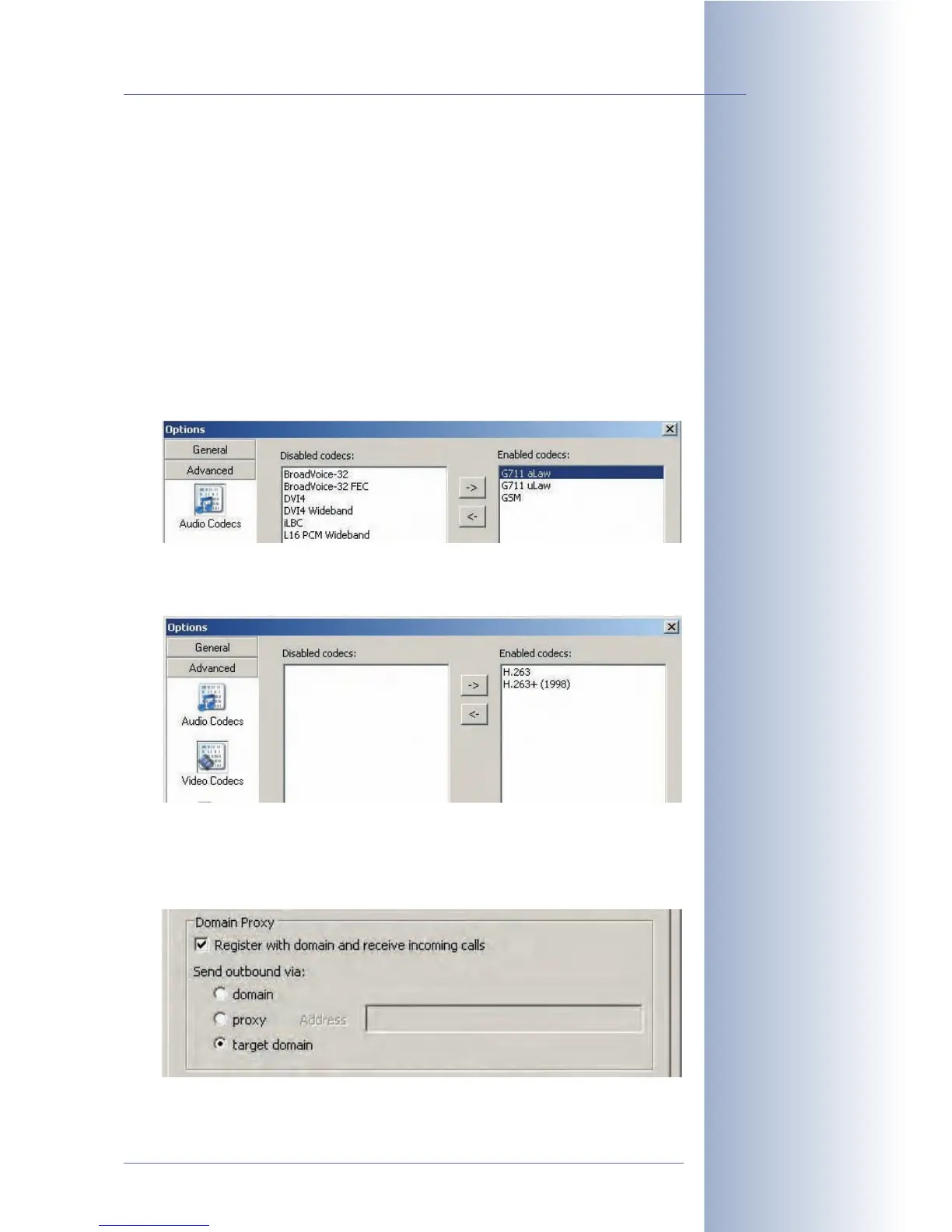
•Audio Codecs: Make sure that the audio codecs supported by the MOBOTIX
camera have been enabled: G711 aLaw, G711 uLaw and GSM.
• Video Codecs: Make sure that the video codec supported by the MOBOTIX
camera has been enabled: H.263.
• Register with domain and receive incoming calls (SIP Account Settings >
Properties > Account): Make sure that this option has been activated in the
account properties. If this is not the case, the softphone will not accept
incoming phone calls.
© MOBOTIX AG • Security-Vision-Systems • Made in Germany
www.mobotix.com • sales@mobotix.com • 10.10.2006
273/288
Software Camera Manual Part 2



 To Next Page