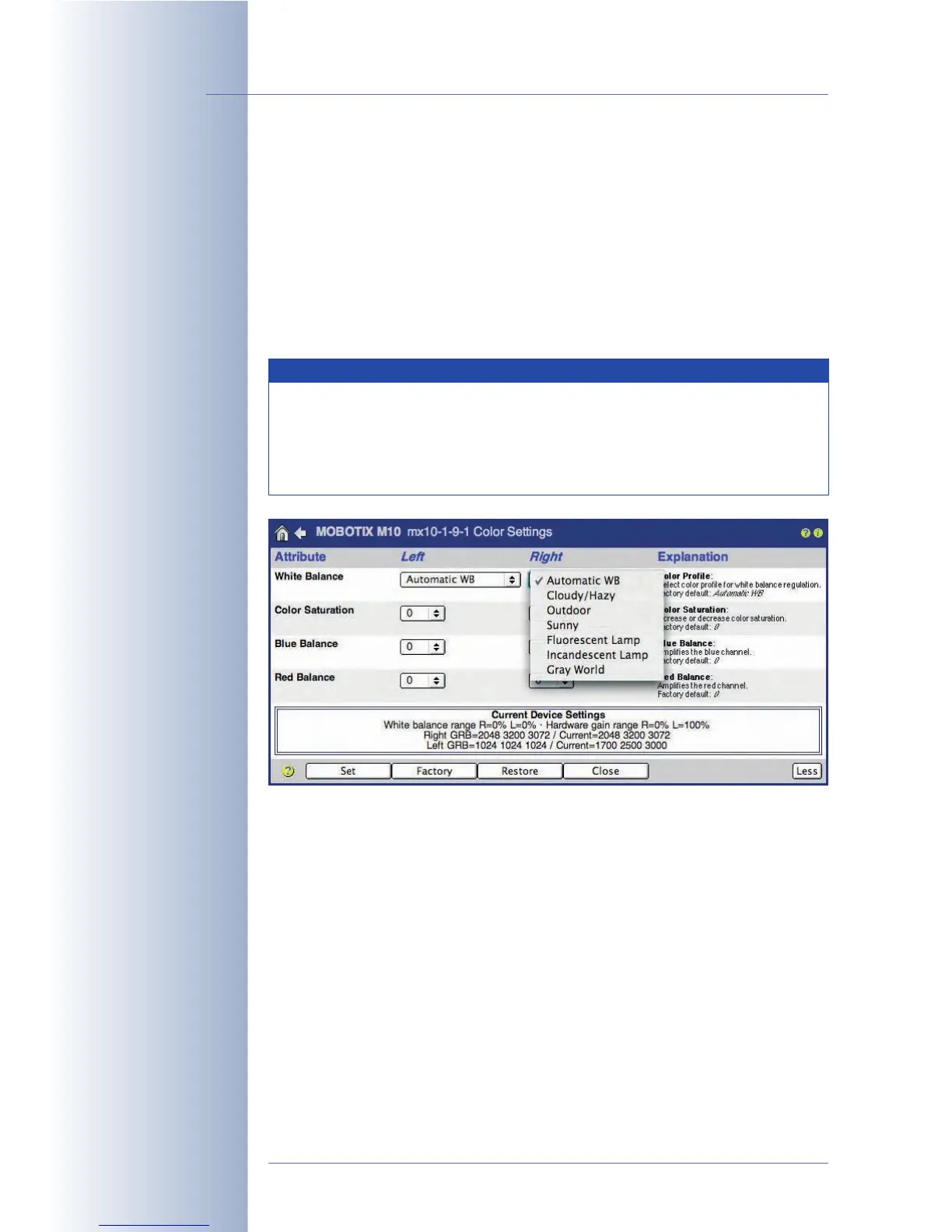
5.5.7 Color Settings (Color Profile and Saturation)
Open Setup Menu > Color Settings to adapt the color display of your MOBOTIX
camera to certain sources of light.
Depending on the source of light (sun, incandescent bulb, fluorescent light, etc.),
the portion of light reflected by a white wall contains different colors. The human
brain corrects this colored non-white light (the tint) automatically. The MOBOTIX
camera software automatically corrects the color display using its white balance
feature and, thus, displays the wall as being objectively white
in the camera
image.
Color Profile: Pre-defined color profiles are available for specific light situations
and can be set differently for each image sensor:
••
••
Automatic WB (White Balance):
The factory default setting should produce the best results for most lighting
situations.
••
••
Cloudy/Hazy:
If the
Auto
setting does not deliver satisfactory results in cloudy conditions, try
using this profile for white balance.
© MOBOTIX AG • Security-Vision-Systems • Made in Germany
www.mobotix.com • sales@mobotix.com • 10.10.2006
114/288
Software Camera Manual Part 2
Caution when changing the
color saturation
MOBOTIX cameras
feature predefined color
profiles
Note
Changing the color settings is usually not feasible, as the factory
settings and the automatic functions of the camera will produce high-
quality images most of the time. If the lighting conditions are difficult,
we recommend to select one of the preset color profiles or to
cautiously change the values of the blue and the red balance.



 To Next Page