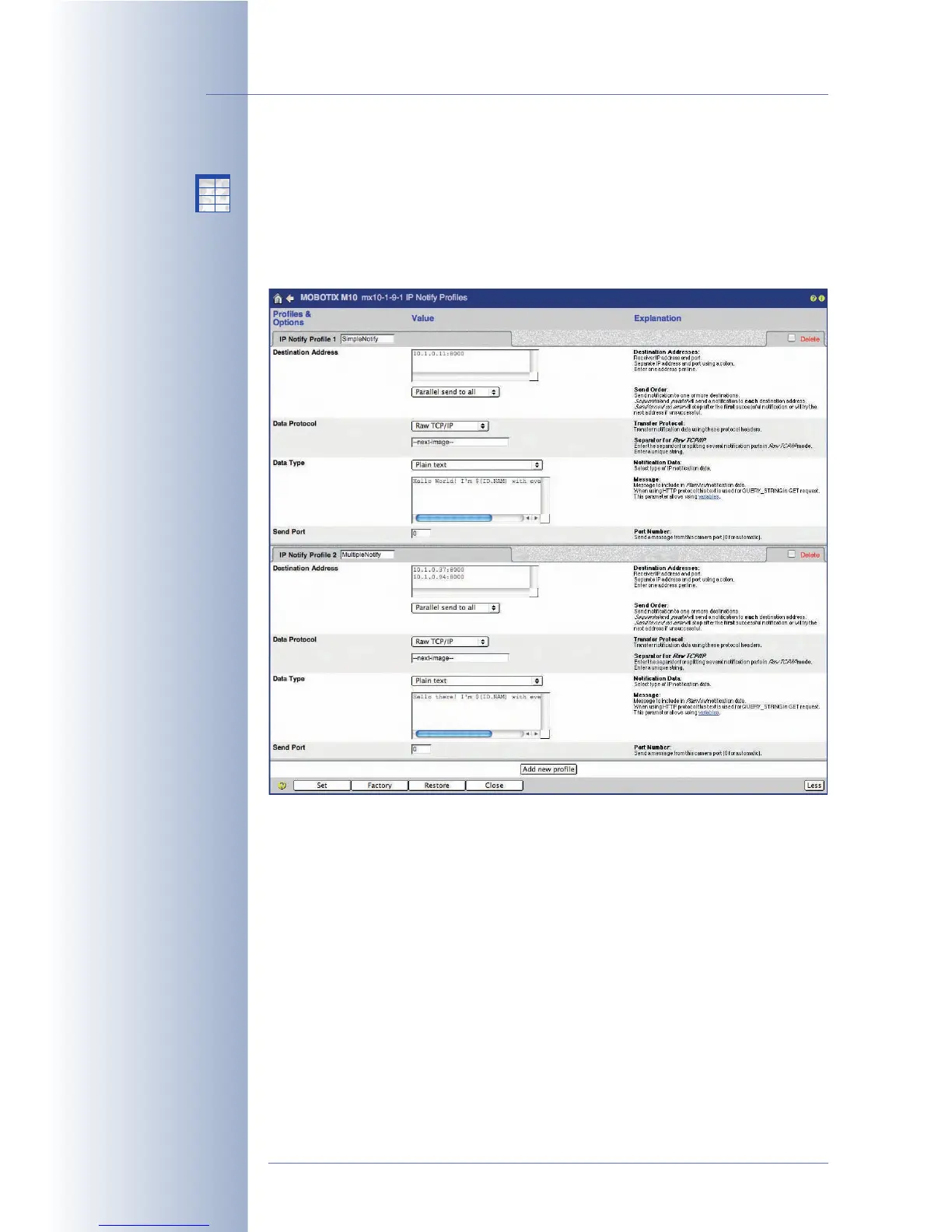
7.8.5 IP Notify (IP) Profiles
Admin Menu > IP Notify Profiles contains all parameters that are used for trans-
ferring network (IP) messages. Network messages can be sent from one MOBOTIX
camera to trigger or to arm another MOBOTIX camera, they can send images via
the network to a specific port of the receiving computer (using its IP address or DNS
name) or they can be used for remote-controlling MxViewer.
Profiles & Options
The dialog contains some sample profiles; you can change these profiles or add
new ones by clicking on Add new profile at the bottom of the dialog.
Enter the profile name in the IP Notify Profile n field (where n is the current num-
ber of the profile). Remember to enter a descriptive name as this name is later dis-
played in other dialogs.
• Destination Addresses: Enter the IP addresses of the receiving network
device (MOBOTIX cameras, PCs, etc.) and the port (separated by a colon ":").
If you would like to send the message to several recipients, enter each
address in a separate line.
• Send Order: Sets how the network message will be sent:
-
Sequential send to all
: Sends the network message to all IP addresses
specified in Destination Addresses, one after the other. Caution: If one of
© MOBOTIX AG • Security-Vision-Systems • Made in Germany
www.mobotix.com • sales@mobotix.com • 10.10.2006
186/288
Software Camera Manual Part 2
IP Notify (network)
messages allow MOBOTIX
cameras to exchange
messages and commands
X
X
-
-
-
-
X
X
Kamerafunktionen
Kameramodell



 To Next Page