9.8.3 Setting up an IP Phone
This example uses a Snom IP phone to demonstrate the
configuration of an IP phone. For more information on Snom
products, go to www.snom.com.
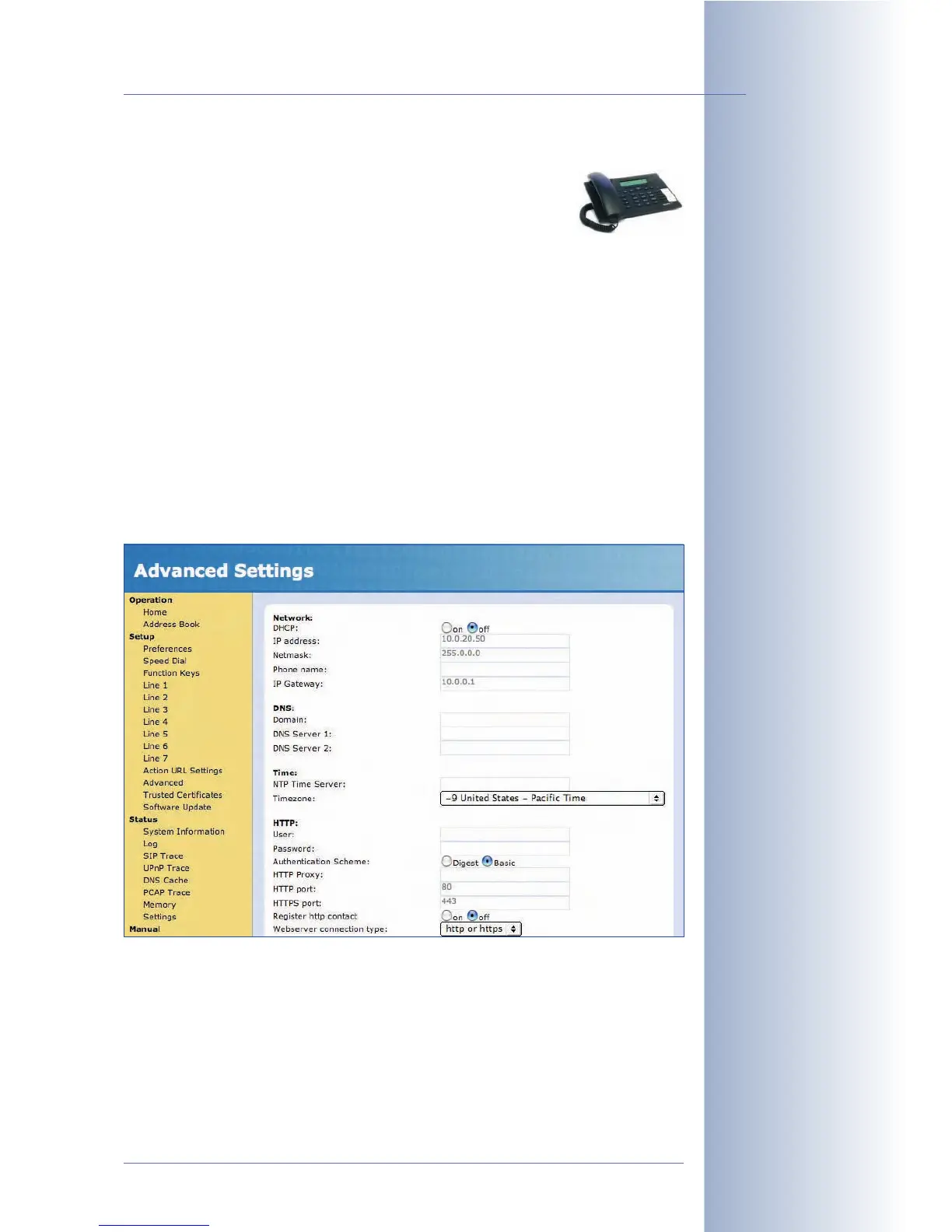
We recommend using the web interface when configuring the device. Immediately
after connecting the power supply to the Snom IP phone, it will display its IP
address on the display.
Enhanced Settings:
•DHCP:
Off
• IP Address: 10.0.20.50
• Net mask: 255.0.0.0
• IP Gateway: 10.0.0.1 (optional)
© MOBOTIX AG • Security-Vision-Systems • Made in Germany
www.mobotix.com • sales@mobotix.com • 10.10.2006
265/288
Software Camera Manual Part 2
Not all SIP phones
support direct LAN
connections!



 To Next Page