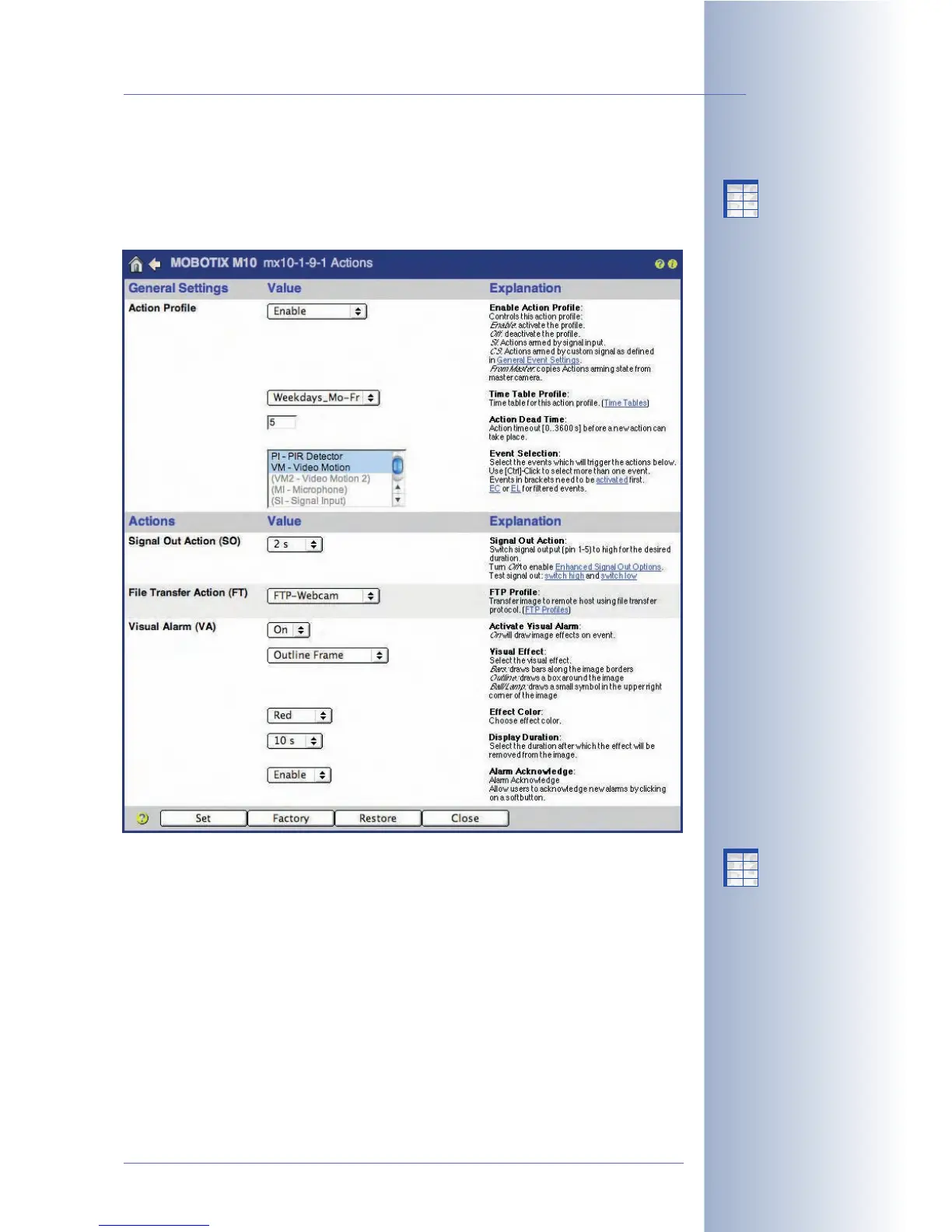
7.7 Actions and Messaging, Action and Messaging Profiles
Use the Setup Menu > Actions, Setup Menu > Messaging and Setup Menu >
Messaging 2 dialog to set the desired actions and messages, which the MOBOTIX
camera will carry out if it detects an activated event.
The MOBOTIX camera can carry out the following actions and messages:
Actions
• SO: Switches the signal output.
• FT: Transfers image and audio data via FTP.
• VA: Displays the visual alarm in the camera image.
Messages
• SD: Plays back a sound or message on the camera speaker.
• EM: Sends an e-mail.
• CL: Places a phone call.
• IP: Sends a network message.
© MOBOTIX AG • Security-Vision-Systems • Made in Germany
www.mobotix.com • sales@mobotix.com • 10.10.2006
169/288
Software Camera Manual Part 2
Available actions and mes-
sages
X
X
-
-
-
-
X
X
Kamerafunktionen
Kameramodell
X
X
-
-
-
-
X
X
Kamerafunktionen
Kameramodell



 To Next Page