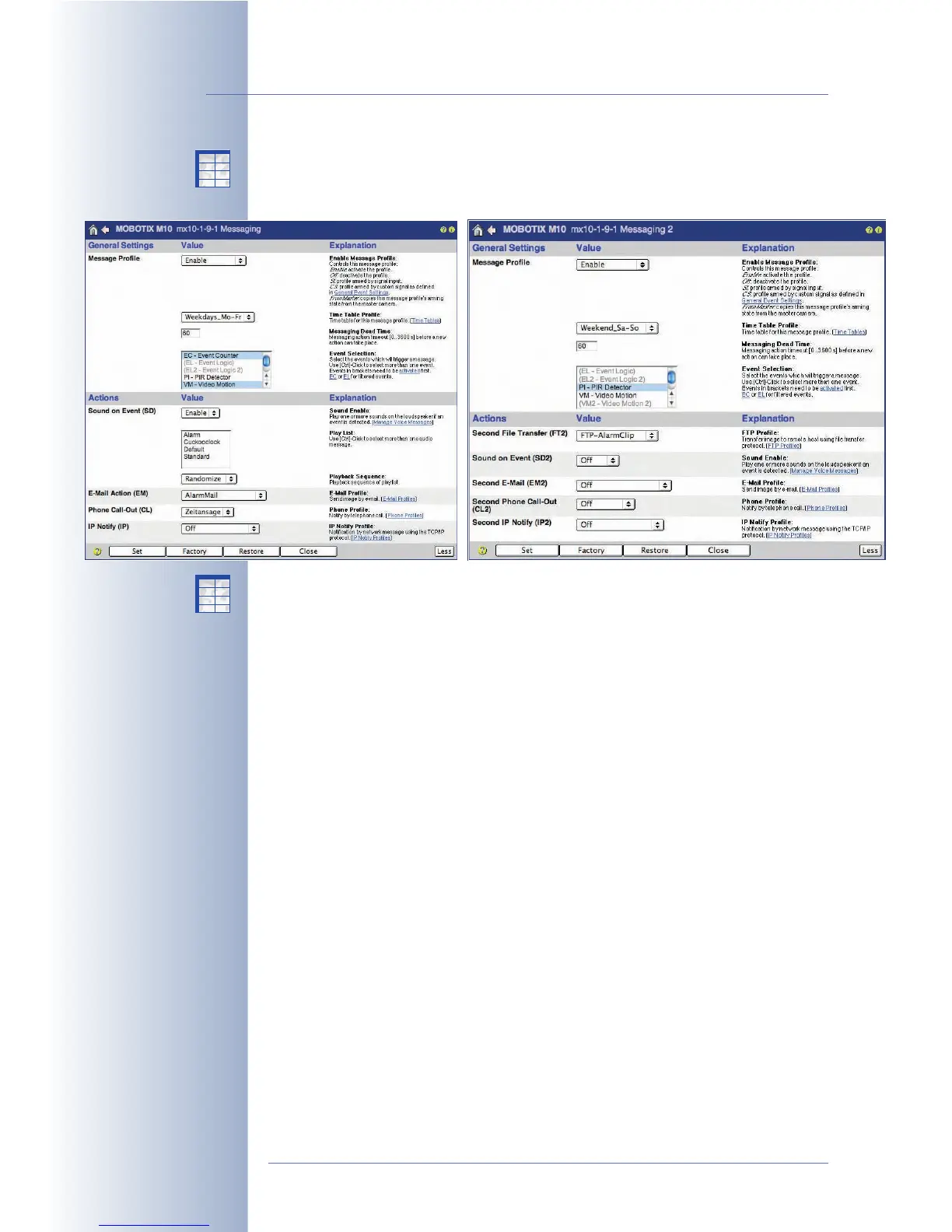
The Setup Menu > Messaging 2 dialog allows defining different actions and mes-
sages for a second set of events. This approach provides a second set of messag-
ing options.
The options in the Setup Menu > Enhanced Signal Out Options dialog provide for
defining a third set of messaging options.
The action and messaging profiles (Setup Menu > Actions, Messaging, Messag-
ing 2) can be activated or deactivated either manually or by using the signal input
SI Closed (low)
or
SI Open (high)
options and a key switch, for example. If an action
or messaging profile is active (regardless if it has been activated manually or from
the signal input), the status of the profile can also be controlled using a Time Table
profile. In this case, the action/messaging profile is active only at the times and on
the days defined in the time table. For additional information on this topic, see sec-
tion 7.8.6,
Time Tables
.
Using the Action/Messaging Dead Time parameters, you can set a minimum time
span between two actions/messages (0 to 3600 seconds = 60 minutes). The dead
time prevents the camera from carrying out the next action or message within the
specified time span. This allows the camera to record video and audio upon
detecting the first event, but it will only send an alarm (e.g. a phone call) upon the
first event (not every event) and then again after ten minutes, when the camera
detects new events.
Select the events in the Event Selection list, which will prompt the camera to carry
out actions and messages. Make sure that the highlighted events are activated in
the Setup Menu > Event Settings dialog if you intend to use them. If an event is
displayed gray and in parentheses, it has not been activated.
© MOBOTIX AG • Security-Vision-Systems • Made in Germany
www.mobotix.com • sales@mobotix.com • 10.10.2006
170/288
Software Camera Manual Part 2
Activating action and mes-
sage profiles using time
tables
The camera will not carry
out any actions or mes-
sages within the deadtime
X
X
-
-
-
-
X
X
Kamerafunktionen
Kameramodell
X
X
-
-
-
-
X
X
Kamerafunktionen
Kameramodell



 To Next Page