5.4 Basic Settings
5.4.1 Users, User Groups, Passwords, Supervisor Mode
MOBOTIX cameras have an integrated user management, which is used to create
new users and to manage existing ones; it also allows controlling which user
groups have access to which camera screens and functions. For example, you can
restrict access to the Admin and Setup pages and to individual camera screens;
likewise, you can restrict access from MxViewer. On the other hand, you can grant
public access
to specific functions and screens (no user credentials are required to
access these camera features).
Similar to a computer operating system, the MOBOTIX camera provides all means
to tailor the functionality to the needs of specific user groups. IT administrators, for
example, can have unlimited access to all configuration settings, while IT assistants
can only access the recording and event settings. A supervisory body could
assume the role of the Supervisor to schedule access times; this would allow
restricting access to stored images to a specific user group or to certain control
organs in highly regulated work environments, for instance.
Recommended procedure for user and user group management
• If possible, keep the user groups that have been preset in the factory default
configuration.
• Create new user groups only if you need other access rights as those
configured in the factory default groups.
• Create new users and set the passwords.
• Assign a user group to each user.
• If required, restrict the access rights of specific user groups (Group Access
Control List).
Users and Passwords
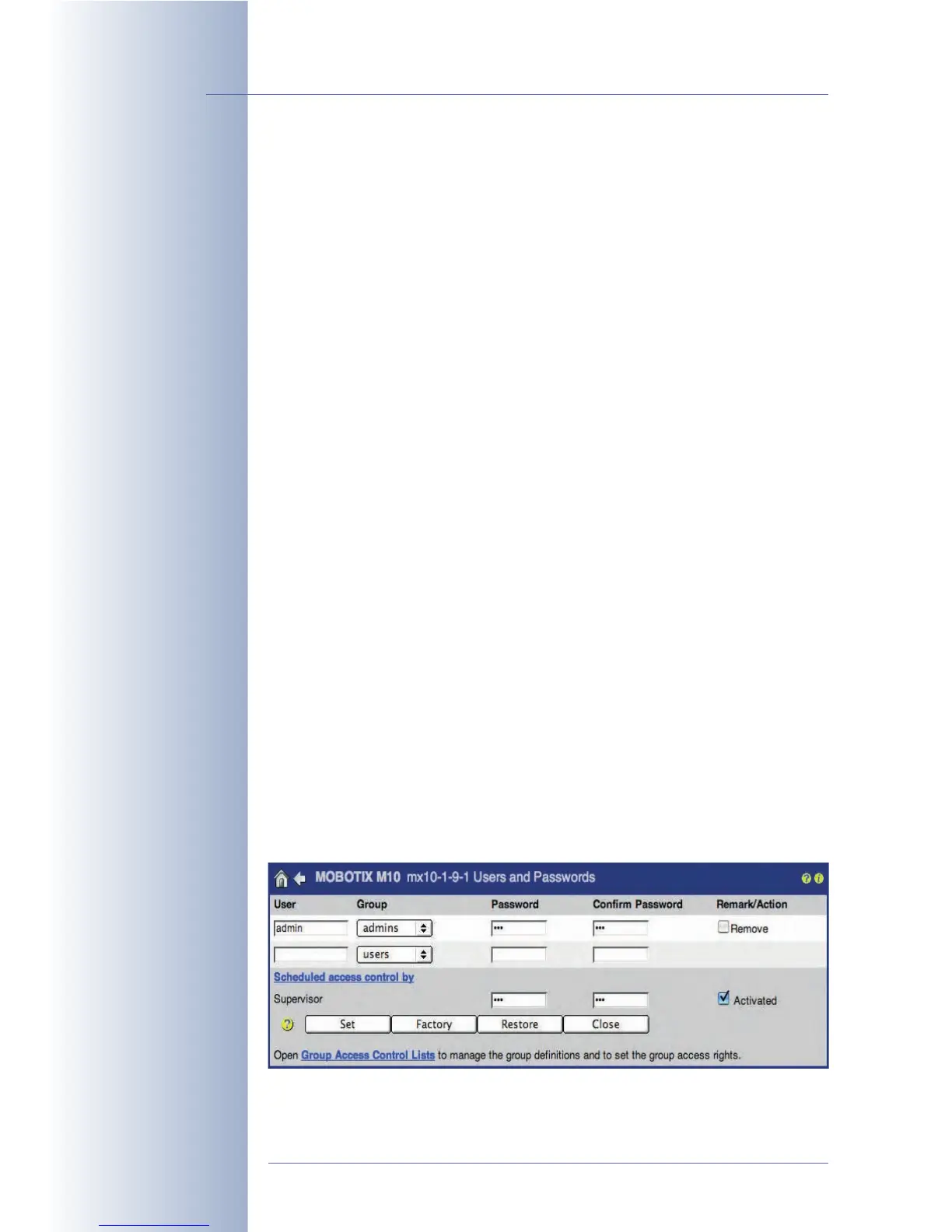
Open Admin Menu > Users and Passwords to create new users and to delete
existing users. This dialog also allows assigning the user groups defined in the
Group Access Control Lists dialog.
© MOBOTIX AG • Security-Vision-Systems • Made in Germany
www.mobotix.com • sales@mobotix.com • 10.10.2006
82/288
Software Camera Manual Part 2
As per factory default,
one user with
administrator rights has
been set:
• User: admin
• Password: meinsm



 To Next Page