To create a new user, enter a User Name and a Password. To delete a user, acti-
vate the Remove checkbox at the end of the corresponding row. Click on the Set
button (the page refreshes), then on the Close button and store the configuration
permanently.
Select the desired user group from the Group dropdown list. It contains all user
groups defined in Admin Menu > Group Access Control Lists as well as the
Undefined
group. Users assigned to this group had been assigned to a group that
has been deleted in the meantime; these users do not have any access rights.
They can be assigned to an existing user group or to a yet-to-be-created user
group later on.
• Number of users: up to 30
• Length of user name: 3 to 16 characters
• Length of password: 5 to 8 characters
• Allowed characters: "A-Z", "a-z", "0-9",
"." (dot), "-" (hyphen), "_" (underscore)
User Groups
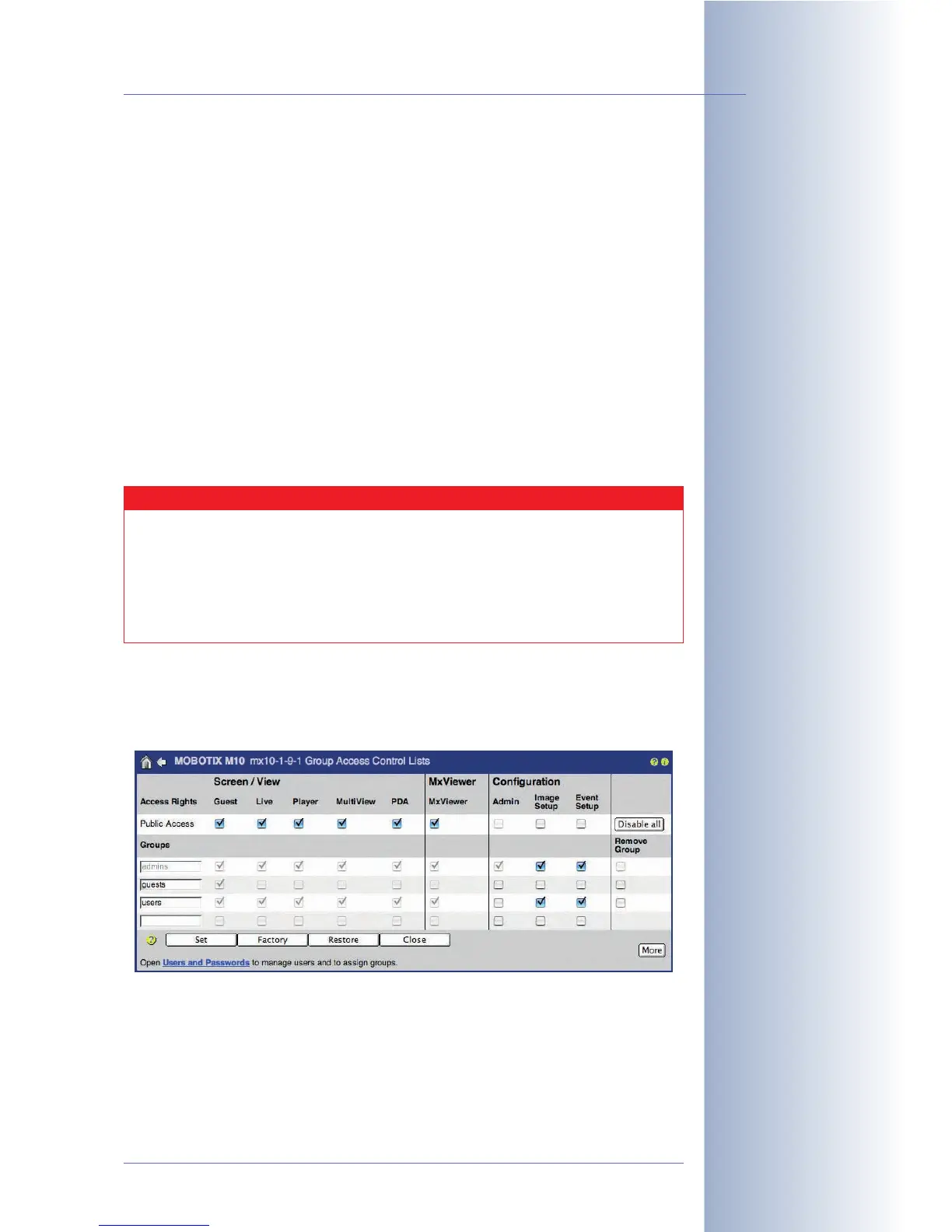
Every user has to be assigned to a user group. Open Admin Menu > Group
Access Control Lists to manage the user groups and the corresponding access
rights.
To create a new user group, enter a group name in the last (empty) field in the
Groups column. To delete a user group, activate the Remove Group checkbox at
the end of the corresponding row. Click on the Set button (the page refreshes), then
on the Close button and store the configuration permanently. If users had been
assigned to a deleted user group, they will be assigned to the
Undefined
user
group.
© MOBOTIX AG • Security-Vision-Systems • Made in Germany
www.mobotix.com • sales@mobotix.com • 10.10.2006
83/288
Software Camera Manual Part 2
User names and
passwords of a
MOBOTIX camera
are case-sensitive!
If the admin password has
been lost, the camera has
to be sent back to
MOBOTIX
ACL =
Access Control Lists
Caution
It is strongly recommend that you change the default user name
(admin) and the default password (meinsm). Make sure you store
the admin user's password in a safe place if you change it—if you for-
get the new password, there will be no administrative access to the
camera any more. Resetting the camera to the factory defaults is only
possible at the MOBOTIX factory or subsidiary (this service is not free!).



 To Next Page